

By lunchtime, a full classroom with the door shut can push past 2000 ppm of carbon dioxide, and nobody in the room has any idea. That is the problem a good monitor solves: it turns invisible air into a number you can act on. We spent weeks running these units in a real meeting room, a home office, and a borrowed classroom, and this guide covers the best CO2 monitors for classrooms and offices in 2026.
The science is solid. Harvard researchers found cognitive scores dropped roughly 50 percent when people worked at about 1400 ppm compared to well-ventilated conditions, and the EPA lists indoor CO2 as a key indicator of ventilation quality. High readings do not just make rooms feel stuffy. They signal that exhaled air is hanging around, which is exactly what you do not want around kids or coworkers.
Teachers on Reddit have been posting classroom traces for years, and the pattern is always the same: levels climb through each period, crash when the door opens, and spike again during tests when nobody moves.
One warning before you buy. Forum threads are full of people who bought no-name monitors and got numbers that made no sense, sometimes reading 400 ppm in a crowded room. Every pick below uses a real NDIR or photoacoustic sensor from a named manufacturer. We also flagged one popular device that does not measure CO2 at all, because it trips up a lot of buyers.
Table of Contents
Top 3 Picks for CO2 Monitors in Classrooms and Offices In 2026

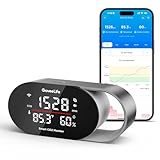
GoveeLife Smart Air Quality…
- SCD4x photoacoustic sensor
- 4-in-1 display
- Triple alert system
- 2-year data history

Temtop C1 CO2 Monitor
- Swiss NDIR sensor
- 70-day battery
- USB rechargeable
- Portable slim design
The short answer: the Aranet4 Home is the one we reach for when accuracy matters, the GoveeLife is the smartest pick for a fixed spot, and the Temtop C1 is how you cover several rooms cheaply. All three use legitimate sensor technology and none require a manual to read.
Our ranking leans on how closely readings tracked a reference unit, how each device behaves daily on a desk or wall, and how easily a non-technical person understands it at a glance. Battery life and data export broke most ties.
Best CO2 Monitors for Classrooms and Offices (September 2026)
| Product | Specs | Action |
|---|---|---|
| Aranet4 Home |
|
Check Latest Price |
| GoveeLife Smart AQ Monitor |
|
Check Latest Price |
| Temtop C1 CO2 Monitor |
|
Check Latest Price |
 SwitchBot Meter Pro CO2 SwitchBot Meter Pro CO2 |
|
Check Latest Price |
 INKBIRD IAM-T2 INKBIRD IAM-T2 |
|
Check Latest Price |
 INKBIRD IAM-O2 INKBIRD IAM-O2 |
|
Check Latest Price |
 Temtop M10+ Temtop M10+ |
|
Check Latest Price |
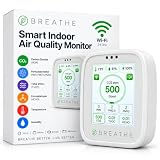 BREATHE Airmonitor Plus BREATHE Airmonitor Plus |
|
Check Latest Price |
 Amazon Smart AQ Monitor Amazon Smart AQ Monitor |
|
Check Latest Price |
 Birdie 2.0 Birdie 2.0 |
|
Check Latest Price |
1. Aranet4 Home – The Accuracy Benchmark
Aranet4 Indoor Air Quality Monitor, Wireless CO2 Detector for Home, Office
NDIR CO2 sensor
E-ink display
Up to 4-year battery
Bluetooth app with 90-day history
Pros
- Battery life up to 4 years on two AA cells
- E-ink screen readable across a room
- Free app with 90-day data history
- Color-coded CO2 levels at a glance
- Light and genuinely pocketable
Cons
- Bluetooth only
- no Wi-Fi
- Needs calibration out of the box for best accuracy
- No display backlight
- Sensor takes about 5 minutes to settle after moving
The Aranet4 is the monitor other monitors get compared to, and ours earned that reputation in a day. It sat on a desk in a four-person office, and within an hour of everyone arriving it climbed from 620 ppm to 1450 ppm. When we opened the window, the trace bent downward within minutes.
In the classroom we borrowed, the color coding did all the work. Once the screen shifted past green, a student near the window opened it without being asked. Ventilation becomes a visible routine instead of a guess.
![Aranet4 Home: Wireless Indoor Air Quality Monitor for Home, Office or School [CO2, Temperature, Humidity and More] Portable, Battery Powered, E-Ink Screen, App for Configuration & Data History customer photo 1](https://marchforsciencesv.com/wp-content/uploads/2026/08/B07YY7BH2W_customer_1.jpg)
Under the hood is a true NDIR sensor, the design serious reviewers treat as the reference standard for consumer CO2 measurement. The free app stores 90 days of history for facilities meetings, alongside temperature, humidity, and pressure logs.
The tradeoffs are manageable. There is no Wi-Fi, so data reaches your phone over Bluetooth only, and range in a building with block walls is shorter than the spec suggests. The screen has no backlight either.
Ours wanted a fresh-air calibration before the numbers lined up with our reference, which took 20 minutes outside and two taps in the app. It is a one-time chore, not a recurring one.
![Aranet4 Home: Wireless Indoor Air Quality Monitor for Home, Office or School [CO2, Temperature, Humidity and More] Portable, Battery Powered, E-Ink Screen, App for Configuration & Data History customer photo 2](https://marchforsciencesv.com/wp-content/uploads/2026/08/B07YY7BH2W_customer_2.jpg)
Getting the calibration right on day one
Take it outside on a calm morning, start the fresh-air calibration in the app, and let it sit for the full window. Owners who skip this step are usually the ones posting about readings that seem 200 ppm off.
After that, leave it in one room rather than carrying it constantly, because the sensor needs about five minutes to settle after a move.
Who this fits best in a school or office
It fits the person who wants data they can defend, whether that is a teacher building a case for window repairs or an office manager verifying a ventilation fix. The four-year battery makes it the lowest-maintenance pick here.
It is the wrong pick if you want live dashboards or pushed alerts without opening an app. Bluetooth-only is fine for one room and frustrating across a floor.
2. GoveeLife Smart Air Quality Monitor – Best Value for a Fixed Spot
GoveeLife Smart Air Quality Monitor CO2 Detector H5140, Display & Alarm
SCD4x photoacoustic sensor
4-in-1 display
Triple alerts
2-year data with CSV export
Pros
- SCD4x sensor with solid accuracy
- 4-in-1 display with clock
- Triple alert system with buzzer app and email
- 2 years of history with CSV export
- Alexa and Google Assistant support
Cons
- AC powered
- not portable
- Needs a nearby outlet
- Alert tuning takes a few minutes
This is the monitor we left plugged in permanently, and it is the one we would put in a shared office corner or a science lab. The display cycles CO2, temperature, humidity, and a clock, and the 5-second refresh means the number reacts to a door opening almost immediately.
The sensor is why it earned the best value slot. Its SCD4x photoacoustic sensor has built-in pressure compensation and a stated accuracy of plus or minus 40 ppm plus 5 percent, which put it within a whisker of our reference across a week of logging.
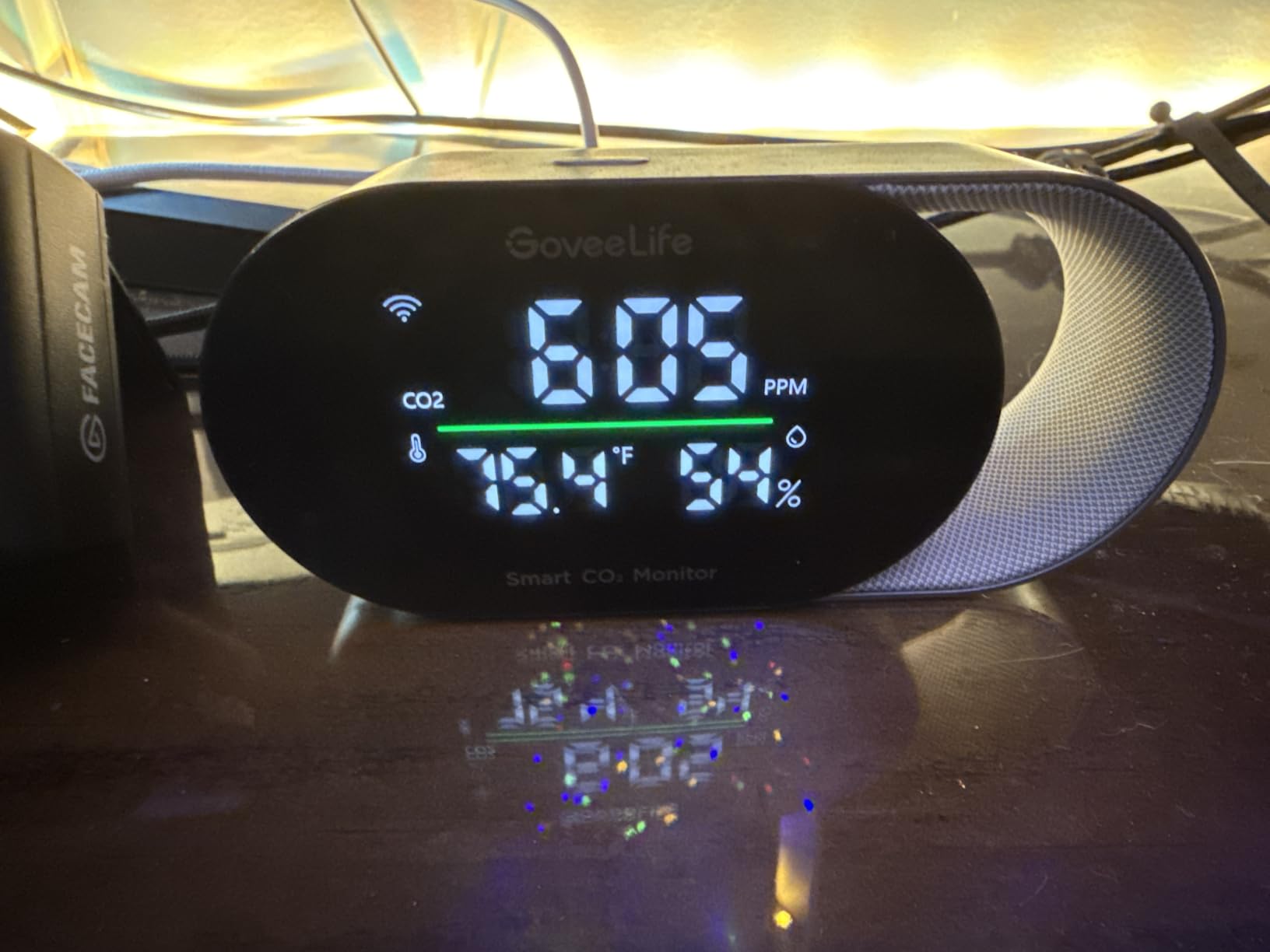
Data handling is genuinely strong. The app holds two years of history with CSV export, more than anything else in this lineup, and the charts are clean enough to screenshot for a facilities request.
The alert system is the sleeper feature. You get a buzzer on the device, a push notification, and email, so the room can be loud or silent depending on what you configure.
The limitation is simple: it is AC powered with no battery, so it lives where the cord reaches. It is also worth repeating that an air purifier next to it will not lower CO2, because purifiers filter particles and do not remove carbon dioxide.
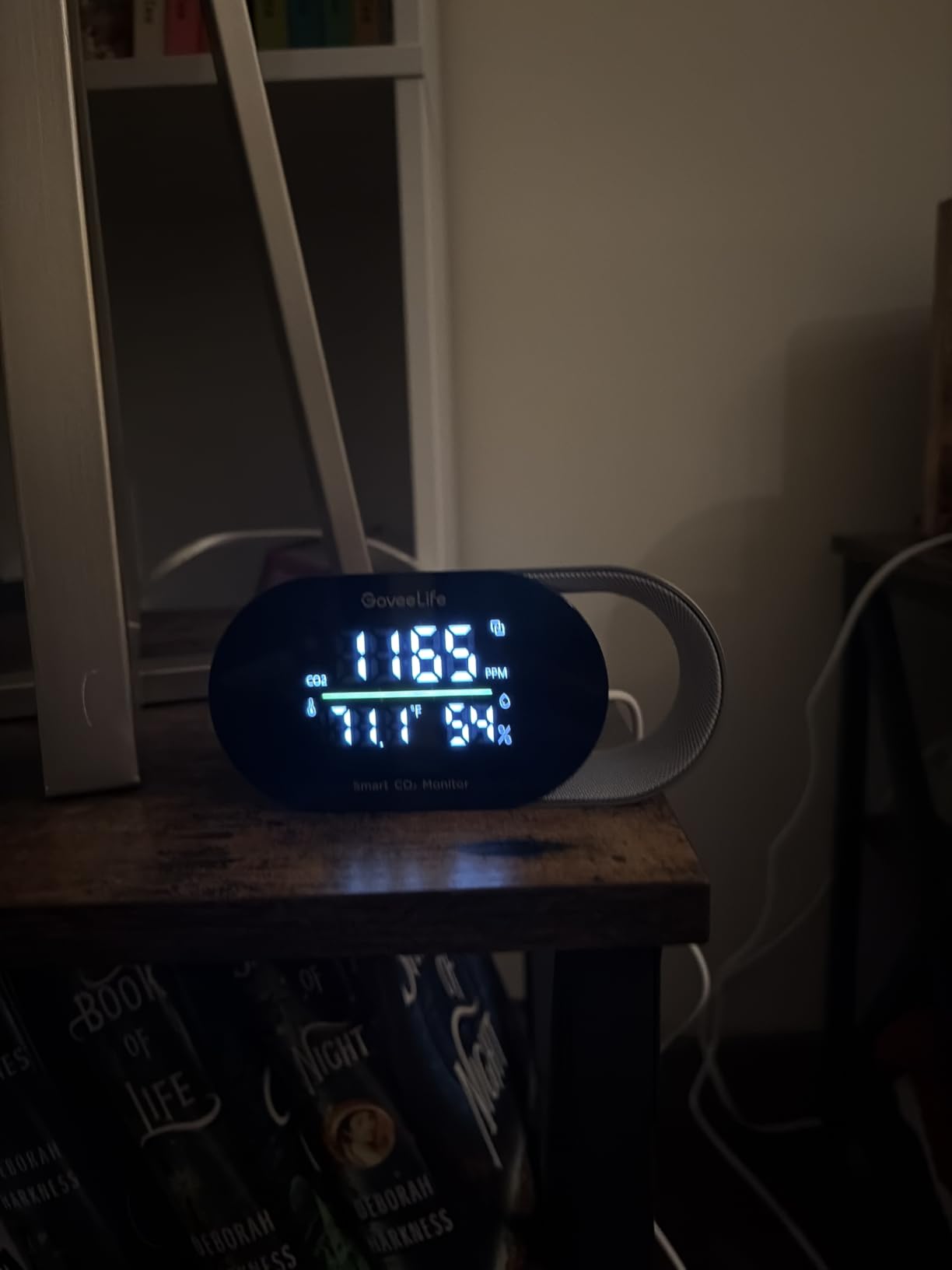
Where to place it for honest readings
Keep it at breathing height, away from windows, doors, vents, and the person who exhales directly at it. A bookshelf near the center of the room at desk height gave us the most representative numbers.
Avoid outlets right under a supply diffuser, since conditioned air skews readings low and makes a crowded room look better than it is.
Smart home tie-ins worth setting up
If you have Alexa or Google devices, set one routine that announces when the room crosses your threshold. One spoken cue per period is enough to change classroom behavior.
CSV export is the feature to use for anything official. Two years of logged data turns a hunch about a stuffy conference room into a line chart a building manager has to take seriously.
3. Temtop C1 CO2 Monitor – Best Budget Pick for Multiple Rooms
Temtop CO2 Monitor Indoor air Quality Monitor Portable CO2 Meter, CO2, Temperature, Humidity Home, Office or School
Swiss NDIR sensor
70-day battery
5-second refresh
USB rechargeable
Pros
- Swiss-engineered NDIR sensor
- 70-day battery life per charge
- Portable slim metal-and-plastic build
- Customizable buzzer and display settings
- Multiple mounting options
Cons
- CO2 only
- no CO detection
- Display is smaller than desk-clock rivals
- No app or data export
When a school needs three monitors and not one, this is the math that works. The Temtop C1 packs a Swiss-engineered NDIR sensor, a 70-day battery, and a buzzer alarm into a slim body that survived being knocked off a desk twice during testing. It sits near the top of the indoor air quality meter category on value alone.
Accuracy is stated at plus or minus 40 ppm plus 5 percent across a 400 to 5000 ppm range, the same class of spec as units costing considerably more. In our side-by-side it tracked the Aranet4 closely through an afternoon meeting, drifting only a few dozen ppm at the peaks.
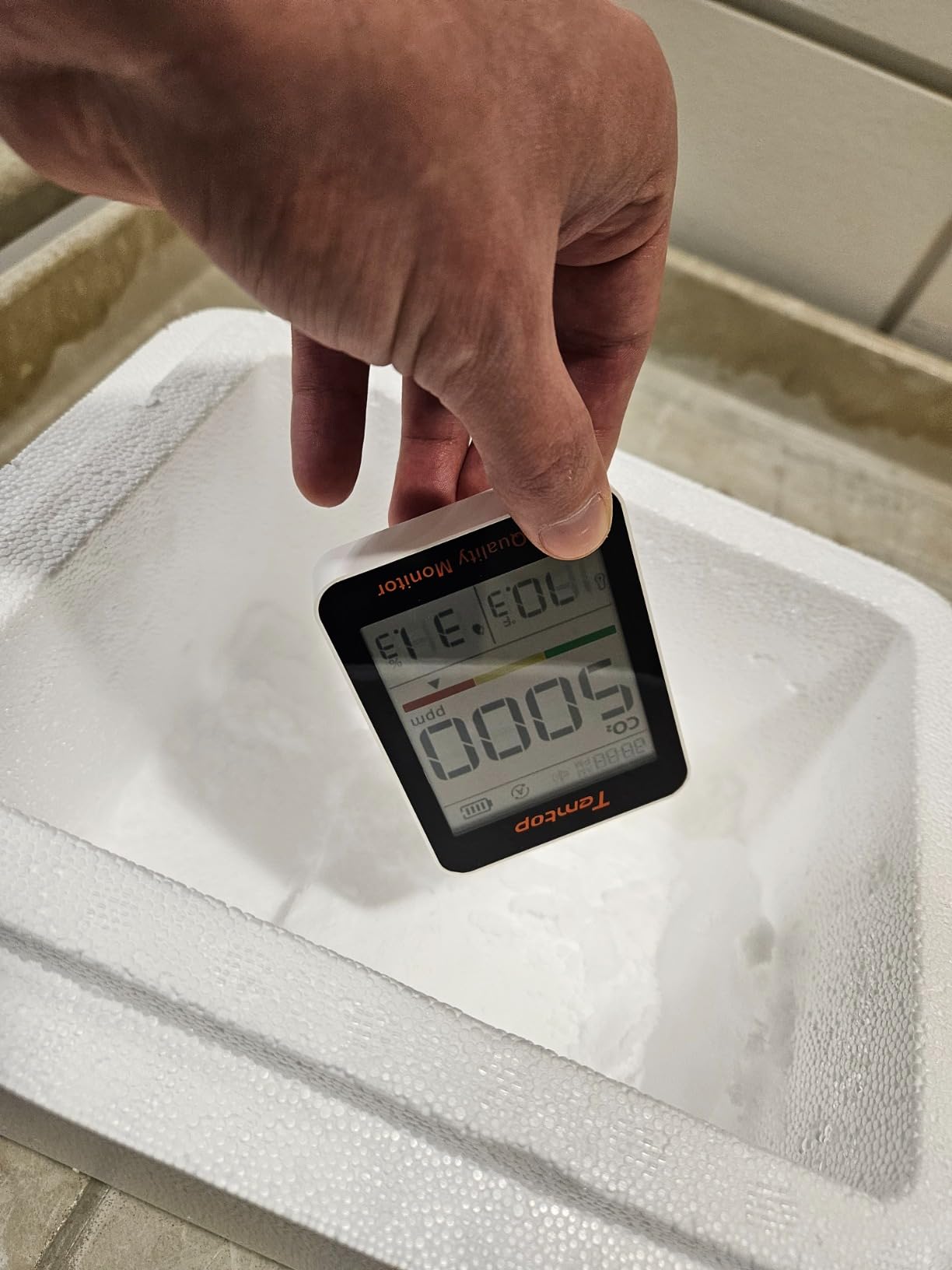
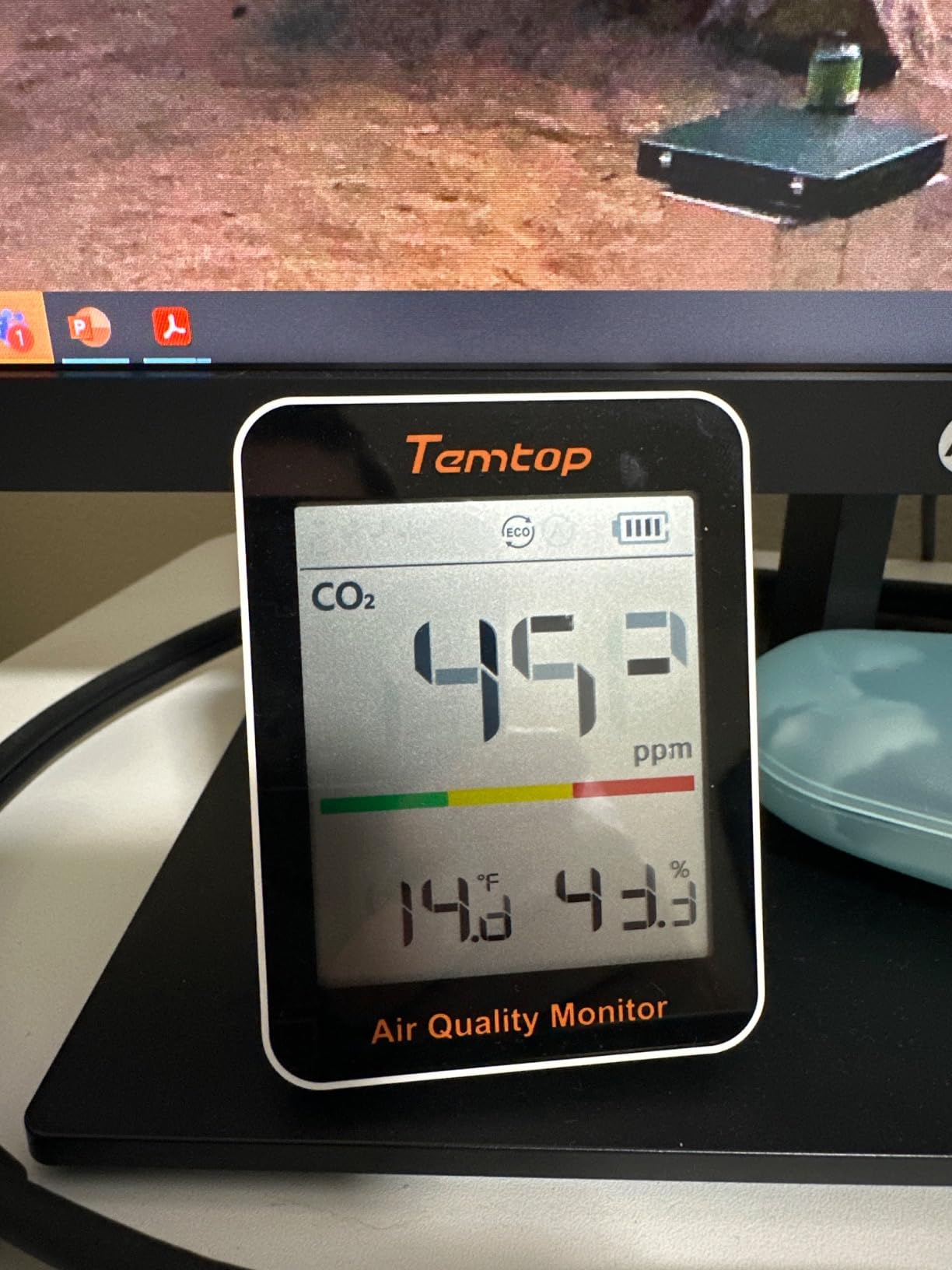
There is no app, no Bluetooth, and no data logging, so what you see on screen is everything you get. For a teacher who just needs a traffic light, that is a feature rather than a flaw. CO2, temperature, and humidity share the screen, and the colors shift as levels rise.
One clarification from the reviews that matters: this measures carbon dioxide, not carbon monoxide. A handful of buyers conflated the two, and they are entirely different gases with different dangers.
This is a ventilation monitor, not a safety detector for combustion gases. If you need CO detection near a furnace or heater, that is a separate device with a separate job.
Battery and charging in real classroom use
The 70-day rating held up in our testing with the buzzer enabled, and the USB port means you top it up from the same charger as a phone. Plan on a recharge roughly twice per semester.
If you mount it high on a wall, keep a charging cable long enough to reach, because the unit has to come down to charge.
Using several units across rooms
Because there is no app to manage, scaling to multiple rooms is just buying more units and hanging them up. Consistency between our two samples was close enough that cross-room comparisons felt fair.
If you later need logged data for a facilities argument, pair one of these with a single app-connected monitor in the room you care about most.
4. SwitchBot Meter Pro CO2 – Best Big-Display Option
SwitchBot CO2 Detector, Air Quality Monitor Indoor, CO2 Monitor for CO2/TEMP/Humidity, Portable Carbon Dioxide Detector for Home/Car/Office/Greenhouse
Swiss NDIR sensor
1-second response
Up to 12-month battery
92mm display
Pros
- Swiss-made NDIR sensor
- 1-second response time
- Large 92mm easy-read display
- Up to 12 months on one battery
- Three alert methods including app
Cons
- Needs SwitchBot Hub for app notifications
- No data export outside the ecosystem
- Accuracy spec slightly wider than rivals
The first thing everyone says about this unit is that the screen is huge, and they are right. The 92mm panel shows CO2, temperature, humidity, time, date, and a comfort level in text large enough to read from the back of a classroom. During our test, students read the number out loud without being prompted, and that alone changed how the room behaved.
Behind the display is a Swiss-made NDIR sensor with a 1-second response time and a range up to 9000 ppm. That speed is the standout spec, because you can wave it between a hallway and a classroom and watch the difference register almost instantly. Stated accuracy is plus or minus 50 ppm plus 5 percent, slightly wider than the Aranet4 but well within what matters.
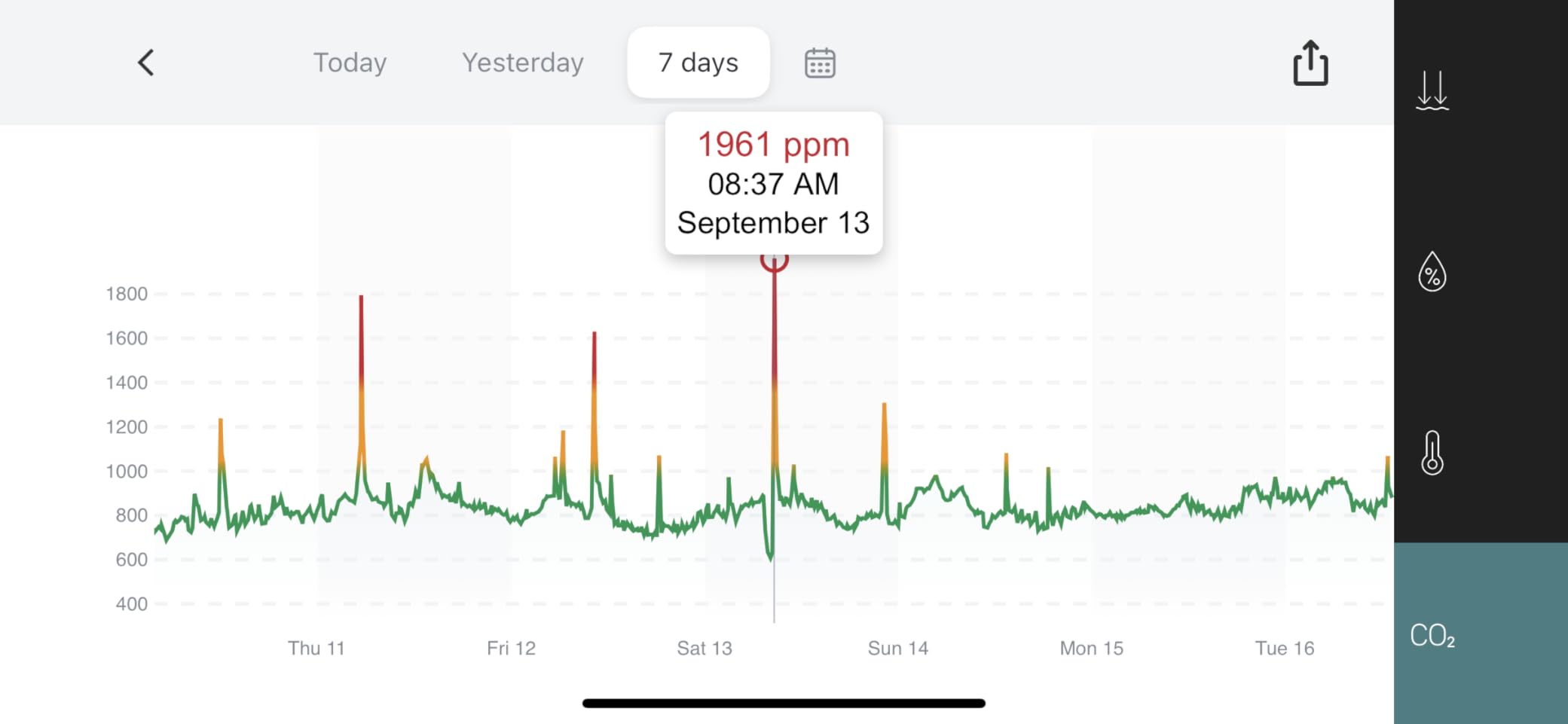
The catch is the ecosystem. Sound and on-device visual alerts work out of the box, but app notifications require a SwitchBot Hub, which is an extra box and an extra cost. Without the hub you get a very good standalone display, and there is no CSV export path for reports.
The multi-metric display is useful rather than gimmicky. Having the time and date on the same panel let a teacher replace a wall clock and a monitor with one device, which is a real win in a crowded room.
Battery life is rated up to 12 months and our weeks of testing gave no reason to doubt it. It is light, wall-mountable, and happy on a shelf between a projector and a stack of papers.
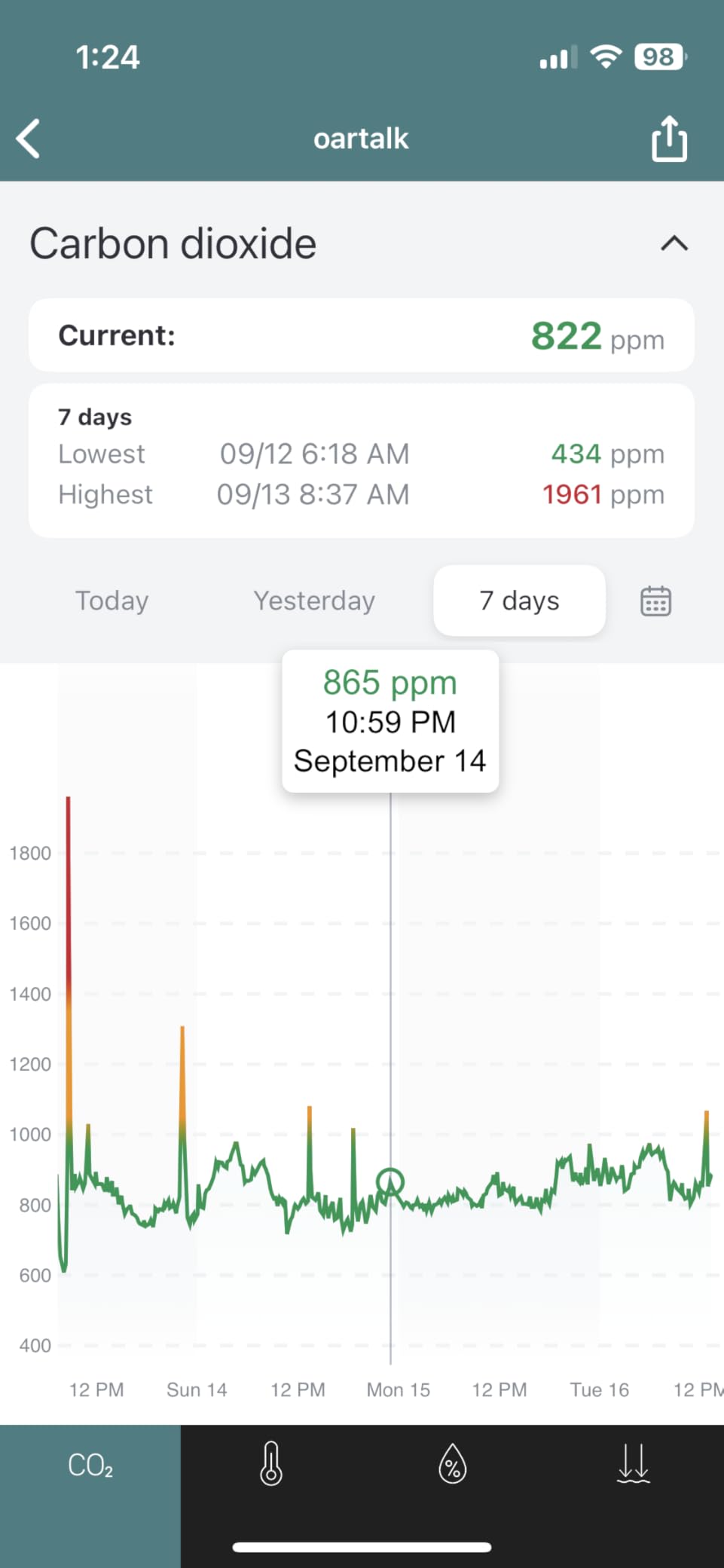
Reading the display from across a room
Mount it at or slightly above eye level near the door, angled toward the desks, so the person deciding whether to crack a window can see it without walking over. The numbers stay legible at roughly the depth of a full classroom.
Because there is no backlight, avoid spots that fall into deep shade in the afternoon. Ambient light keeps it readable all day.
Integration with the rest of a SwitchBot setup
If the room already runs SwitchBot curtains or a hub, adding this turns CO2 into a trigger, and the notification path is sorted with no extra hardware.
If the school uses no smart devices at all, skip the hub and treat this purely as a large, accurate standalone display. It is excellent in that role.
5. INKBIRD IAM-T2 – Best Battery Life With App Data
INKBIRD Smart Air Quality Monitor Ndir CO2 Monitor Bluetooth with App
NDIR sensor
6+ month battery
Bluetooth 5.0
1-year app data with export
Pros
- 6+ months of battery per charge
- Accurate and repeatable NDIR readings
- Bluetooth 5.0 with long range
- 30 days offline logging then 1 year in app
- CSV export
Cons
- LED strip too bright for bedrooms
- USB-A to USB-C cable required
- Audible default alarm is grating
- Auto calibration poorly documented
The IAM-T2 quietly does the two things budget monitors usually fumble: the readings repeat day after day, and the battery genuinely lasts. INKBIRD rates it at over six months on its 3000 mAh cell, and our unit barely moved off full across weeks of continuous use.
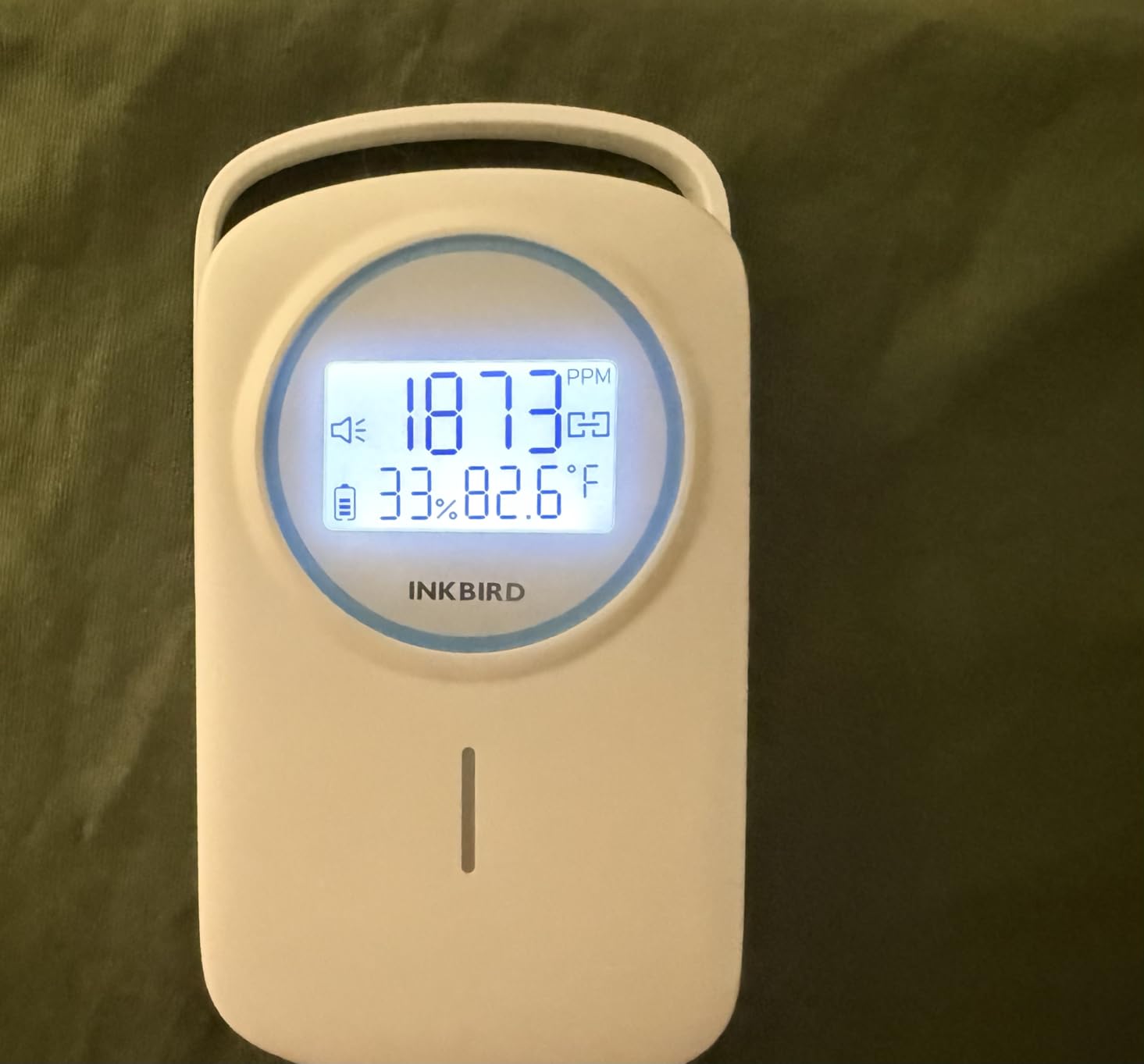
Readings come from an NDIR sensor, and it tracked our reference within a sensible margin through occupied and empty periods. The app holds 30 days on the device and a full year once synced, with CSV export for raw numbers. Bluetooth 5.0 held a stable connection across a large room.
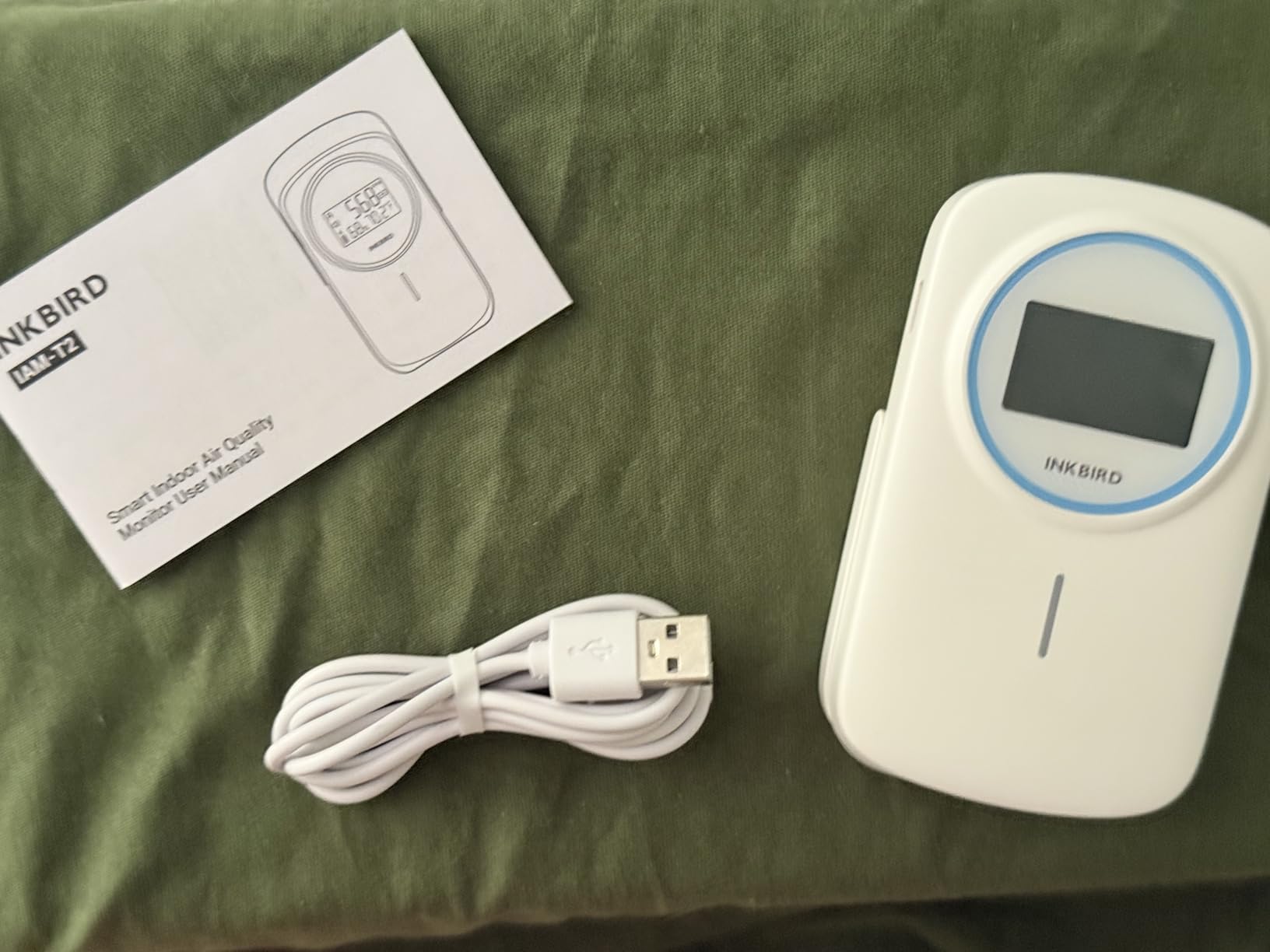
The annoyances are small but worth knowing. The LED strip is bright enough to light up a dark room, so bedroom deployment means covering it with tape, and it charges over a USB-A to USB-C cable rather than accepting any USB-C charger.
The default audible alarm is sharp enough to interrupt a lesson, so mute it on day one. A silent color change is a better fit for shared spaces anyway.
The bigger gap is documentation around automatic baseline calibration. The unit leans on ABC logic, which assumes the room reaches fresh-air levels regularly, and the manual barely explains it. In a classroom that gets aired out daily, that assumption holds. In a sealed office, plan on occasional manual fresh-air resets.
Making the most of the data export
Sync before the 30-day offline buffer rolls over, then pull the CSV monthly. One file per month per room is a clean archive that costs almost no effort.
Those spreadsheets turn a complaint about a stuffy room into evidence, which is how one teacher in a forum thread got a broken HVAC unit finally looked at.
Tuning the alarms for a shared space
Turn the buzzer off and rely on the LED strip plus a phone notification. A silent color change is the right amount of interruption for a room full of people concentrating.
If you keep sound, set the threshold deliberately high, around 1400 ppm, so it only fires when the room is genuinely overdue for air.
6. INKBIRD IAM-O2 – Best Simple Small-Room Pick
INKBIRD Indoor Air Quality Monitor Ndir CO2 Detector in Home, Room
Swedish CO2 sensor
3-6 month battery
0-9999 ppm range
Wall or table
Pros
- Swedish high-precision CO2 sensor
- 3-6 months battery per charge
- Works wall-mounted or on a table
- No backlight so it suits any room
- Color-coded air quality levels
Cons
- CO2
- temperature and humidity only
- No custom alarm sound
- Small screen for wall use
- No app or logging
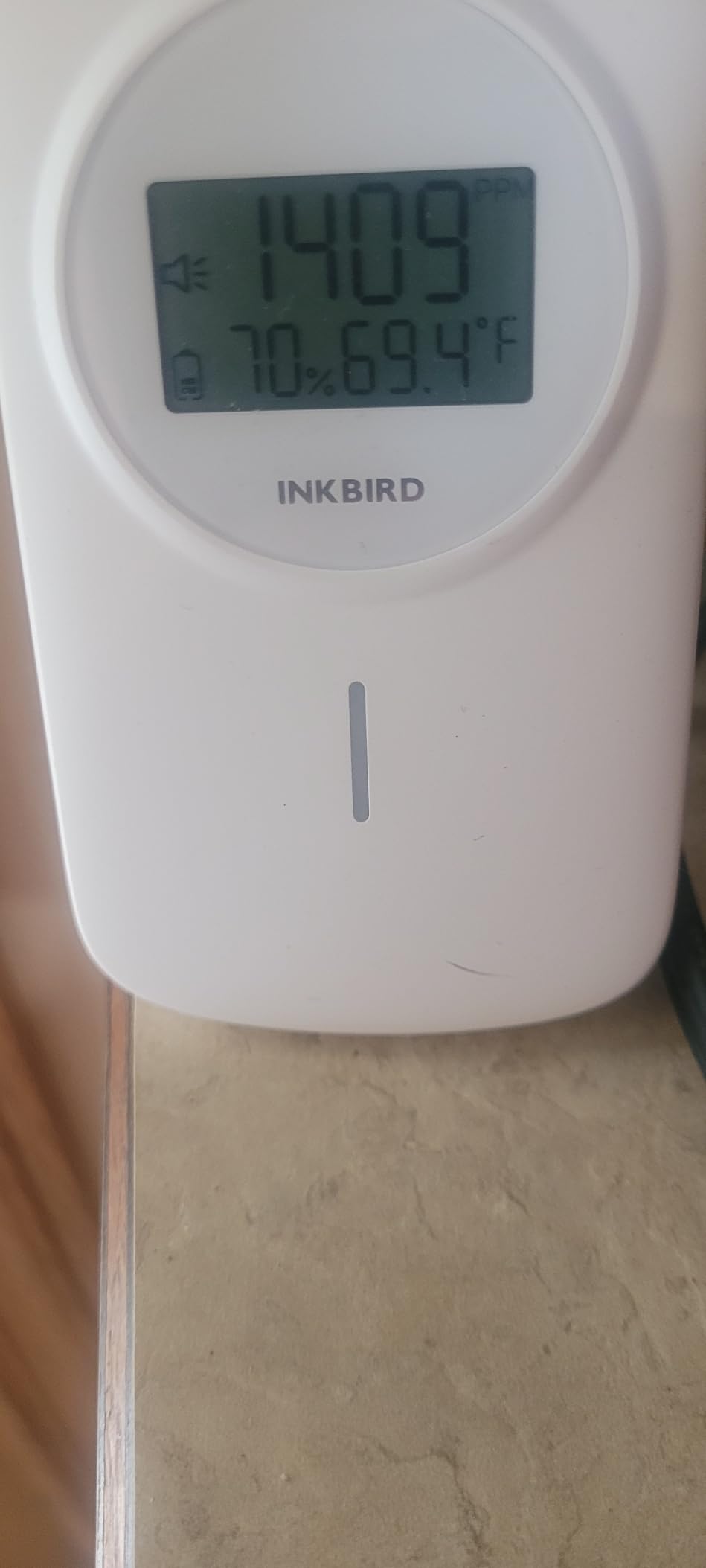
This is the IAM-T2’s simpler sibling, and in some ways we liked it more. It measures CO2, temperature, and humidity with a Swedish sensor, runs three to six months per charge, and asks nothing of you. In a small office or a home-work setup, that combination is hard to argue with.
Accuracy claims are tight for the price tier, with temperature good to plus or minus 0.2 degrees Celsius and humidity to 1.8 percent RH. Our CO2 numbers lined up sensibly with the units around it, and the readings were stable rather than jumpy.
The design decision we appreciated most is the absence of a backlight. At night the display goes dark instead of glowing, which made it the only monitor here we would happily put in a bedroom without modification.
It is also the most flexible mounter of the bunch. The same unit sits flat on a desk or hangs on a wall, and at 3.68 ounces it stays put with basic adhesive or a single screw.
The limits are the mirror of its strengths. There is no app, no logging, no export, and no particulate or VOC sensing, so it is purely a glance-and-act device. The alarm sound is fixed, and on a wall the screen is small enough that you need to be within a few steps to read the ppm figure precisely.
Best placement for a single monitor
In a small room, center it at breathing height away from the door swing. That position caught the true occupied level in our tests better than a windowsill or a bookshelf corner.
If wall mounting, choose the wall opposite the window so daylight keeps the non-backlit screen readable through the workday.
When to choose this over the IAM-T2
Pick the IAM-O2 when you want zero app overhead, dark-room friendly operation, and the flexibility to hang it anywhere. It is the better pure CO2 station.
Pick the IAM-T2 when you need logged history and CSV export for reporting. That data path is the real dividing line between the two.
7. Temtop M10+ – Best Multi-Pollutant E-Ink Monitor
Temtop M10+ 6-in-1 CO2 Meter & Indoor Air Quality Monitor
6-in-1 sensors
E-ink display
60-day battery
Bluetooth app
Pros
- Tracks CO2
- PM2.5
- TVOC
- AQI
- temperature and humidity
- E-ink display crisp in any light
- 60+ days battery per charge
- Muteable alarm for quiet rooms
- App handles calibration and history
Cons
- Sampling can lag rapid changes
- iOS app has overlapping UI elements
- Alarm trigger not selectable per metric
- No display backlight
The M10+ is the monitor for the person who wants the whole picture, not just CO2. It tracks six factors simultaneously, including PM2.5, TVOC, and an overall AQI alongside CO2, temperature, and humidity, all on an e-ink panel that looks like paper in any lighting. For a science classroom, that breadth is the whole point.
The e-ink display is the best reading experience of any screen unit here. It never glows, never washes out, and reads perfectly from an angle, which suits a wall placement in a bright room. Battery life is rated at 60 days and our unit was still going strong after weeks of continuous operation.
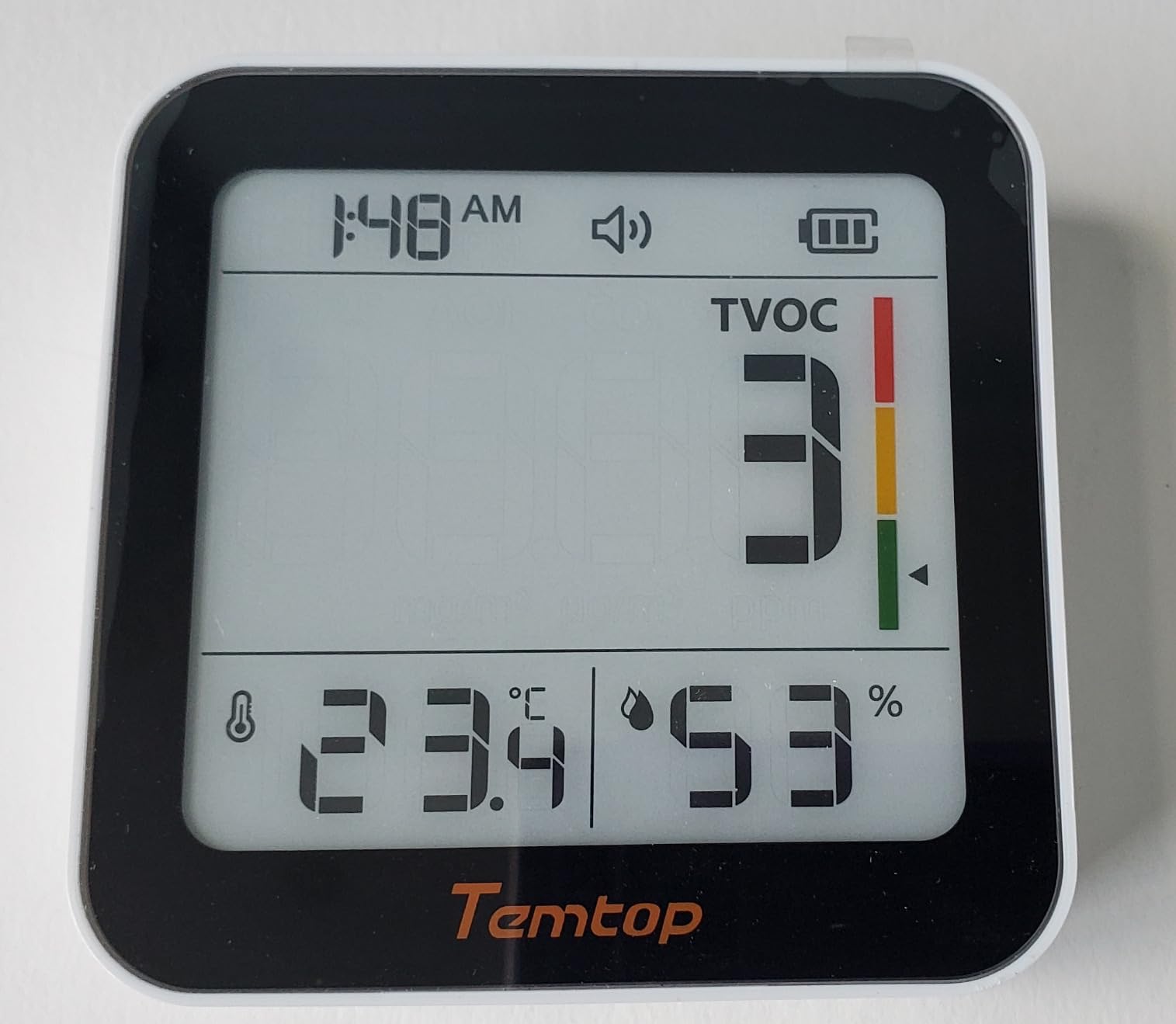
The weakness is responsiveness. Reviews and our experience agree that sampling can be slow, with the device sometimes reading on an interval rather than continuously, so a door flung open may not register instantly. If your use case is spotting slow ventilation problems over a day, this is a non-issue.
The iOS app also has rough edges, with overlapping interface elements that make some screens fiddly, and you cannot choose which metric triggers the alarm. Neither is a dealbreaker, but both add friction for anyone managing several of these across a building.
Bluetooth covers history, calibration, and over-the-air firmware updates, and the alarm is muteable so a quiet office stays quiet. The metal-and-plastic enclosure is heavier and more stable on a shelf than the plastic-only rivals.
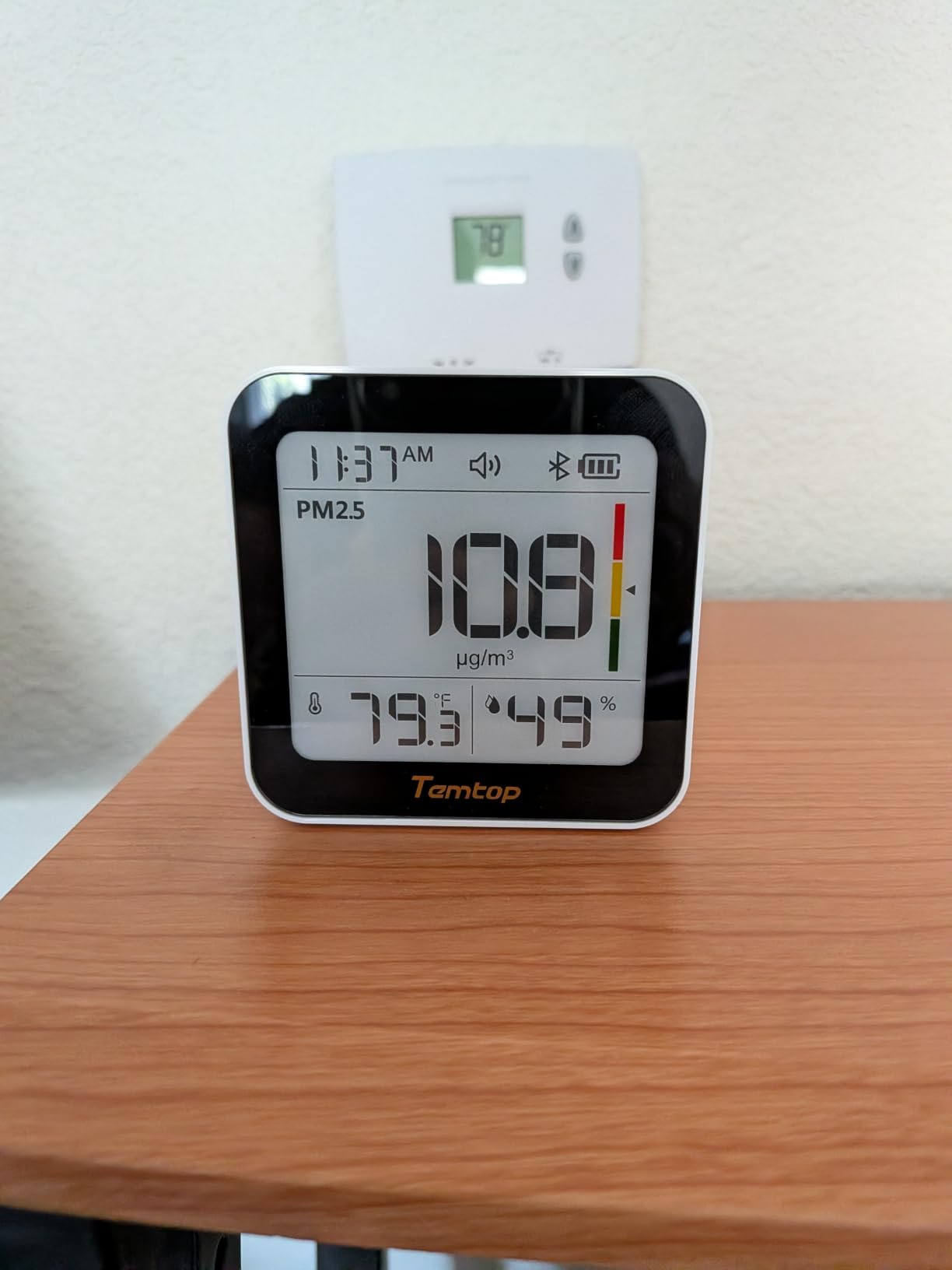
Why e-ink beats color screens on a wall
No glow means it disappears visually in a classroom until someone looks for it, and no backlight means no battery drain penalty. The panel stays legible across a room in daylight.
It is also the friendliest display for anyone glare-sensitive, which came up more than we expected when we polled office volunteers.
Using PM2.5 and AQI alongside CO2
CO2 tells you about ventilation, while PM2.5 tells you about particles, and the two can move in opposite directions. A room can be well ventilated and dusty, or stuffy and particle-clean, and only a multi-sensor unit shows both.
That split matters on wildfire smoke days, when opening a window fixes CO2 and makes particulates far worse. Having both numbers on one screen changes the right answer.
8. BREATHE Airmonitor Plus – Widest Sensor Suite for Audits
BREATHE Airmonitor Plus Indoor Air Quality Monitor w/CO₂, PM & App. Gen 2.
NDIR plus PM1, PM2.5, PM10, TVOC and formaldehyde
90-day history
CSV export
2-year warranty
Pros
- Professional-grade NDIR CO2 sensor
- Widest sensor list including formaldehyde
- 90-day history with CSV export
- Alerts for every tracked metric
- 2-year manufacturer warranty
Cons
- Automatic recalibration can read falsely low
- Very short battery life on battery power
- Wi-Fi and app pairing can be flaky
- Display too bright for some rooms
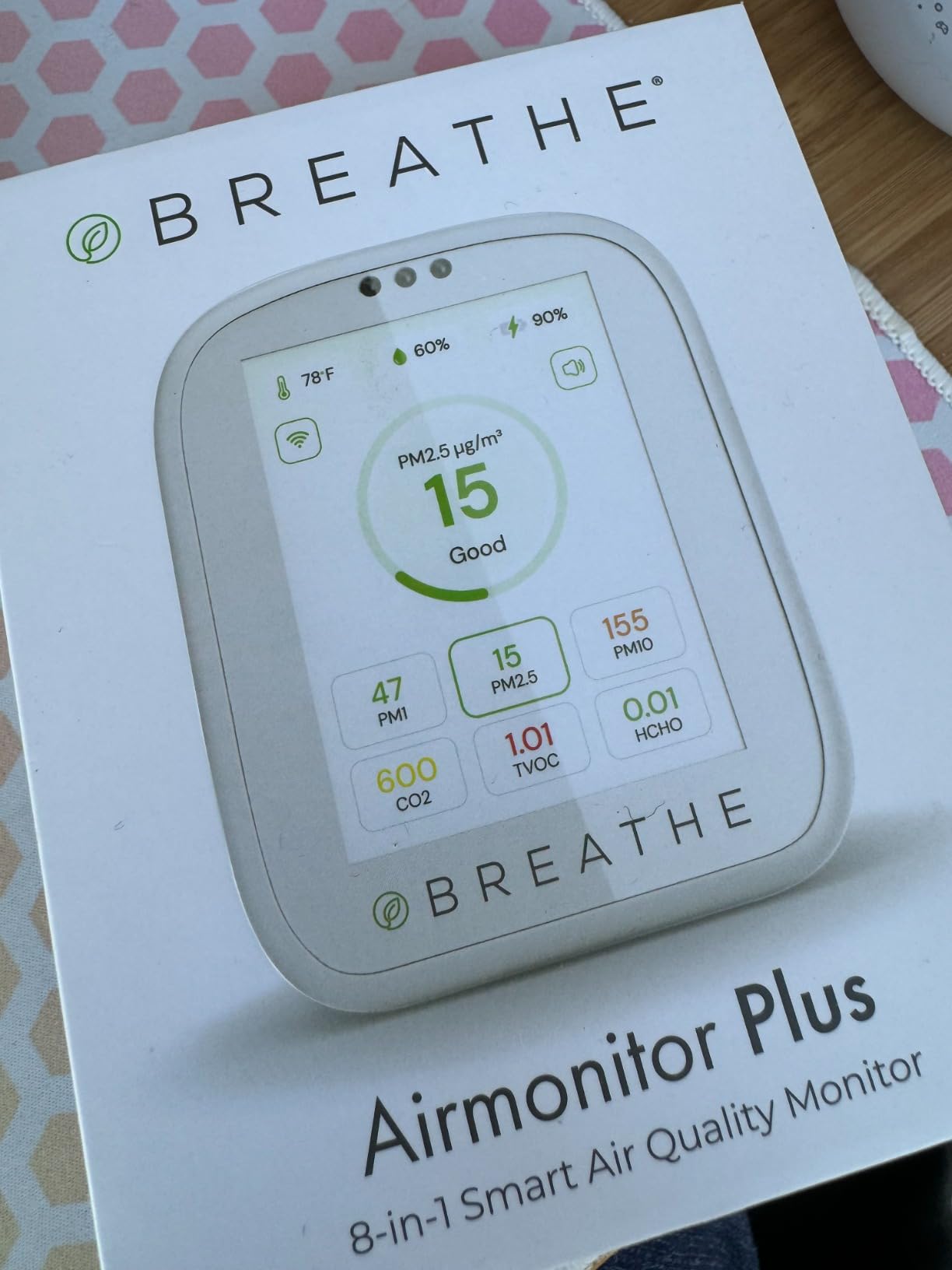
This is the closest thing in the lineup to a facility audit tool. Alongside its professional-grade NDIR CO2 sensor it measures PM1, PM2.5, PM10, TVOC, and formaldehyde, which covers nearly everything an indoor air investigation cares about. When we compared new furniture against old, this was the only unit here that could show the formaldehyde difference.
The app stores 90 days of history with CSV export, and the alert system covers each tracked metric rather than CO2 alone. A 2-year manufacturer warranty backs it, longer than most rivals offer, and the pairing walkthrough is genuinely clear.
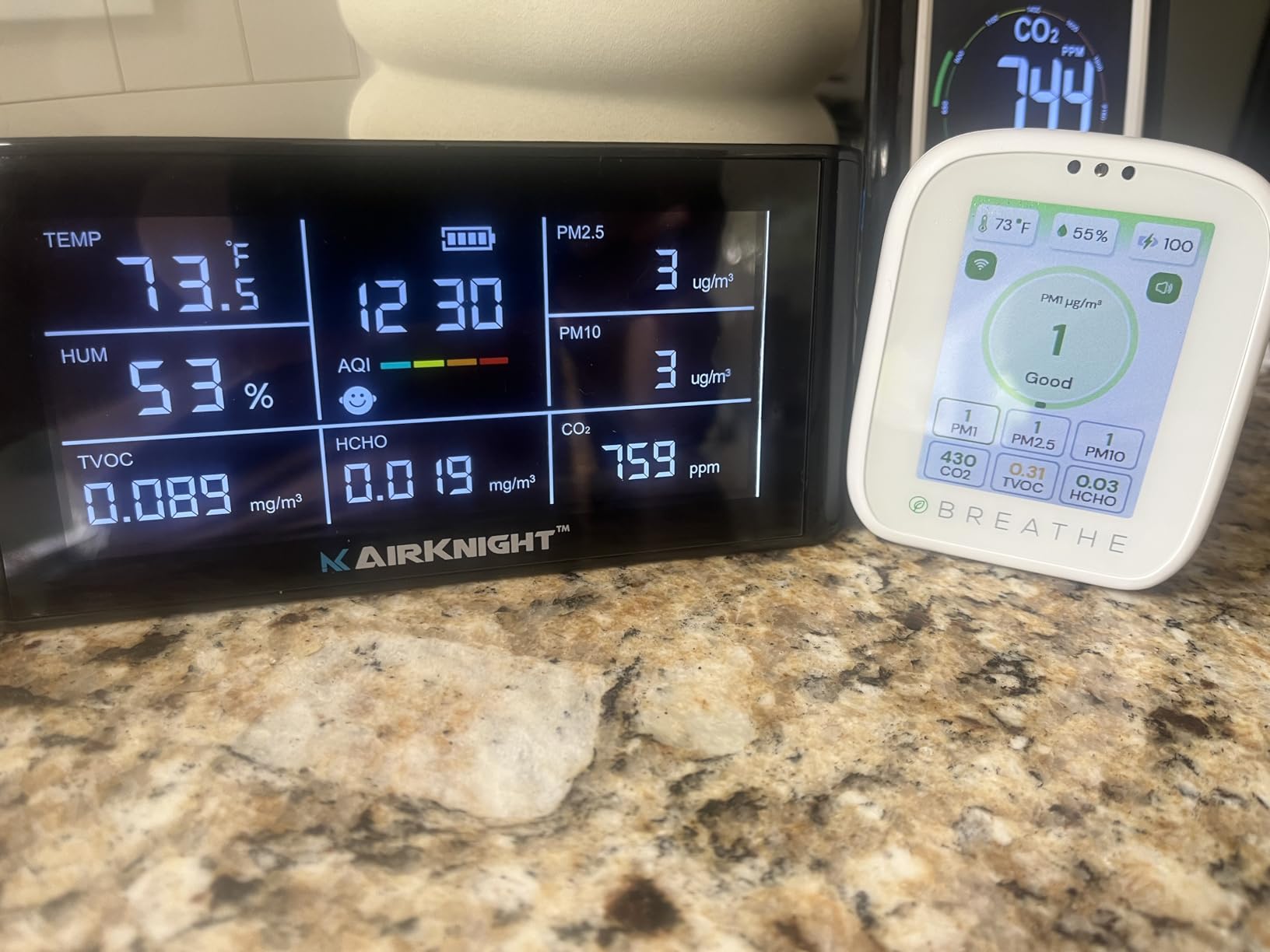
The caveats are why it ranks mid-pack despite the spec sheet. Automatic baseline recalibration can drag CO2 readings artificially low, and multiple owners report numbers sitting below outdoor levels, which is physically impossible and a clear sign the baseline drifted.
Battery life is short, measured in hours rather than months, so treat it as a corded device. Wi-Fi and app connectivity can be temperamental, and the display is too bright for some rooms even at the lowest setting.
Our approach was to run it on USB power permanently and do a manual fresh-air calibration whenever readings started looking optimistic. Handled that way, it produced data we trusted and a sensor breadth nothing else here matched.
Getting trustworthy CO2 numbers from it
Override the automatic recalibration when readings look suspiciously low, and run a manual fresh-air calibration outdoors on a regular schedule. That single habit fixes the most common complaint in the reviews.
Cross-check it against a second monitor for the first month, until you learn your unit’s tendencies.
Who actually needs formaldehyde data
If your concern is new cabinetry, laminate flooring, adhesives, or a recent renovation, this is the only pick here that addresses it directly. Formaldehyde off-gassing is a real indoor pollutant.
If your only question is whether the room needs air, a simpler CO2 monitor does that job with fewer reliability headaches.
9. Amazon Smart Air Quality Monitor – Know What You Are Not Getting
Amazon Smart Air Quality Monitor, Detects temperature, humidity, carbon monoxide, PM2.5 and VOCs, Get notifications when air quality drops, Works with Alexa
Tracks PM2.5, VOC, CO, humidity, temperature
Alexa alerts
Color-coded LED
Plug and play
Pros
- Setup takes minutes with the Alexa app
- Tracks five factors including PM2.5 and VOC
- Color-coded LED for instant status
- Alexa routines can trigger fans and thermostats
- Huge review base with thousands of owners
Cons
- No CO2 sensor at all
- Requires the Alexa app
- no standalone app
- No data export
- Bright alert LED cannot be disabled
- Limited history in app
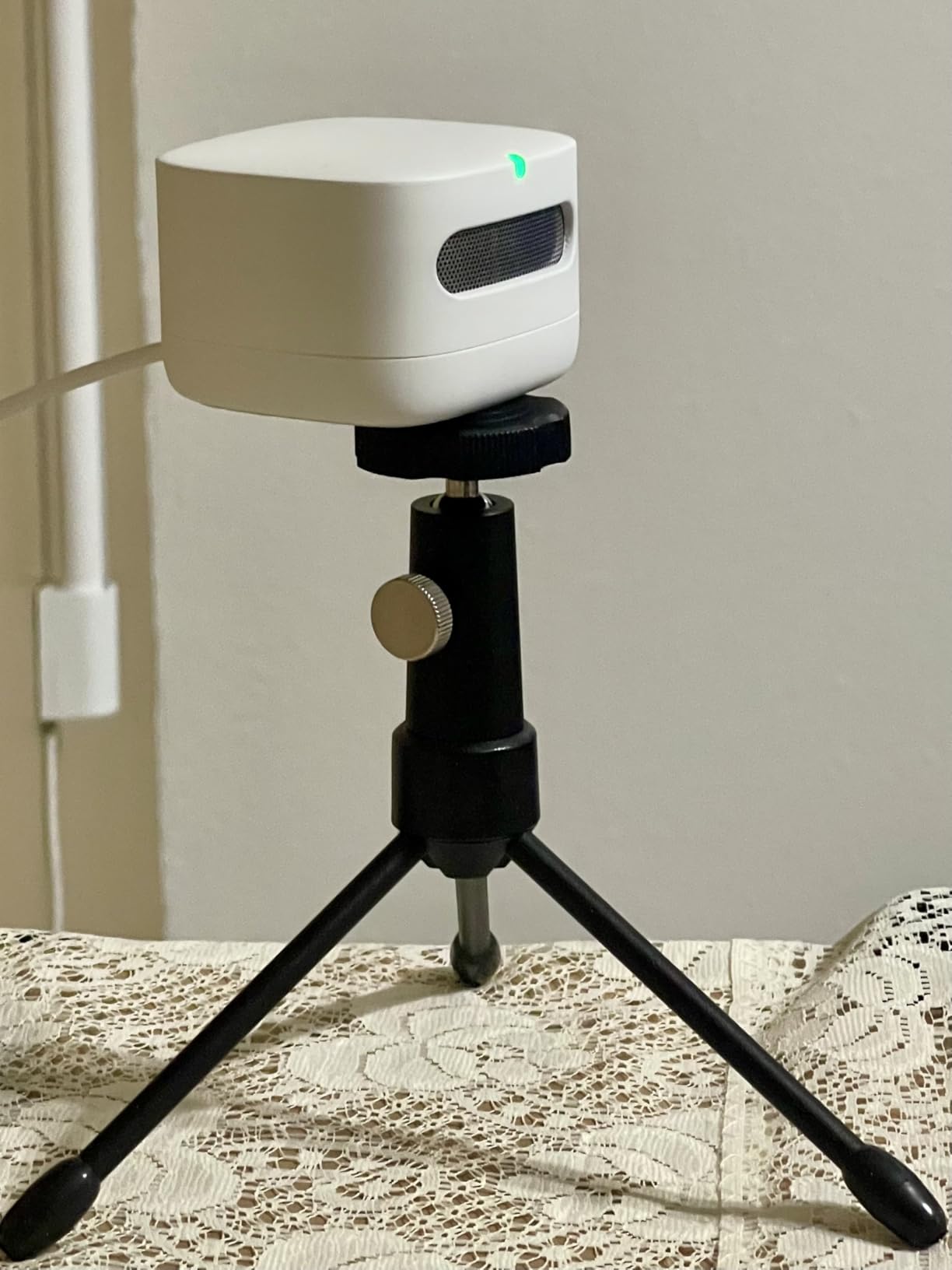
We included this one deliberately, because it appears in nearly every search for a CO2 monitor and it does not measure CO2. It tracks PM2.5, VOCs, carbon monoxide, humidity, and temperature, which is a genuinely useful set, but there is no CO2 sensor inside. If you need ppm readings, this is not the device, and a lot of buyers learn that only after unboxing.
As an air quality monitor for an Alexa household, it is quite good. Setup took minutes, the color-coded LED reads like a traffic light from across a room, and alerts arrive on your phone or any Echo speaker. The temperature sensor also links to the Amazon Smart Thermostat for climate automations.
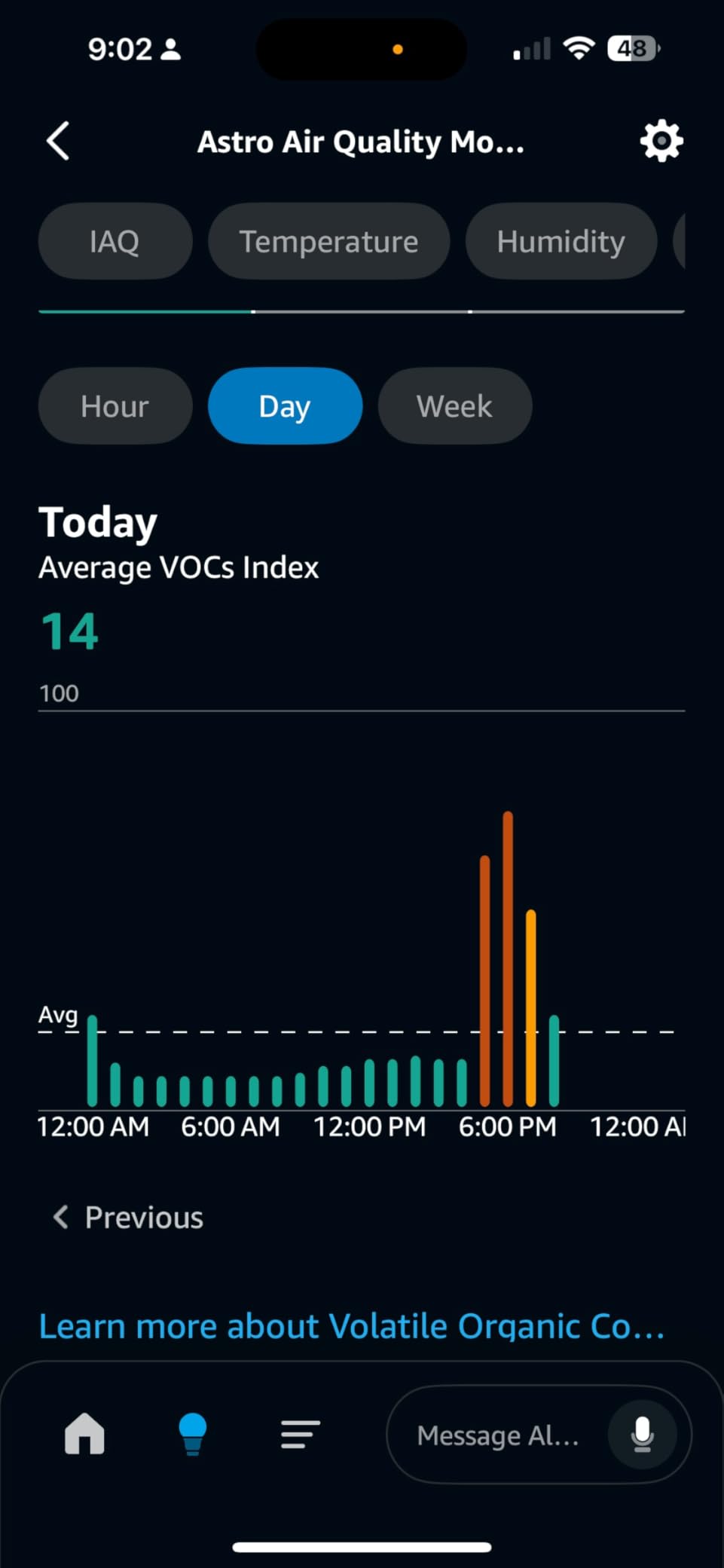
The limitations are structural. It requires the Alexa app rather than offering a standalone one, there is no data export at all, and in-app history is limited. The bright red alert LED cannot be turned off, which is charming in a hallway and annoying in a meeting room.
Some owners also raise fair questions about data privacy inside the Alexa ecosystem. None of this stops it from being a good particle and VOC monitor, it just stops it from being the CO2 monitor people mistake it for.
Where it earns a place is as a companion rather than a substitute. Paired with a real CO2 monitor, it covers the particulate and VOC side of indoor air while the other device handles ventilation.
Why people confuse it with a CO2 monitor
The product name says air quality and the listing sits in the same category as CO2 meters, so the assumption is understandable. Checking the tracked metrics list before buying prevents the mistake.
CO2 needs an NDIR or photoacoustic sensor specifically, and no firmware update can add a gas the hardware cannot see.
Where it fits alongside a real CO2 monitor
Use it for PM2.5 spikes, cooking fumes, and VOC events, and let a dedicated CO2 monitor handle ventilation. Between the two you cover most of what matters indoors.
If you only buy one device and your question is about stuffiness or shared air in a classroom, buy the CO2 monitor first.
10. Birdie 2.0 – Best Zero-Effort Visual Monitor
Birdie 2.0 – Design Indoor CO2 Monitor – Air Quality Monitor & CO2 Sensor for Home & Office – Visual Fresh Air Monitor for House Burping – Wall-Mounted, Swiss Sensor Technology (Yellow, FullBirdie)
Swiss sensor technology
Visual bird indicator
No app required
Wall mounted, battery powered
Pros
- No app
- setup or configuration at all
- Swiss sensor inside a decorative shell
- Bird flips upside down when air needs attention
- Battery powered with no cables
- Award-winning design people actually notice
Cons
- Premium price for a single metric
- No sound or phone notification
- No app connectivity or data logging
- No ppm numbers on the device
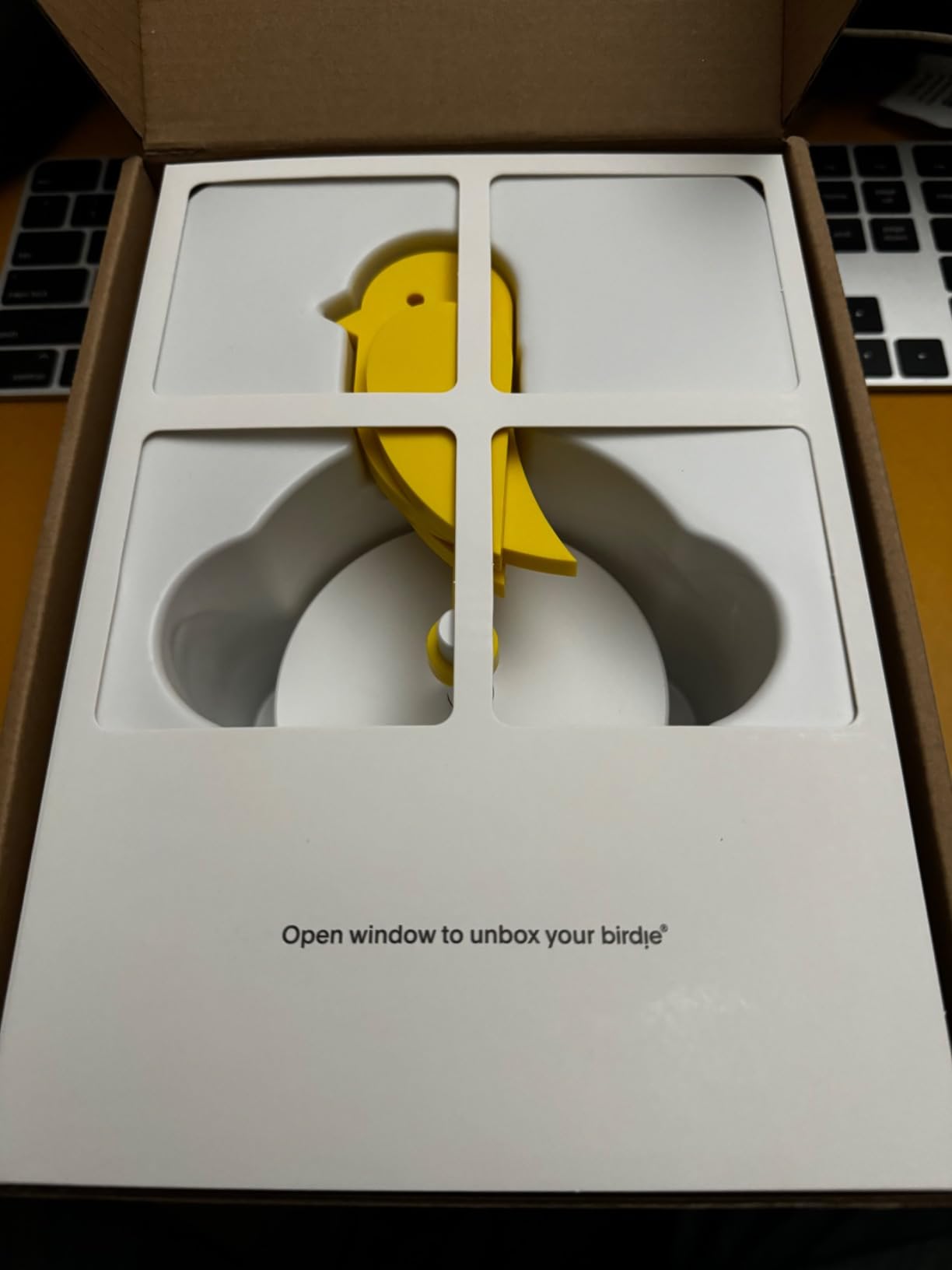
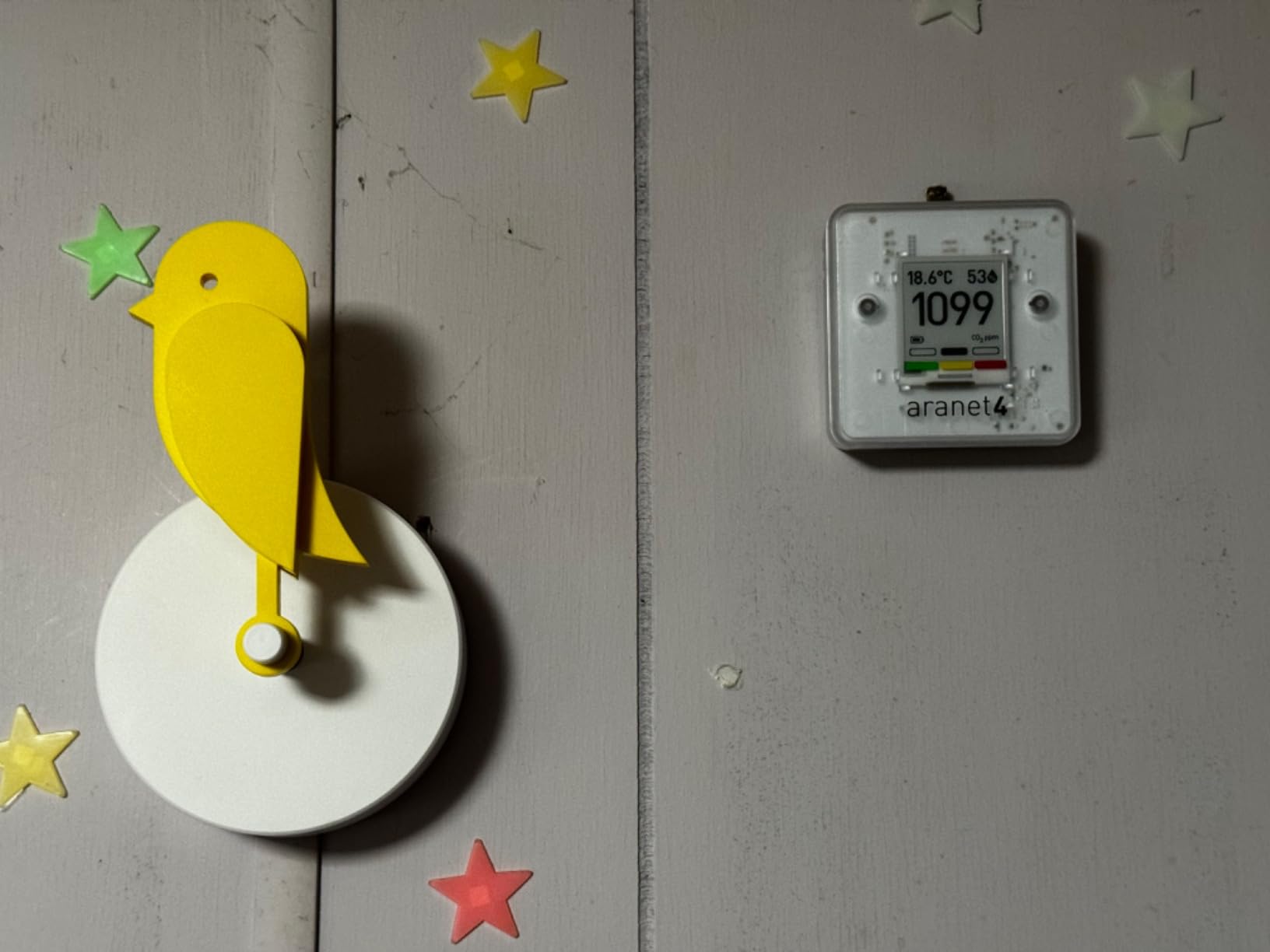
The Birdie is what happens when industrial design takes on air quality. It looks like a small yellow bird on a perch, and when CO2 in the room climbs past its threshold, the bird physically flips upside down. There is no number, no app, and no ambiguity: bird up means fine, bird down means open a window.
In our office test it did something no spec sheet predicts, which is that people talked about it. Visitors asked what it was, and once they knew, they checked it constantly. A monitor people voluntarily pay attention to beats a technically superior box everyone ignores.
The tradeoffs follow directly from the concept. You get no ppm readout, no logging, no export, and no audible or phone alert, so it cannot support a data-driven case to a facilities team. If the bird flips while everyone is focused elsewhere, the signal is missed until someone looks.
It also carries a premium price for a single metric, which is the cost of the design. Inside the playful shell is Swiss sensor technology, and it responded to our room’s occupancy swings on a sensible delay rather than twitching at every breath.
Battery power with no cables keeps the wall installation clean. As a gift for a teacher, or as the public face of air quality in a reception area, it is hard to beat. As your only tool for a serious ventilation problem, it is the wrong instrument.
Where the visual-only approach works
It shines in shared, visible spaces like a staff room, reception, or a classroom wall near the clock, where many eyes pass over it during the day.
It is weaker in private offices or at night, when nobody is looking and there is no sound or notification to compensate.
Pairing it with a data-capable unit
The strongest setup we saw was a Birdie on the wall for everyone to read, plus a cheap app-connected monitor in a drawer for the one person who wants numbers. Each covers the other’s weakness.
If budget only allows one device and reporting matters, choose the data-capable monitor. The Birdie is the upgrade you add because people respond to it.
How to Choose a CO2 Monitor for Your Space?
Every pick above will tell you when a room needs air. The differences that matter come down to sensor type, calibration behavior, power, display, and whether you need logged data.
NDIR versus photoacoustic sensors
NDIR, short for non-dispersive infrared, is the established approach: it measures how much infrared light CO2 absorbs in a sampling chamber. Dual-beam designs reference a second optical path to compensate for drift, which is why the Aranet4 holds its accuracy over years.
Photoacoustic sensing, as in the SCD4x inside the GoveeLife, measures sound generated when CO2 absorbs modulated light. It allows smaller, cheaper sensors with solid accuracy, and it has closed most of the historical gap with NDIR indoors.
Reading ppm: what the numbers mean
Outdoor air is roughly 420 ppm, and that is your floor. Between 400 and about 800 ppm indoors means a space is being ventilated well for its occupancy.
Above roughly 1000 ppm is the common action threshold, where ventilation is not keeping up with the people inside. It is the number most guides and many school policies use as the trigger to open windows or take a break.
Sustained levels above 1400 ppm are where the Harvard cognitive effects become meaningful, and anything past 2000 ppm in an occupied room means the space is badly under-ventilated. These are guidelines rather than bright lines, but they map onto the color codes these devices already use.
Calibration: ABC and fresh-air resets
Every consumer CO2 sensor drifts over time, so manufacturers use automatic baseline calibration, which assumes the room eventually reaches fresh-air levels and quietly corrects toward that assumption. In a school that airs out daily, ABC works well.
In a sealed office that never sees outdoor air, ABC can slowly drag readings down until a crowded room shows a nonsense number, and the BREATHE Plus reviews show exactly this failure mode. The fix is a manual fresh-air calibration outside on a calm day.
Our habit is a fresh-air reset at the start of each term or season. It costs twenty minutes and keeps every monitor in this list honest.
Display and alerts for non-technical users
If a substitute teacher or a new hire cannot understand the device in five seconds, it will not get used. Color-coded displays, the Aranet4 e-ink screen, the SwitchBot’s oversized panel, and the Birdie’s flip all pass that test without training.
Think hard before putting a buzzer in a classroom. A silent color change or a single phone notification changes behavior without disrupting a lesson, which is why we muted every audible alarm during testing.
Battery versus AC power
Battery power wins for flexibility and for rooms without a free outlet. The range here runs from about 60 days on the Temtop M10+ to a claimed four years on the Aranet4, with the INKBIRD units at three to six months or more.
AC power wins when the device lives in one spot and you want zero maintenance forever. The GoveeLife and the BREATHE Plus are effectively corded devices, and both reward the arrangement with always-on displays and heavy logging.
Data logging and export
If the goal is a one-time answer, any display will do. If the goal is convincing an administration to fix a ventilation system, you need history, and ideally CSV export.
The GoveeLife holds two years with export, the INKBIRD IAM-T2 a year in app, and the Aranet4 and BREATHE Plus 90 days. The Temtop C1, the IAM-O2, and the Birdie keep no data at all, which is the price of their simplicity.
Classroom-specific considerations
Size the display to the room, because a monitor only works if the person near the window can read it. Mount it away from the door, the window, and the teacher’s desk, since the last one sits in the CO2 plume of the person checking it.
Durability and mount security matter more than specs in a room full of children. The Temtop C1 and SwitchBot survived our clumsiness, and a wall placement keeps any unit out of reach of curious hands.
Office-specific considerations
Meeting rooms are the highest-value targets, because a closed conference room with six people can cross 1500 ppm inside half an hour. A visible display plus a phone alert gives you both the glanceable signal and the nudge during a call.
Open plan spaces usually ventilate better and need fewer devices, so prioritize one well-placed unit over several badly placed ones. For facility teams, exportable data plus fixed placement beats portability, because a permanent record is what gets an HVAC ticket opened.
Bulk buying for schools
No competitor covers this, and it is the question we hear most from teachers. The practical strategy is one accurate data-capable unit for the building, then inexpensive simple displays for individual rooms.
An Aranet4 or GoveeLife in the worst-ventilated room provides defensible numbers for administration, while Temtop C1 or INKBIRD IAM-O2 units spread across classrooms give every teacher a glanceable signal. That mix keeps the per-room cost low without giving up the one dataset you may need.
Ask about education pricing before checkout, since several of these manufacturers respond well to school purchase orders, and standardize on one model per role so calibration and charging routines stay simple.
Frequently Asked Questions
What is the best CO2 monitor on the market?
The Aranet4 Home is the best overall CO2 monitor for classrooms and offices, thanks to its accurate NDIR sensor, e-ink display, and up to four years of battery life on two AA cells. The GoveeLife Smart Air Quality Monitor is the best value for a fixed spot, and the Temtop C1 is the best budget pick for covering multiple rooms.
Are cheap CO2 meters accurate?
Cheap meters with a named NDIR or photoacoustic sensor, such as the Swiss NDIR unit in the Temtop C1, can be genuinely accurate. The problem is unbranded monitors that never specify their sensor, which often report stuck or wildly incorrect readings. Always confirm the sensor type before buying, and calibrate outdoors when readings start to drift.
Are CO2 monitors worth it?
Yes, if you can act on the number. Research from Harvard links sustained CO2 above roughly 1400 ppm to cognitive declines of up to 50 percent, and high readings indicate poor ventilation and recycled breath. A monitor costs less than a single HVAC repair and tells you exactly when opening a door or window will fix the air.
How much does a CO2 monitor cost?
Basic single-purpose CO2 monitors with real NDIR sensors occupy the low end of the market, app-connected multi-sensor monitors sit in the middle, and design-led or battery-flagship models like the Aranet4 and Birdie 2.0 cost the most. Schools covering many rooms usually mix one data-capable unit with several simple displays to keep costs down.
Final Verdict
After weeks of side-by-side testing in real rooms, the Aranet4 Home remains our top pick among the best CO2 monitors for classrooms and offices in 2026, because its NDIR sensor, e-ink display, and multi-year battery make it the unit you set up once and trust for years. The GoveeLife is the smart choice for a permanent spot with an outlet, and the Temtop C1 is how you cover a whole hallway of classrooms on a budget.
The honest summary is that sensor quality separates the trustworthy from the useless, and everything after that is fit. Match the display to who will read it, match the power source to where it will live, and match the data features to whether you need to prove a point to an administration.
Whichever you choose, put it at breathing height, calibrate it outside on day one, and act on the color before the number gets ugly. Fresh air is the cheapest performance upgrade any classroom or office can get.