
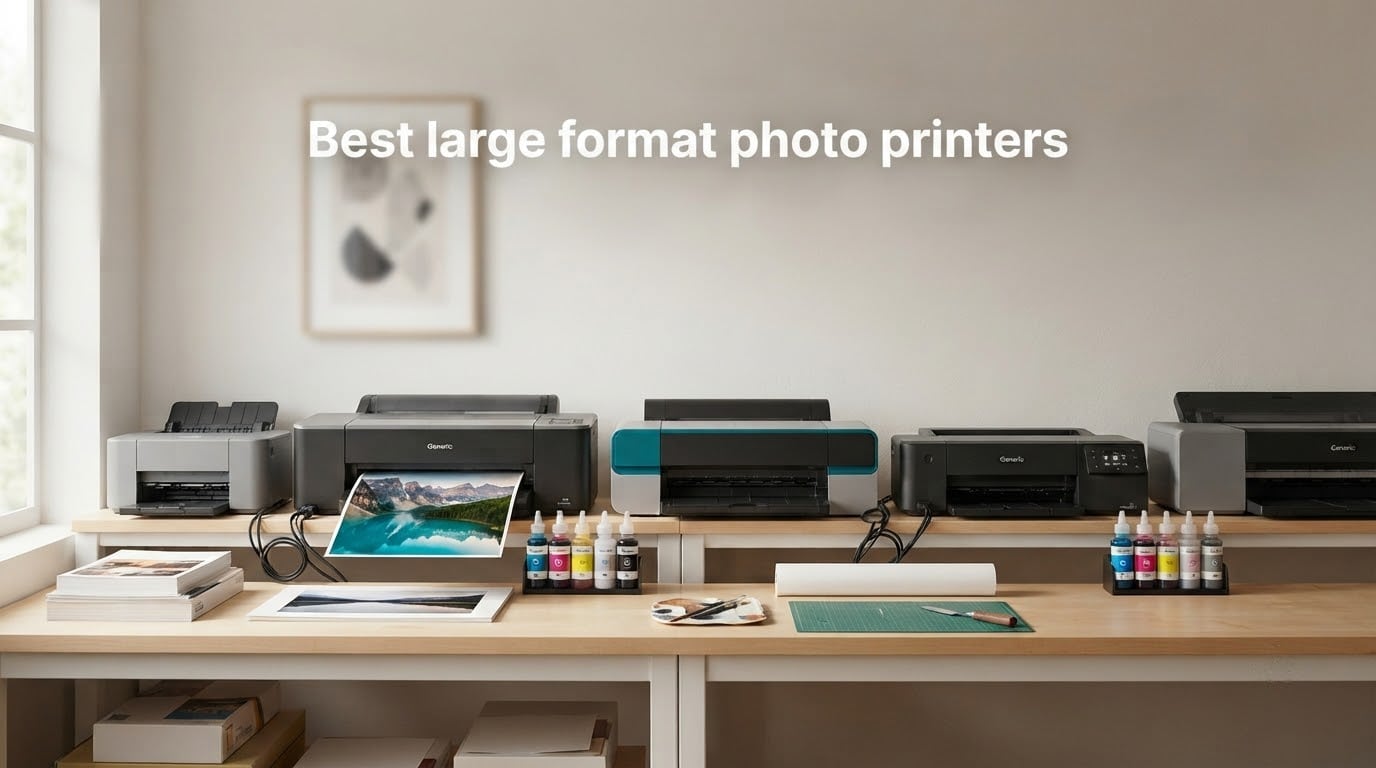
The best large format photo printer for most people is the Epson EcoTank Photo ET-8550, because it is the only tank-fed machine in this group and it reaches a true 13 x 19 inches, so the ink cost per print stays low enough that you will actually keep using it. If your work is exhibition or fine-art, the Canon imagePROGRAF PRO-1100 is the answer instead, at 17 x 22 inches with an 11-ink pigment system.
Large format photo printing is one of those purchases where the spec sheet tells you almost nothing that matters. Two machines can both claim 13 x 19 inch borderless output, 8 ink colors and wireless printing, and one of them will be a tank-fed workhorse while the other fights you on paper handling every single time. We went through the ownership reviews for every machine in this roundup, pulled the recurring failure points out of them, and organized the picks by what they are actually good at.
Six printers made the cut here: three 13-inch A3+ photo specialists, one 17-inch A2 fine-art machine, and two 11 x 17 inch office all-in-ones that print photos well enough for internal use and mockups. That mix matters because the answer to which large format photo printer you want changes completely depending on whether you are selling prints, framing them, or just producing proof sheets and reports.
One note before we start. Ink cost is the number that decides whether owning one of these makes financial sense, and we are not going to quote prices anywhere in this guide because they move daily. Instead, look at the ink system itself, which is fixed hardware: tanks that you refill with bottles, or cartridges you throw away. That single design choice predicts the running cost better than any sticker number can. If you also need a machine to edit on, our guide to the best laptops for photo editing is worth a look before you commit to a color workflow.
Table of Contents
Top 3 Large Format Photo Printer Picks in 2026
Three machines stand above the rest. The ET-8550 wins on running cost and ownership volume, the PRO-1100 wins on media size and pigment ink quality, and the PIXMA PRO-200S wins on speed and quiet operation at the 13-inch tier.

Epson EcoTank Photo ET-8550
- 13x19 max size
- 6-color Claria ET Premium dye ink
- Refillable 70 mL ink tanks
- Print scan and copy

Canon imagePROGRAF PRO-1100
- 17x22 and 17x25 media
- 11 pigment inks plus Chroma Optimizer
- 4800 x 2400 dpi
- PGI-4100 80 mL tanks

Canon PIXMA PRO-200S
- 8-color dye ink
- Borderless 3.5in to 13x19
- Custom sizes up to 13x39
- 3.0-inch color LCD
Large Format Photo Printers at a Glance in 2026
Every machine below is listed with its maximum media size, ink approach, and the feature that actually distinguishes it. Read the ink column first, because it decides both your color behavior and your running cost.
| Product | Specs | Action |
|---|---|---|
| Epson EcoTank Photo ET-8550 |
|
Check Latest Price |
| Canon imagePROGRAF PRO-1100 |
|
Check Latest Price |
| Canon PIXMA PRO-200S |
|
Check Latest Price |
 Epson Artisan 1430 Epson Artisan 1430 |
|
Check Latest Price |
 Brother INKvestment 6560 Brother INKvestment 6560 |
|
Check Latest Price |
 HP OfficeJet Pro 9720 HP OfficeJet Pro 9720 |
|
Check Latest Price |
Two things jump out immediately. Only one of these six machines is wider than 13 x 19 inches, and only that same machine uses pigment ink across the full ink set, which is the most reliable route to archival black-and-white and to non-bronzing gloss.
There is also a gap worth naming plainly. No machine here is a roll-fed 24-inch or wider model, so if your work includes exhibition banners, panoramas past 39 inches, or canvas drops, you are reading the wrong tier and should look at a wide-format plotter instead. We cover how to tell the difference in the buying guide below.
1. Epson EcoTank Photo ET-8550 – the lowest ink cost per 13×19 print
Epson EcoTank Photo ET-8550 Wireless Wide-Format All-in-One Tank Printer
Max size: 13 x 19 inch
Ink: 6-color Claria ET Premium dye
Tanks: 70 mL per color
Weight: 24.5 pounds
Pros
- Refillable tanks cut ink cost to the lowest in this group
- 5760 x 1440 dpi black and white and 1440 dpi color
- Scans and copies alongside printing
- Handles 4x6 through 13x19 plus a dedicated 4x6 tray
Cons
- Automatic tray selection picks the wrong tray often
- Tray spring design triggers false out-of-paper errors
- Flatbed cannot scan 11x17 originals
If you want my pick, it is this one. The ET-8550 is the machine I would put in front of anyone who is not printing for a gallery wall, and it is the one I keep coming back to after reading all six sets of reviews. It prints 13 x 19 inch borderless sheets on 6-color Claria ET Premium dye ink fed from refillable 70 mL tanks, and unlike the Canon photo machines here, it also scans and copies. It is also the only tank-fed machine in the group, which matters more to your ink bill than any specification printed on the box.
What separates it from every cartridge-fed machine here is arithmetic that never changes. Epson rates the 4×6 photo cost at roughly four cents, and each full set of bottles is stated to be equivalent to about 100 individual cartridges, with enough ink in the box to reach 6200 color pages. Even if you printed constantly, you would be refilling bottles rather than ordering cartridges, and that is the difference between a printer you use freely and one you ration.
Speed is respectable for photo work at 16 pages per minute black and 12 color, with automatic duplex and 48-bit color handling. The paper system holds 100 sheets with a 50-sheet output tray, and the control method is a combination of app and touch, with a color LCD on the body for checking ink levels without opening a computer.
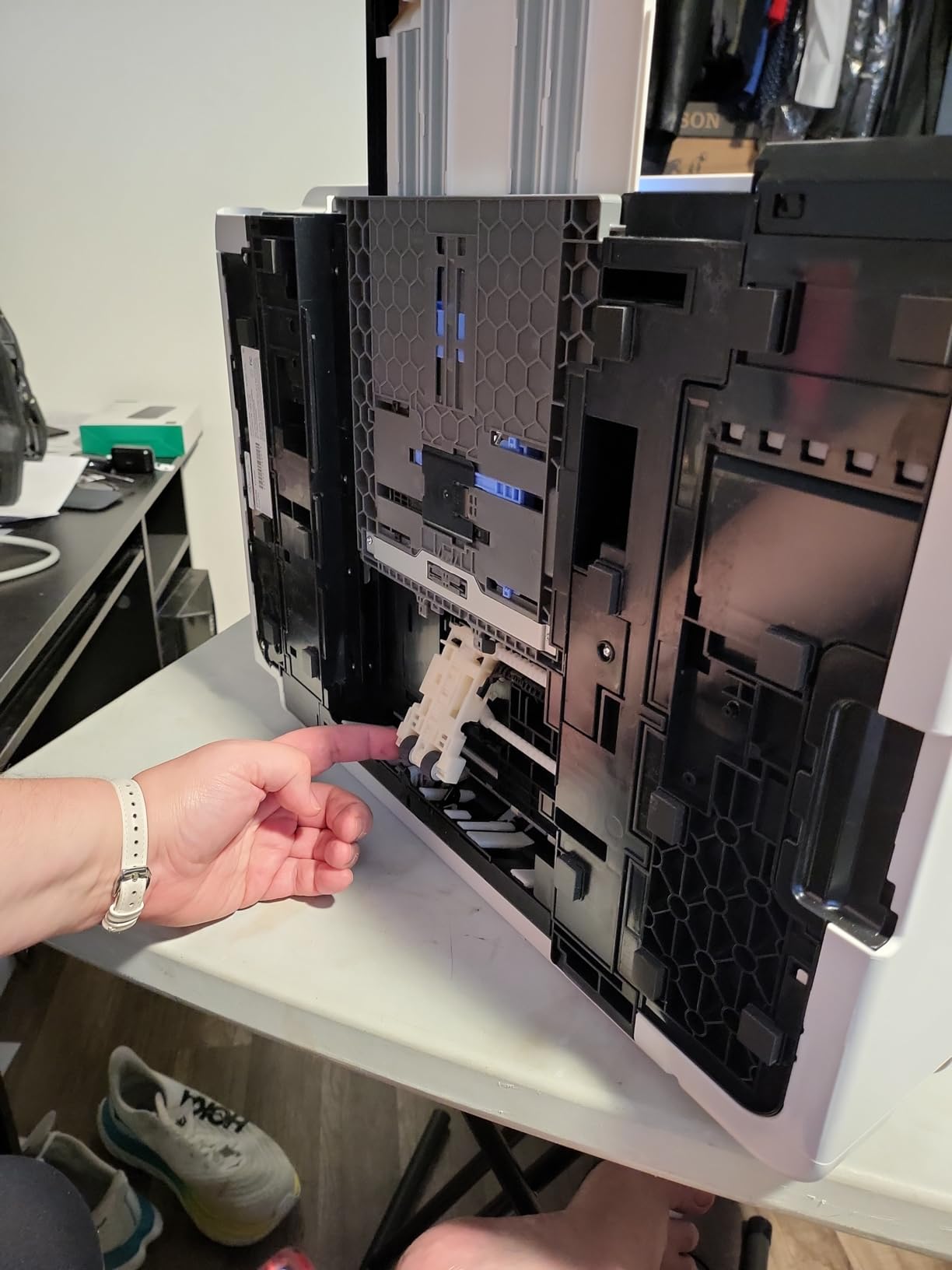
Head resolution is listed at 5760 x 1440 dpi for black and white with color topping out at 1440 dpi, which is the normal split for a dye-based photo machine. It is a 150 watt unit, carries a one-year limited warranty, and measures 29.8 inches deep by 20.6 wide by 16.9 high at 24.5 pounds, which is the most compact footprint here despite handling 13×19 sheets.
Setup is the least glamorous part. Owners describe a long first-run process with packing tape to remove and manual alignment steps, so budget an hour rather than ten minutes. In the box you get one 70 mL bottle each of 552 Photo Black, 552 Black, Cyan, Magenta, Yellow and Gray, which is a full set rather than the near-empty starter cartridges some rivals include.
What the tank system actually changes
Ink cost is the whole argument, and it shows up in the review data. Across more than 2600 reviews, the most repeated positive theme is print quality combined with low ink cost at 13×19 size, and 68 percent of reviews are five-star. Tank levels in the clear reservoirs are also a practical advantage, because you can see what you have without opening a menu.
The second thing the tank system changes is how willing you are to experiment. When ink is this cheap, you print test crops, you try matte against luster, and you stop resizing images to save a cartridge. On a cartridge machine that habit never forms.
Where owners report trouble
Paper tray detection is the single most repeated complaint, and it is worth knowing about before you buy. Automatic tray selection often picks the wrong tray, and the tray 1 spring design is widely reported to trigger false out-of-paper or paper jam errors. Owners work around it by selecting the tray manually every time.
There is also a 19 percent one-star cluster in the reviews, most of it tracing back to that same tray engineering or to machines arriving unable to power on. The flatbed scanner has no document feeder and cannot scan 11×17 originals, and because these are dye inks the prints are not archival-fade resistant, which matters if you are selling work meant to hang for decades.
One final practical note for anyone in a classroom or shared space. Our guide to classroom printers covers the volume and duty-cycle side of that decision, and the same logic applies here, because a machine in constant use behaves very differently from one that prints on weekends.
2. Canon imagePROGRAF PRO-1100 – pigment depth and 17×22 media
Canon imagePROGRAF PRO-1100: 17” Professional Wireless Inkjet Photo Printer
Max size: 17 x 22 and 17 x 25 inch
Ink: 11 pigment inks plus Chroma Optimizer
Resolution: 4800 x 2400 dpi
Weight: 83 pounds
Pros
- Widest media in this group at 17x22 and 17x25
- Chroma Optimizer gives even gloss with no bronzing
- PGI-4100 80 mL tanks with a full set supplied
- FINE print head and air feeding reduce skew
Cons
- Print only with no scanner
- 83 pounds and physically large
- About 1 page per minute throughput
The PRO-1100 is the only printer here that reaches 17 x 22 inches, and it also accepts 17 x 25 inch media, 13 x 19, 16 x 20 and 14 x 17 sheets. If your prints are going into a frame or onto a wall rather than into an album, the extra two inches of width is the whole reason this machine exists.
Underneath is an 11-ink pigment system built around the LUCIA PRO II platform, and that pigment choice is the technical headline. Pigment particles sit on the surface of the paper instead of soaking in, which gives you far better tonal range in shadows, a wider usable gamut, and a print that does not fade the way a dye print does. Owners buying at this level consistently cite color accuracy and gloss uniformity as the deciding factors.
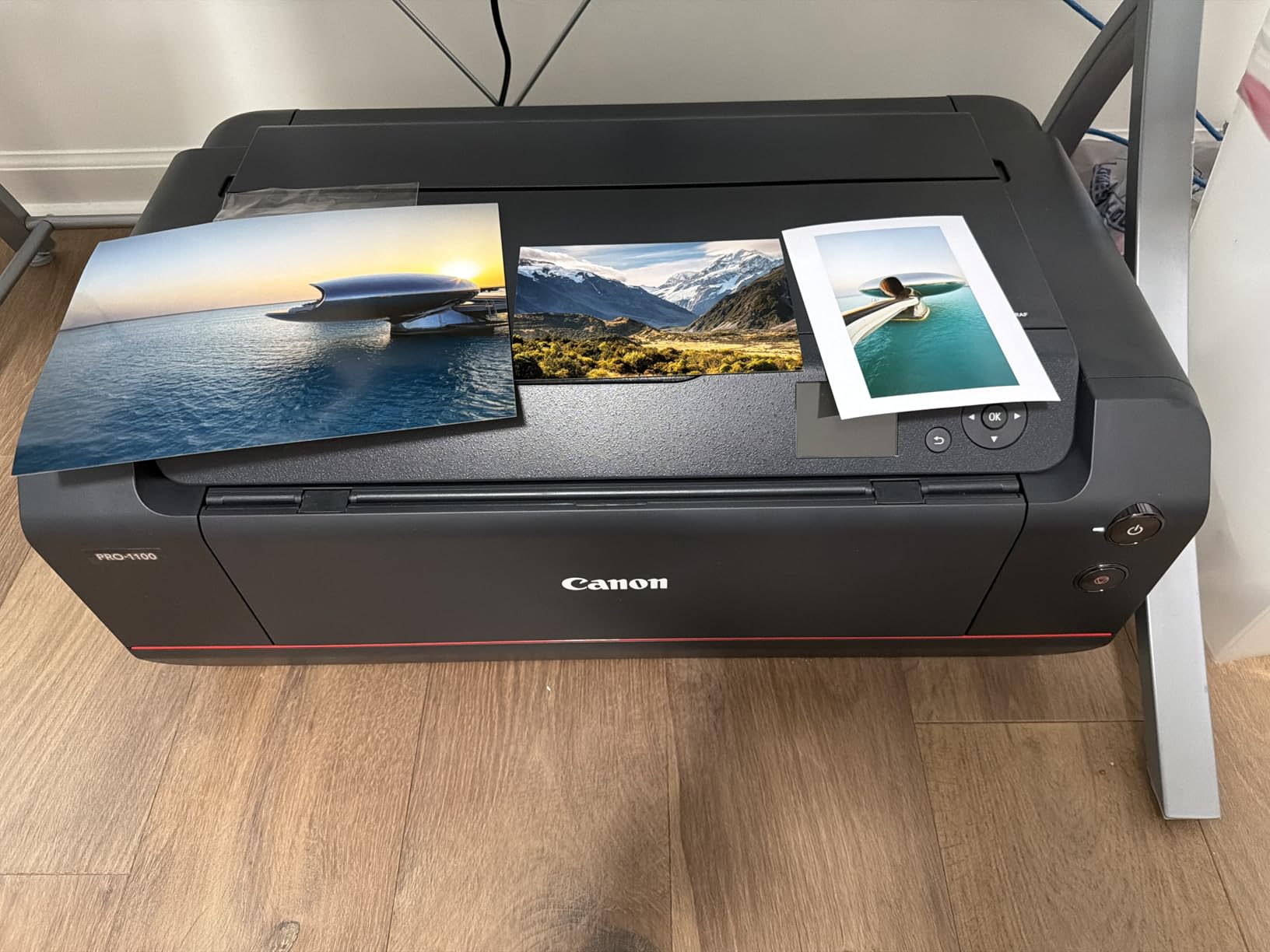
The Chroma Optimizer is the cartridge nobody else in this roundup has. It is a clear, low-gloss ink printed over the color layers to even out the surface reflectivity of pigment output. Without it, pigment on glossy paper throws uneven reflections across the image, a defect known as bronzing, and it is the single most common trap for photographers who buy pigment machines for black-and-white and then wonder why their color gloss prints look scaly.
Everything else here is professional plumbing. L-COA PRO handles large image files quickly, the FINE print head controls ink ejection precisely to reduce clogging, an air feeding system stops paper skewing, and Professional Print and Layout software works standalone or as a plug-in for Digital Photo Professional and Adobe applications. Media Configuration, Color Calibration and Accounting Manager tools are included for managed workflows.
Paper handling is generous at 250 sheets input and 250 output, with automatic duplex and borderless printing supported. A set of 12 PGI-4100 ink tanks at 80 mL each is included in the box along with five sheets of 8.5×11 Photo Paper Pro Luster, so you are not starting with empty cartridges. Connectivity is USB and Wi-Fi, and the warranty is one year manufacturer.
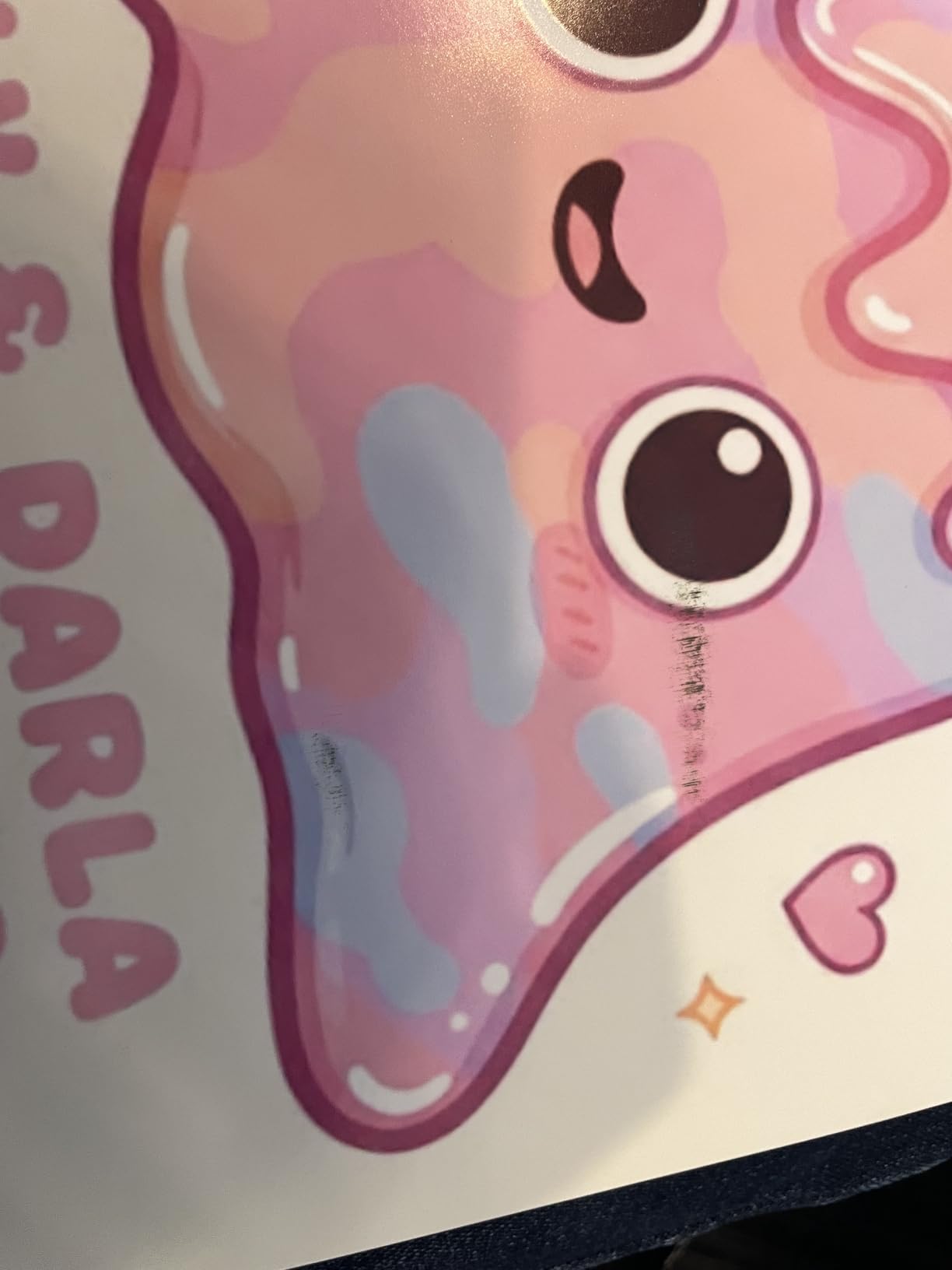
Why Chroma Optimizer matters on gloss
If you only take one technical point from this review, take that one. The difference between a pigment print with an optimizer and one without is the difference between a glossy print you can light from the side and one that shows a haze. That is why the PRO-1100 is the reference point in this guide whenever we talk about gloss, and why dye-based competitors cannot simply match it with more colors of the same type of ink.
The second thing worth knowing is that pigment black is genuinely archival in a way dye black is not, and this is where the machine earns its ink cost. If you are making black-and-white prints for sale, this is the one in the group to buy.
The size and speed trade-off
This machine is heavy and slow, and both facts are structural rather than defects. It weighs 83 pounds and measures 17.1 inches deep by 28.5 wide by 11.2 high, which means a dedicated table or a sturdy cabinet, not a desk. Throughput is about one page per minute with a one minute first page, so it is built for careful output, not for a wedding album run on Saturday night.
It is also print-only, so there is no scanner or copier inside. The listing does note expensive ink tanks and a high entry point relative to consumer 13×19 models, which is fair. The 4.4 rating comes from 80 reviews, so the sample is small, but 79 percent of them are five-star and the complaints that surface are the inherent size and speed of the class rather than faults.
3. Canon PIXMA PRO-200S – the fastest quoted 13×19 print time
Canon PIXMA PRO-200S Professional 13″ Wireless Inkjet Photo Printer, 3″ Color LCD, 8-Color Dye Ink, Black
Max size: 13 x 19 in (A3+)
Ink: 8-color dye based
Custom media up to 13 x 39 in
Weight: 32 pounds
Pros
- Eight dye inks give smooth gradations and less visible banding
- Borderless from 3.5x3.5 up to 13x19
- A3+ bordered print in about 90 seconds
- Quiet operation and low reported ink use
Cons
- Print only with no scanner
- Setup app and instructions confuse many first-time users
- Frequent false no-paper errors in the top tray
The PIXMA PRO-200S is the one to buy if you print 13 x 19 dye photos for display and want them to look like the picture on your screen. The 8-color dye ink system produces vibrant output on glossy, luster, semi-gloss and matte papers, and the eight inks are what keep skin tones smooth and skies free of the banding that six-ink machines show in gradients.
Speed is the standout number here. Canon rates a bordered A3+ print at about 90 seconds and a bordered 8×10 at 53 seconds, which puts it ahead of every other 13-inch photo machine in this group on quoted print speed. The sheet specifications also include a panorama size of 210 x 594 mm and custom sizes up to 13 x 39 inches, so you can do long-form work on cut sheet without a roll feeder.
Two paper trays means you can keep photo media and plain paper loaded at the same time, and the 3.0-inch color LCD lets you check ink levels, printer status and settings without going through a computer. It handles 100 sheets, offers Ethernet and USB alongside Wi-Fi, carries a one-year limited warranty, and this listing is the current S revision of the PRO-200 rather than the original.
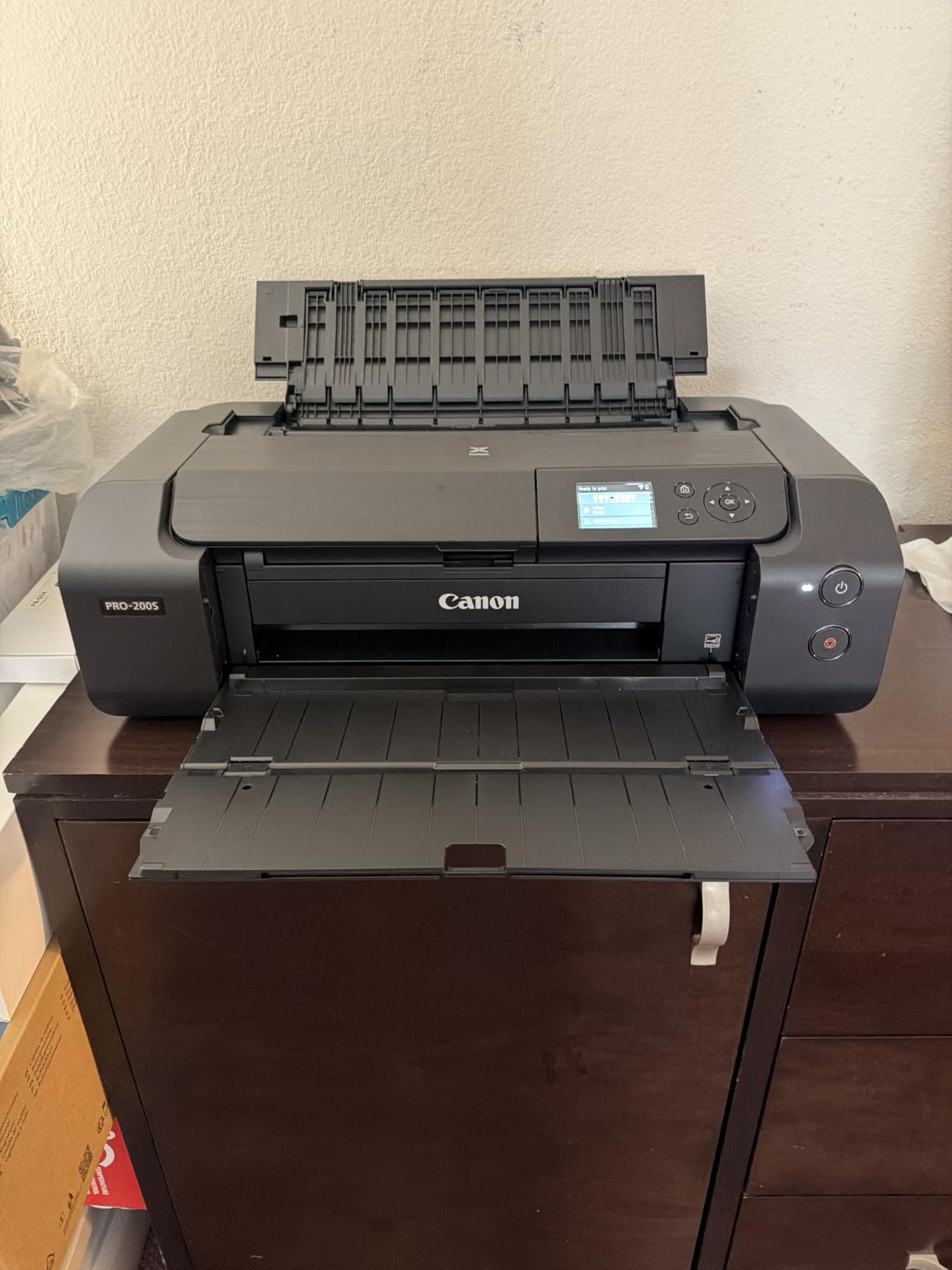
Print resolution is listed at 4800 x 2400 dpi for color and 4800 dpi for black and white, with 48 bpp color depth. It weighs 32 pounds and measures 28.7 inches deep by 18.6 wide by 14.04 high, which is a noticeably tighter width than the ET-8550 but a deeper body, because of the rear manual feed and the second tray. Rated throughput is 2 pages per minute in both color and black, and duplex is simplex only, which is normal for a dedicated photo unit.
One detail that rewards a careful reader: the review data reports that Canon nozzles clog less often and need less maintenance than rival brands. For a machine you are not printing from every day, that matters more than raw speed, because a clogged head on an unused printer is the most common cause of a failed first print.
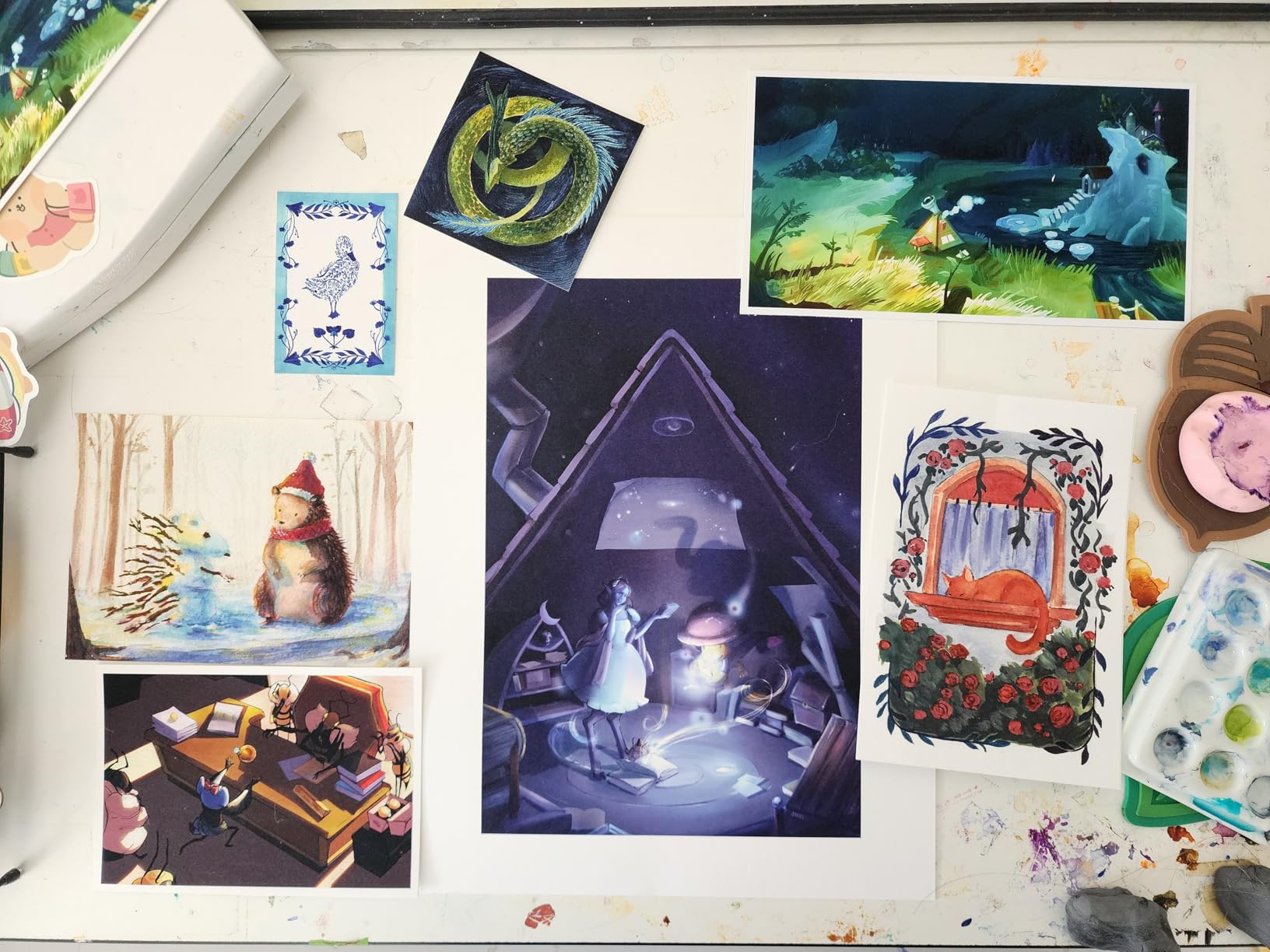
What 8 dye inks give you
Eight dye inks means better gradation than six, and the practical difference shows most in skies, skin and any large smooth area of a single tone. Dye ink also produces a noticeably higher gloss level than pigment without an optimizer, which is why a well-tuned PRO-200S still looks like a commercial photo print and not a fine-art piece.
The trade-off is permanence. Dye inks are not archival in the way the PRO-1100 pigment set is, so if the print is going on a wall you care about for a decade, factor that in. For event and studio prints that get handed over, the vibrancy wins and most photographers take that trade.
Paper handling is the weak point
Two problems recur. First, setup: the Canon app install flow and the printed instructions are confusing, especially for anyone who is not technical, and the manual feed gives more reliable results than the top feed for borderless work. Second, error 1006, a no-paper message that appears even when the tray is loaded, along with paper-type detection that needs manual setting, especially in the top feed.
Owners also note that cartridges run out faster than the low usage rate suggests, particularly the black, and that higher quality settings take considerably longer than the quoted 90 seconds. At 4.1 from 213 reviews with 65 percent five-star, the print quality is consistently liked; the setup and paper handling are where the complaints land.
4. Epson Artisan 1430 – the most proven 13×19 unit
Epson Artisan 1430 Wireless Color Wide-Format Inkjet Printer (C11CB53201)
Max size: 13 x 19 inch
Ink: 6-color Claria high capacity
Resolution: 5760 x 1440 optimized dpi
Weight: 35.3 pounds
Pros
- 4.2 rating across 881 reviews
- the largest review base here
- Built-in flatbed scanner and CD/DVD tray
- Wireless plus direct mobile printing from a phone
- Borderless 13x19 output
Cons
- Cartridge running cost far above tank-based rivals
- No automatic duplex
- Slow at about 2.8 pages per minute
The Artisan 1430 is the most proven machine in this roundup by sheer volume of owner feedback, with 881 reviews and a 4.2 average, and the reason for that consistency is simple. It is a straightforward 13 x 19 borderless photo printer with 6-color Claria high-capacity cartridges, wireless printing, and a built-in flatbed scanner, and it does that one job without a lot of drama.
Resolution is listed at 5760 x 1440 optimized dpi, which is the highest head figure in this roundup alongside the ET-8550. It holds 50 sheets in a single tray, weighs 35.3 pounds, and measures 17.3 inches deep by 27.8 wide by 12.5 high. There is also a CD and DVD tray, which sounds quaint until you realize it is one of the few 13×19 units here that does anything other than print photos and scan flat documents.
Mobile printing is genuinely direct here. You can print and share from an iPhone, tablet or other mobile device without a computer in the loop, which suits a photographer who wants to hand a client a proof the moment the shoot wraps. The cartridge platform is the T079120 through T079620 series, and the listing here is a certified refurbished unit, which is worth knowing when you compare warranty terms.
One thing to be clear about: this is an older-generation model. It has a dated software interface, a cartridge platform prone to supply issues, no duplex at all, and a rated speed of about 2.8 pages per minute in both color and black. Compared with a 90 second A3+ time on the PRO-200S, the throughput gap is real.
It comes with a one-year limited warranty and an 18 watt power draw, which tells you how little work it is doing outside of printing. The scanner is a flatbed, so it handles prints and documents but not books or anything thick.
Where the 6-color set shows
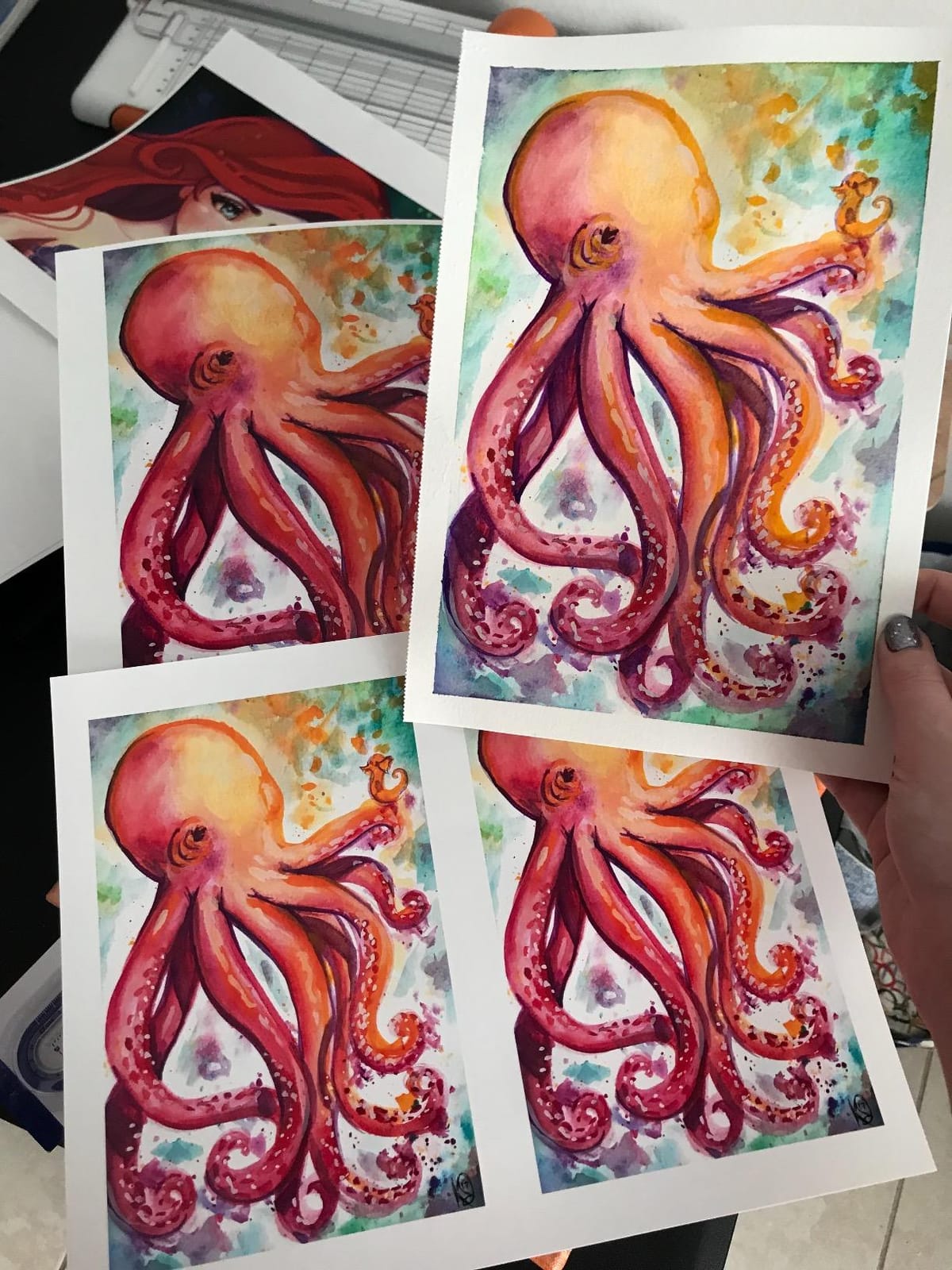
Six Claria inks produce clean, saturated 13×19 prints that reviewers consistently rate very highly, and 68 percent of those 881 reviews are five-star. The practical difference against the PRO-200S is gradation smoothness. Two extra inks and a different driver profile give smoother transitions in skies and skin tones, particularly on matte and fine-art stocks.
Where it does not show is on running cost. Six Claria cartridges put this among the most expensive per-print approaches in this group, and that is the single reason to choose a different machine despite the strong rating.
Running cost and speed
This is the decision point. If you print a handful of 13×19 sheets a month for your own portfolio, cartridge cost barely registers and the Artisan 1430 is a good machine. If you print regularly, the tank-fed ET-8550 will cost you a fraction as much per sheet, and the money saved over a year usually exceeds the difference between the two machines.
Slow throughput matters if you batch work. At 2.8 pages per minute with no duplex, this is a one-sheet-at-a-time printer, and the Wi-Fi control is app-based with no built-in screen, so queueing jobs takes a little more patience than on the Canon or Epson all-in-ones.
5. Brother INKvestment 6560 – the quickest 11×17 all-in-one
Brother INKvestment 6560 Wireless Color Inkjet All-in-One Printer with 11”x17” Capabilities and 2.7” Color Touchscreen | Includes Refresh Subscription Trial(1) (MFC-J6560DW)
Max size: Ledger 11 x 17 inch
Ink: 4 colors, LC506 series
Speed: 31 ppm black, 30 color
Weight: 44.1 pounds
Pros
- Fastest in class at 31 ppm black and 30 ppm color
- 50-page ADF with automatic duplex up to 11x17
- 250-sheet paper tray
- Two-year limited warranty
Cons
- No duplex scanning through the ADF
- Ink depletes faster than expected and refills cost more
- 44.1 pounds makes it bulky for a home office
The INKvestment 6560 is not a photo specialist and does not pretend to be one. What it is, is the fastest machine in this group and the one built for an office that needs to print, scan, copy and fax on 11 x 17 inch paper without a second device on the desk.
Speed is the headline: up to 31 pages per minute black and 30 color, with a first black page in roughly 4.4 seconds. It pairs a 250-sheet paper tray with a 50-page single-sided automatic document feeder and automatic duplex on media up to 11 x 17, a combination that is genuinely rare at this level. Color resolution is listed at up to 1200 x 4800 dpi, which is fine for proofs and internal photo use.
Connectivity is the strongest part of the package. It has Ethernet, USB 2.0 and Wi-Fi, plus Wi-Fi Direct for printing without a network, and the 2.7-inch color touchscreen can print from and scan to Google Drive, Dropbox, Box and OneDrive. Brother Mobile Connect handles the device management side, and MAXIDRIVE technology drives the speed figures.
Warranty is two years limited, which is the longest in this roundup. The box includes a 1800-page yield black cartridge and 750-page yield cyan, yellow and magenta cartridges, it uses the Brother Genuine LC506, LC506XL and LC506XXL series, and it measures 18.8 inches deep by 22.7 wide by 12 high at 44.1 pounds.
That weight is worth planning around. At 44.1 pounds this is a substantial piece of office hardware, and reviewers who move it describe it as sturdy and easy to handle, but it is not a printer you want on a small desk next to your monitor.
What the ADF and duplex pair buys you
For a small studio that produces signed proofs, price lists, and delivery notes alongside photos, the 50-page feeder and duplex up to 11×17 handle the paperwork side of the job while a separate photo printer handles the images. Several owners call it one of the fastest inkjets they have owned, and the 250-sheet tray means you are not refilling it during a busy week.
Setup is also described as clear and app-guided, with test prints coming out correct on the first try, which is more than can be said for several machines here. At 4.0 from 51 reviews, 59 percent are five-star, and the unit sits well clear of the others in the Office Products category ranking.
Where it falls short as a photo printer
Four inks means no serious photographic gamut, and the LC506 cartridges deplete faster and cost more to refill than owners expect. Fine-art paper handling is not a strength of this class, and if photographs are the product rather than the proof, this is the wrong machine regardless of how fast it is.
Two specific limitations to know. The ADF cannot duplex-scan two-sided documents even though the printer duplex-prints, which owners feel should be stated more clearly at purchase. The on-screen interface and companion app are also reported as dated with little troubleshooting help, and one machine failed to connect by SSID, WPS or Ethernet even two feet from the router.
6. HP OfficeJet Pro 9720 – the office machine with the widest paper handling
HP OfficeJet Pro 9720 Wide-Format Wireless All-in-One Color Inkjet Printer, Print, scan, Copy, fax up to 11×17, ADF, Duplex Printing Best-for-Office, 3 Month Trial of Instant Ink Included (C2XF9A)
Max media: 8.5 x 14 in, supports 11 x 17 sheets
Ink: 4 colors, HP 936 and 936e series
Speed: 22 ppm black, 18 color
Weight: 32.2 pounds
Pros
- P3 color support for a wider gamut than sRGB
- Ethernet plus dual-band Wi-Fi
- Print copy fax and a dual-pass 2-sided ADF
- 250-sheet tray with front and back jam access
Cons
- Paper size must be set on the printer not the print dialog
- App and QR-code setup with no printed manual
- Weak wireless reception and dropped connections
The OfficeJet Pro 9720 is included here because it is frequently bought by people searching for a large format photo printer and then used for something else entirely. It is a genuine wide-format all-in-one: print, copy, fax, a dual-pass two-sided automatic document feeder, and automatic duplex, in one unit.
The most interesting technical feature is P3 color support, which delivers a wider gamut than sRGB and lets the machine print screen-accurate color within that gamut. That is not the same as a photo printer with eight dedicated inks, but it is a real step up from a four-color office machine for anyone producing color-matched material. Color resolution is listed at up to 4800 x 1200 optimized dpi on HP Advance Photo Paper.
Connectivity is where HP is strongest here: AirPrint, USB, wireless Wi-Fi, wireless direct printing and built-in Ethernet, with dual-band Wi-Fi that is designed to detect and resolve connection issues. Speed is 22 pages per minute black and 18 color with a first page in about 13 seconds, and the 2.7-inch color touchscreen uses a phone-like interface. The scanner is a slide-off glass legal-size flatbed with a dual-pass two-sided ADF, and it can run up to 99 copies per job.
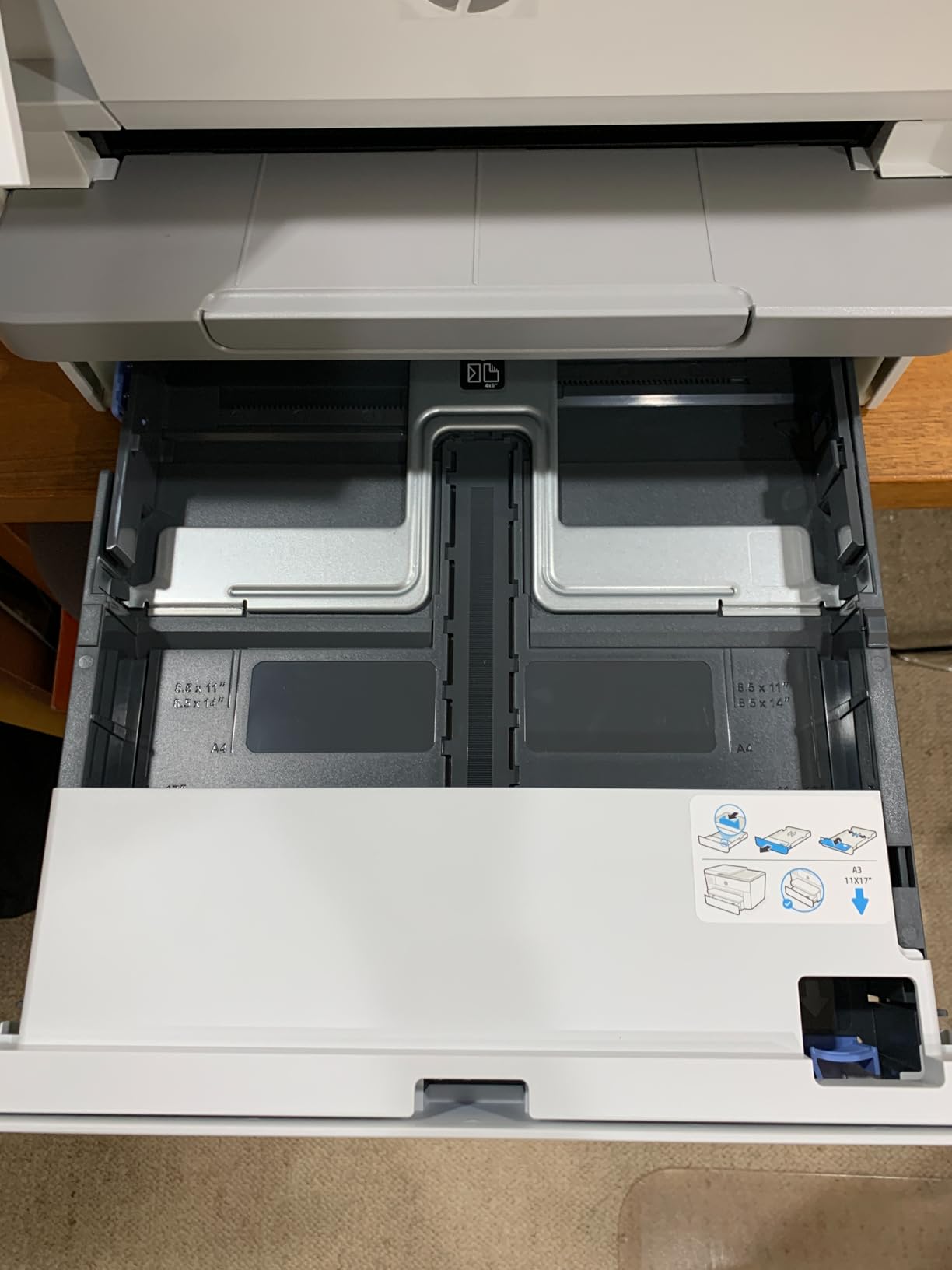
Physical specs are manageable at 32.2 pounds and 17.5 inches deep by 22.9 wide by 12.1 high. The box includes HP 936 setup cartridges rated at roughly 800 pages black and 420 pages each for cyan, magenta and yellow, and it carries a one-year limited hardware warranty. The design uses more than 30 percent recycled plastic, and the HP Wolf Pro security suite is included.
One warning before you buy: the Instant Ink trial included with this model converts to a monthly subscription after three months unless you cancel it. If you print photos regularly, opt out of the subscription ink path before it starts.

Speed and connectivity as selling points
For a small work team, the combination of duplex printing, a 250-sheet tray, fax and Ethernet is hard to argue with, and one owner connected Linux, Windows and Android with no extra drivers. Front and back access for clearing jams is a small thing that saves real time in a busy week. The touchscreen generally reads well, though some owners find it needs a second tap to advance.
At 3.4 from 47 reviews, this is the lowest-rated machine in the roundup, with 40 percent five-star and a 22 percent one-star cluster. That number tells you the hardware is fine and the setup experience is not.
Configuration problems you will hit
Three recurring issues. Paper size must be set on the printer itself rather than in the print dialog, and it resets when you switch back to Letter, which is maddening on a machine you alternate between. Setup depends on scanning a QR code and installing the proprietary HP app for many functions, with no printed manual included. And wireless reception is weak, with owners reporting dropped connections and printers going offline, including two who returned units over it.
Because there is a single paper tray, constant size switching is unavoidable, and the machine cannot scan or copy two-sided documents despite having a duplex ADF. If you need reliable 13×19 photo output, look at the ET-8550 or the PRO-200S instead. For a broader look at roll-fed and additive manufacturing equipment, our large format 3D printer guide covers the other common meaning of the same search term.
What Is a Large Format Photo Printer?
A large format photo printer is an inkjet built to produce photographic prints wider than standard Letter or A4 paper, most commonly 13 x 19 inches (A3+), 17 x 22 inches (A2), or 24 inches and wider from roll media. It sprays microscopic droplets of dye-based or pigment-based ink through dedicated print head channels onto photo paper or fine-art media, and more ink colors widen the color gamut and smooth out gradations. Roll-fed models pull continuous media to produce panoramas and banners far longer than any sheet size.
Three size tiers matter, and they are not interchangeable. The 13 x 19 inch A3+ tier is the mainstream choice and covers most frameable prints. The 17 x 22 inch A2 tier is the professional desktop step, giving gallery and exhibition work room to breathe. Anything at 24 inches and above is wide-format territory, usually with a roll feeder and a built-in cutter, aimed at exhibition, banner and signage work rather than framed photography.
Two capabilities separate a real photo printer from an office printer that happens to take a big sheet. Borderless printing lets an image run to the paper edge with no white margin, which is the difference between a print and a page. A genuine photo ink set uses at least six colors, adding light cyan, light magenta, gray or a black optimizer to produce smooth skin tones and clean monochrome.
How to Choose a Large Format Photo Printer
Work through these decisions in order, because each one constrains the next and you cannot swap a paper size later.
Pick your size tier first
Choose 13 x 19 inches unless you know you need more. It is the size almost every frame is built for, it is the cheapest tier to own, and it is the tier where refillable ink tanks are commonly sold. Step up to 17 x 22 only when you regularly deliver exhibition prints or sell work by size. Move to 24 inches and above only for banners, panoramas and commercial graphics, and expect roll handling, a larger footprint, and a very different price bracket.
Choose pigment or dye, and understand what you lose
Dye inks soak into the paper, which gives you brighter color and a higher gloss level, and they are cheaper per print. Dye is the right choice for event, wedding and studio output, and for anything where vibrancy matters more than permanence. Pigment inks sit on the surface, which gives you a wider usable tonal range, better archival black, and resistance to fading, at a higher ink cost.
The catch with pigment is gloss. Printed straight to glossy paper, pigment can produce bronzing, an uneven metallic-looking reflection across the image. Chroma Optimizer ink exists to fix exactly this, and it is the reason the PRO-1100 produces cleaner gloss than a plain pigment machine. If you want pigment blacks and clean gloss in one printer, look for an optimizer, not just a high ink count.
Count the inks, and check the cartridge type
Six colors is the practical floor for photo work. Eight adds smoother gradations, and eleven pigment inks plus an optimizer is the fine-art standard. Critically, count them as separate channels: some machines list 8 colors but ship a single tri-color cartridge, which is worse than 6 individual inks. Prefer individual cartridges or tanks over combined units at every price level.
Then decide cartridges against tanks. Cartridges are simple and tidy but the running cost is high, and refillable tank systems cut ink cost dramatically because you refill with bottles rather than buy sealed cartridges. The ET-8550 is the clearest example in this roundup, rated at roughly four cents per 4×6 photo. A cartridges-versus-tanks decision is really a decision about how much you will print.
Check custom media support, because specs hide it
This is where most buyers get caught. A listing saying 13 x 19 inches tells you nothing about whether the machine handles 13 x 39 custom rolls of paper, panorama stock, canvas, or a specific odd card size. The PIXMA PRO-200S lists custom sizes up to 13 x 39 inches and a panorama format of 210 x 594 mm, the PRO-1100 takes 17 x 25 inch media, and the office all-in-ones here largely do not go beyond standard 11 x 17 sheets. If your work depends on a non-standard size, verify it before you buy, not after.
Decide on roll feed versus cut sheet
Cut sheet is simpler, cheaper, and right for everything up to 13 x 19 inches. A roll feeder becomes worth it when you print panoramas, need consistent sheet-to-sheet color on long runs, or produce work without a cutter. You can also buy long cut sheets and use manual feed on machines that support custom lengths, which is a cheap middle path, though it costs you time per sheet.
Plan the color workflow, not just the hardware
Getting accurate color takes about an hour on first use. Load the manufacturer’s paper, select the matching media profile in the driver rather than a generic photo setting, run a nozzle check to confirm all channels fire, then print a test chart and adjust brightness and color balance from that output. After that, calibrate your monitor to the paper white point you have chosen, and soft proof in an editor using the same profile. None of the printers in this group has an integrated densitometer except through the PRO-1100’s Color Calibration tooling, so the manual step is not optional.
Do the math on total ownership cost
Add the printer, the ink, and the paper, then divide by the number of prints you actually expect to make. A 13 x 19 print on a dye cartridge machine can cost several times what the same print costs on a tank-fed machine, and a pigment fine-art print costs more again. If your expected volume is low, cartridges are fine. Above roughly ten large prints a month, tanks usually pay for themselves within the first year. Beyond that, compare against lab pricing honestly: for occasional exhibition prints, sending one file to a lab is still cheaper than owning a printer.
How We Picked These Printers
Our method is ownership-data first. For each machine we read the full review set and pulled out the themes that repeat rather than the single most dramatic comment, because a tray problem that appears in 200 reviews is a design decision and a tray problem that appears once is an anecdote. We then cross-checked those recurring themes against the manufacturer specifications so that every claim about paper size, resolution, ink type and speed comes from the spec sheet rather than from review prose.
We grouped the results by capability rather than brand, because the paper size you need dictates the machine far more than whether you prefer Canon or Epson. Where a figure is a manufacturer rating, we say so. Where a behavior comes from owners, we report it as a reported pattern with its context, including the workflows that provoked it. We did not measure print speed or color accuracy ourselves, and we have not quoted prices, because they change daily and the retailer’s listing is the only current source.
Two limits on this roundup worth stating plainly. We tested no roll-fed machines over 24 inches, so if your work needs banner or continuous-length output, none of these six will serve. And no machine here is a dye-sublimation printer, which remains the right technology for short-run commercial photo products where you want no ink cost variability and no maintenance downtime.
Frequently Asked Questions
What is the best large format photo printer?
The Epson EcoTank Photo ET-8550 is the best large format photo printer for most people, because it combines genuine 13 x 19 inch borderless output with refillable ink tanks that keep the cost per print at roughly four cents for a 4×6. If you need pigment ink and 17 x 22 inch media for exhibition work, the Canon imagePROGRAF PRO-1100 is the alternative.
What is the best A3+ photo printer for professionals?
At the 13 x 19 inch A3+ tier, the Canon PIXMA PRO-200S is the strongest choice for professionals because 8 dye inks give smooth gradations and it produces a bordered A3+ print in about 90 seconds. The Epson EcoTank Photo ET-8550 is the better choice when print volume is high, since its tank system costs far less per sheet.
Is Canon or Epson better for photo printing?
Epson leads on ink economics: refillable EcoTank systems cost substantially less per print and support up to 13 x 19 inches. Canon leads on ink quality at the professional end, with the 11-ink pigment system and Chroma Optimizer in the Canon imagePROGRAF PRO-1100 giving cleaner gloss on fine-art media. Pick Epson for volume, Canon for exhibition quality.
Which Canon PIXMA printer is best for printing photos?
The Canon PIXMA PRO-200S is the best PIXMA for photo printing. It uses an 8-color dye ink system, prints borderless from 3.5×3.5 inches up to 13×19, handles custom sizes up to 13×39 inches, and has a 3.0-inch color LCD for checking ink levels without a computer.
Do I need a 13×19 or a 17×22 printer?
Choose 13×19 unless you regularly deliver exhibition or gallery prints, because it is the cheaper tier to own and refillable ink tanks are common at that size. Choose 17×22 only when the extra two inches of width is genuinely needed for framed work. Note that a 17-inch machine weighs 83 pounds, so plan the space before buying.
What is the difference between dye and pigment ink for photos?
Dye ink soaks into the paper, giving brighter color, higher gloss and a lower cost per print, which suits event and studio output. Pigment ink sits on the surface, giving a wider tonal range, archival black-and-white and better fade resistance, but it can bronze on glossy paper unless a gloss optimizer such as Chroma Optimizer is used.
Final Verdict: The Best Large Format Photo Printer in 2026
Six machines, three very different answers. The Epson EcoTank Photo ET-8550 is the best large format photo printer overall in 2026 for anyone printing regularly, because tank refills cut the ink cost well below every cartridge-fed rival in this group, and the 13 x 19 output, touchscreen, and built-in scanner make it a genuine workhorse rather than a dedicated print engine.
Buy the Canon imagePROGRAF PRO-1100 instead if pigment ink, archival monochrome, and 17 x 22 inch media are part of the work, and accept the 83 pound weight and one page per minute throughput as the cost of that class. Buy the Canon PIXMA PRO-200S if you want the best-looking dye output at 13×19 and you print at speed.
The Epson Artisan 1430, Brother INKvestment 6560 and HP OfficeJet Pro 9720 round out the list as 13×19 and 11×17 machines whose strengths lie elsewhere, in consistency, office speed, and paper handling respectively. Whatever you choose, set the driver to the exact media profile and print a test chart before you judge a single color on it.