
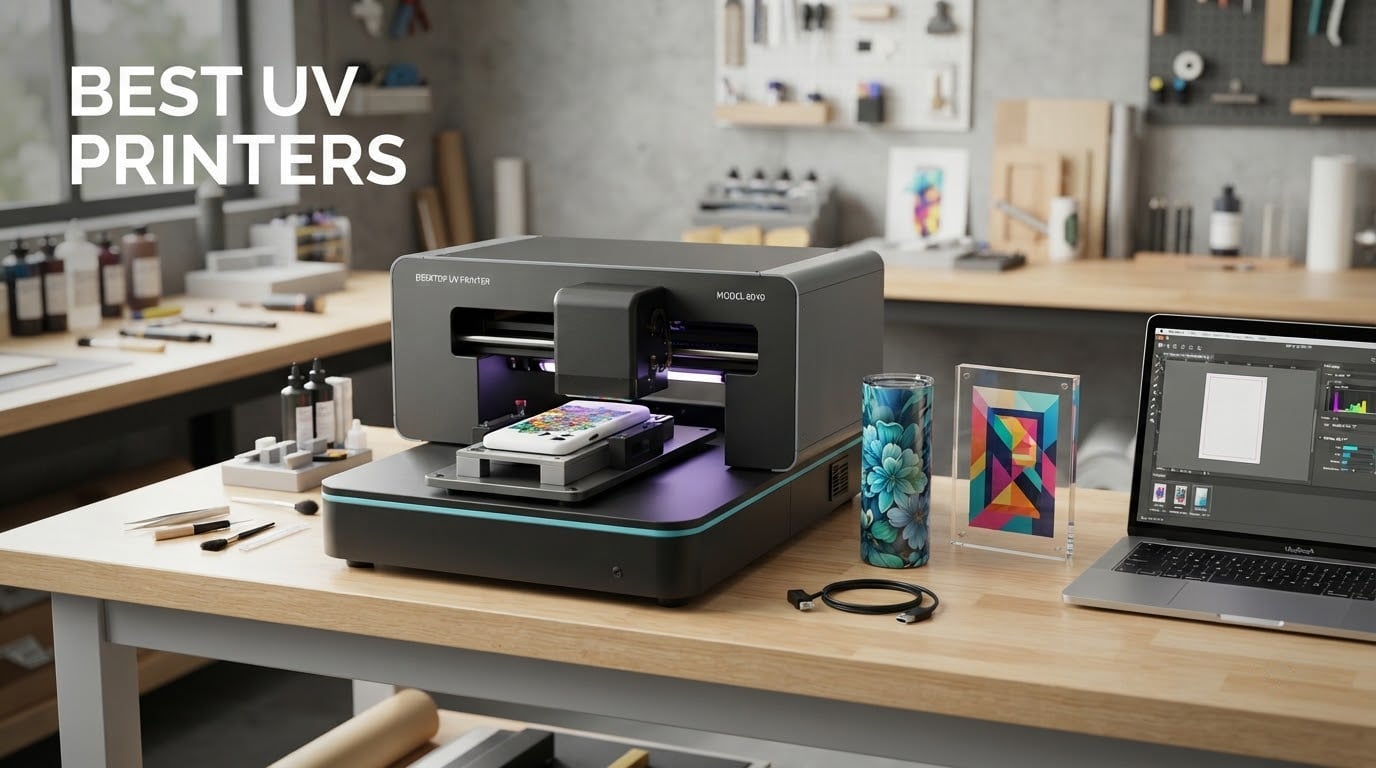
A UV printer cures liquid ink with ultraviolet light the moment it hits the substrate, which means no heat press, no curing oven and no drying time. That single fact is why these machines went from a factory curiosity to the default option for anyone printing full colour onto acrylic, glass, wood, leather, metal, tumblers and phone cases. This roundup covers the desktop and A3/A4 flatbed class you can actually run in a small studio, plus one automatic-flatbed production machine. It does not cover industrial roll-to-roll signage equipment, because nothing in that class fits a home shop or a market stall.
We spent weeks reading every listing, cross-checking printhead specs against real owner reviews, and pressure-testing the claims that vendors repeat most loudly: white ink circulation, print area, resolution and “professional grade” output. What follows is a scope-declared list of the 12 best UV printers available right now, each with the honest caveat attached. Where a machine has only a handful of reviews, we say so, because a 5.0 average across two reviews tells you almost nothing about year-two reliability.
Before we get into the list, it helps to know which of three workflows you actually need, because the wrong one will cost you twice. Direct-to-object printing cures ink straight onto the item itself, which is what you want for tumblers, wood trays and acrylic panels. UV DTF prints onto a special transfer film that gets laminated and heat-pressed onto the object, which handles curved and fabric surfaces far more easily and needs no primer. A self-service kiosk is a third category entirely, aimed at retail and exhibition floors where the customer prints their own souvenir. Our picks are labelled by category so you can skip the sections that do not apply.
One quick note for anyone comparing UV printers against other UV gear: the curing lamps inside these machines share a wavelength family with the UV flashlights used for finding fluorescent minerals and the mineral-collecting UV lights, but they serve a completely different job. A printer lamp is a fixed, high-intensity curing source sized to polymerise a specific ink chemistry in milliseconds. A handheld inspection light is a diagnostic tool. Do not judge one by the specs of the other.
Table of Contents
Our Top 3 UV Printer Picks in 2026

DXZ A3 UV Printer with L805 6-Color Head
- L805 6-color head at 2880x1440 DPI
- Built-in vacuum platform
- Two-year ink supply included

RAINBOWDGT A3 UV Printer with Laptop
- 5760x2880 DPI
- A3 area with vacuum bed
- Pre-installed laptop included

DXZ A3 UV DTF All-in-One with Laminator
- Print and laminate in one chassis
- Dual XP600 heads
- CMYKWV 12-channel system
Best UV Printers at a Glance in 2026
Every machine below is listed with the specs that actually change what you can print, not the ones that just look good on a listing. Print area tells you the largest single piece you can handle in one pass. Printhead type predicts how the machine behaves between jobs. The white ink and cleaning system is the single biggest driver of downtime on this kind of equipment.
| Product | Specs | Action |
|---|---|---|
| DXZ A3 UV Printer with L805 6-Color Head |
|
Check Latest Price |
| RAINBOWDGT A3 UV Printer with Laptop |
|
Check Latest Price |
| DXZ A3 UV DTF All-in-One with Laminator |
|
Check Latest Price |
 SYLCYS A3+ DX7 UV DTF Sticker Printer SYLCYS A3+ DX7 UV DTF Sticker Printer |
|
Check Latest Price |
 AchiPrin UV6090 Automatic Flatbed UV Printer AchiPrin UV6090 Automatic Flatbed UV Printer |
|
Check Latest Price |
 PLK A3 UV DTF All-in-One Workstation PLK A3 UV DTF All-in-One Workstation |
|
Check Latest Price |
 indhnx A3 UV DTF Printer with DX7 Head indhnx A3 UV DTF Printer with DX7 Head |
|
Check Latest Price |
 PEIXU A4 XP600 UV Flatbed Printer PEIXU A4 XP600 UV Flatbed Printer |
|
Check Latest Price |
 OMTech Spectra Pro A3+ UV Printer OMTech Spectra Pro A3+ UV Printer |
|
Check Latest Price |
 Procolored VF13 Pro A3+ UV DTF Printer Procolored VF13 Pro A3+ UV DTF Printer |
|
Check Latest Price |
 EXPLUX A4 UV DTF Printer with Bottle Holder EXPLUX A4 UV DTF Printer with Bottle Holder |
|
Check Latest Price |
 MZK Self-Service XP600 UV Printing Kiosk MZK Self-Service XP600 UV Printing Kiosk |
|
Check Latest Price |
Two patterns jump out immediately. First, every credible machine here ships with active white ink circulation of some kind, and the ones that also stir rather than merely pump are the ones owners stop complaining about. Second, the resolution numbers on listings are marketing as much as specification: an XP600 head quoted at 5760×1440 DPI and an L805 head quoted at 2880×1440 DPI can produce output that is hard to tell apart on a phone case, but they are very different machines underneath.
1. DXZ Upgraded A3 UV Printer with L805 6-Color Head – Best Overall
DXZ Upgraded A3 UV Printer with L805 6-Color Printhead, Vacuum Platform & White Ink System – High-Resolution Flatbed Printing for Phone Cases, Bottles, Wood & More (Printer+Laptop)
A3 area
L805 six-color head
2880x1440 DPI
Vacuum platform
151 pounds
Pros
- L805 six-color head with white delivers layered color without banding
- Built-in vacuum platform holds films and heavy boards without taping
- White ink circulation plus auto-cleaning cuts manual flushing
- Prints phone cases acrylic leather metal glass PVC and ABS
- Bundle includes six 500ml inks and a bottle holder
Cons
- Ink adhesion on glossy surfaces is weak without a primer or coated tumbler
- Bundled software is basic with few adjustment options
- Color accuracy needs manual ICC and monitor calibration
This is the machine we keep coming back to because it does the widest range of jobs in a single footprint. The L805 head is a six-channel CMYK plus white configuration, which means full-colour work on dark substrates without a separate white pass, and the A3 bed swallows everything from a phone case to a decent-sized wood plaque. It weighs 151 pounds, so it is a two-person lift rather than a desktop toy.
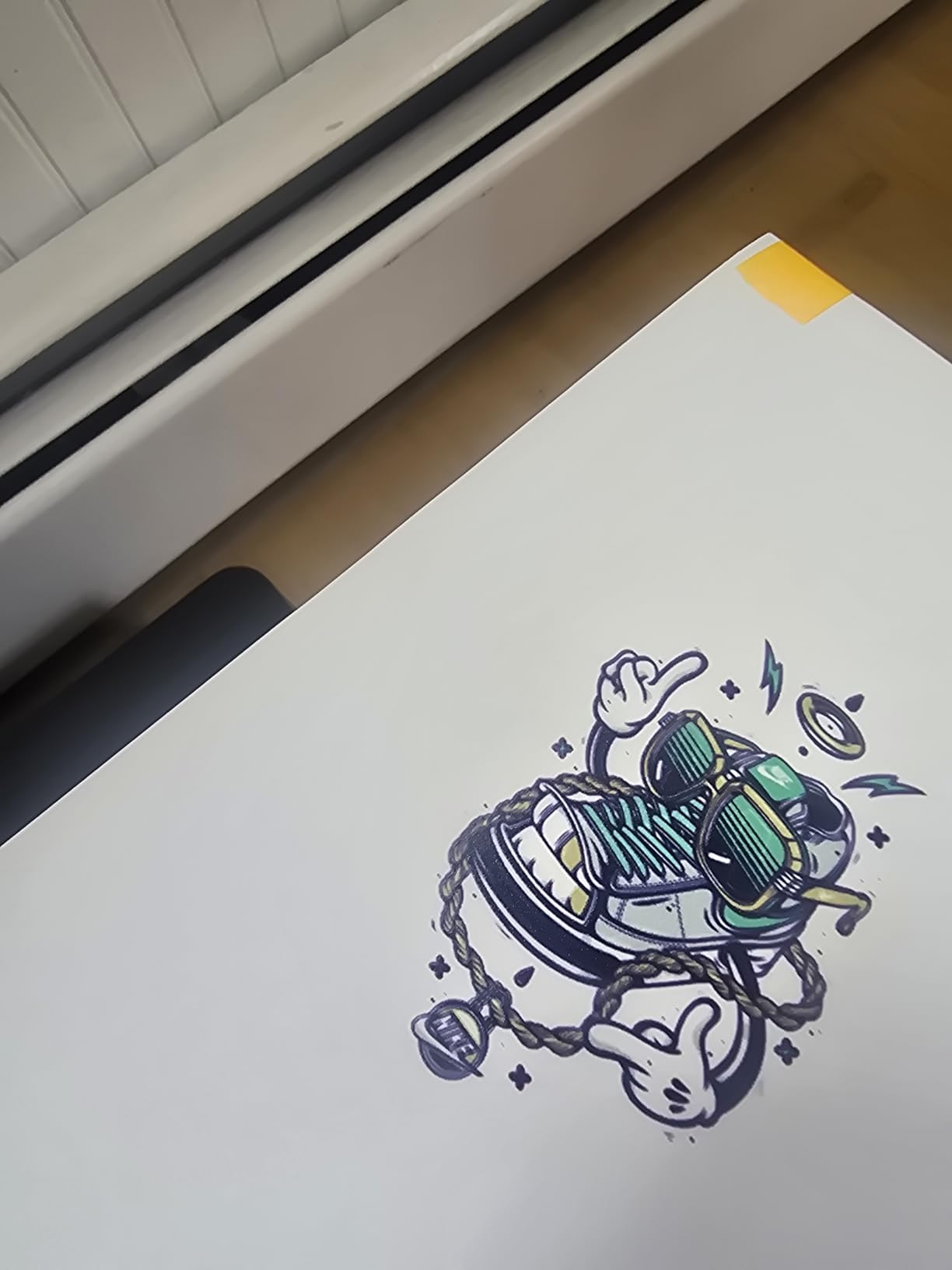
Reviewers consistently describe sharp, colourful output on wood, canvas, leather and tumblers, and they single out support as responsive. The vacuum platform earns its keep immediately: light film and heavy board stay put without tape, which is the difference between a repeatable print and a reprint. The white ink circulation and intelligent auto-cleaning routines are what keep a six-channel head alive between jobs.
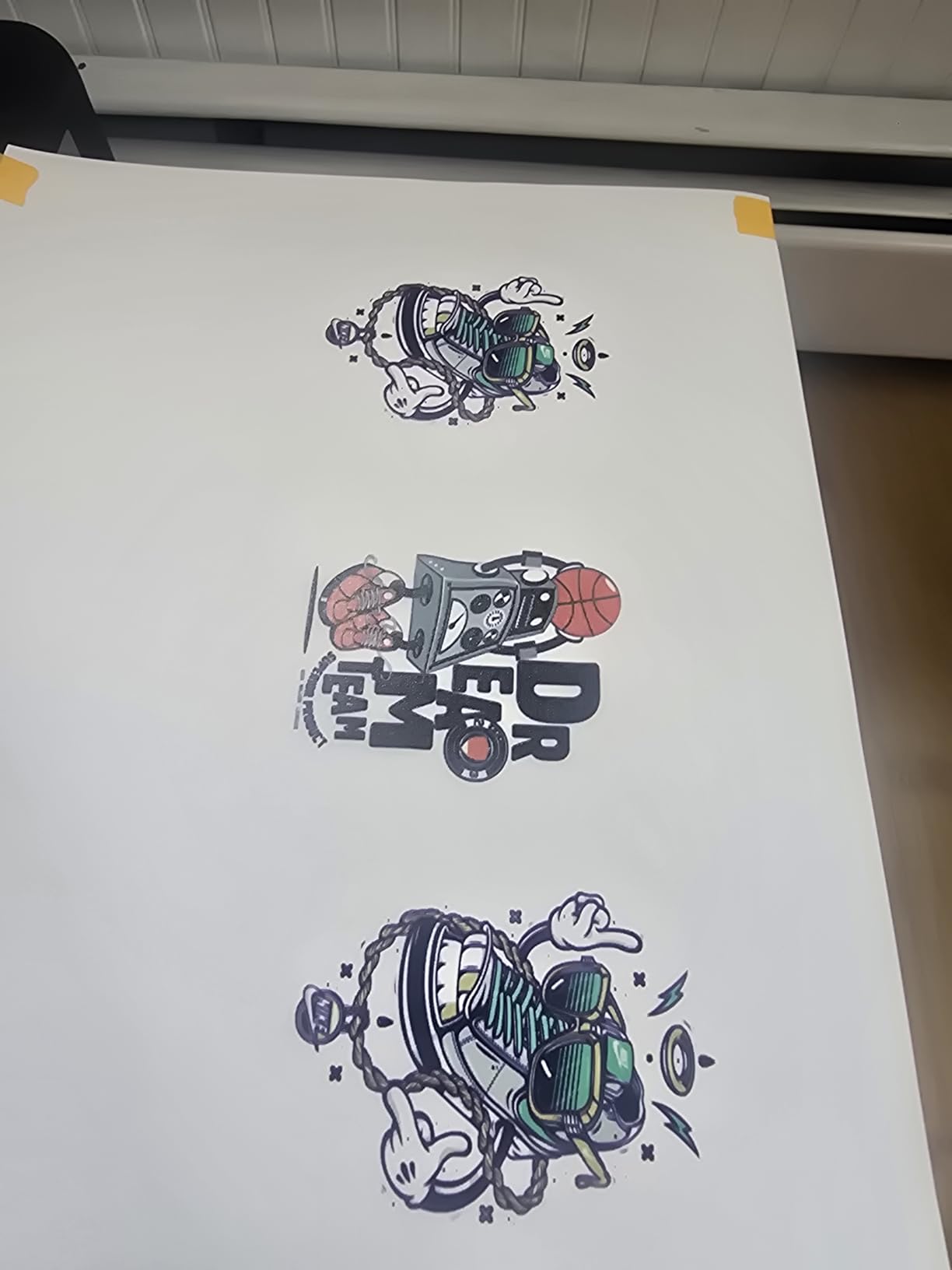
The specification sheet reads well. A3 maximum media size, 2880 dpi overall resolution, 1440 dpi colour, CMYK plus white ink, USB connectivity, 48-bit colour depth, and a stated print capability across phone cases, bottles, acrylic, metal and leather. The bundle is unusually complete for this class: six 500ml UV ink bottles, a bottle holder, software, cleaning accessories and a tutorial drive, plus a two-year ink resupply arrangement.
Warranty terms are 1 year on non-consumable parts and 6 months on the printhead, which is standard for the tier. The machine is Windows-only, and there is one USB port, so plan your cable routing before it is against the wall. Dimensions are roughly 36 by 23 by 27 inches, so measure your door and your ceiling clearance before ordering.
The honest weaknesses are real. UV ink does not adhere well to glossy surfaces without treatment, and can bubble or peel, which is why coated tumblers exist. The bundled software is basic, and getting colour where you want it takes manual work on ICC profiles, ink values and monitor calibration. Owners also report difficulty obtaining the promised two-year ink resupply, so treat that as a bonus rather than a plan.
What to check before you buy it
Measure your largest planned object, not your average one. A3 handles a lot, but a 30-inch sign does not fit, and splitting it changes the finish. Check that your most common glossy substrate is something you can coat or prime, because adhesion is the one thing this machine will not solve for you.
Confirm the seller will honour the ink resupply in writing. If your print volume depends on free ink, you need that commitment on the invoice rather than in a listing photo.
Who it does not suit
Skip it if your entire business is fabric or soft goods. UV DTF handles textiles better than direct-to-object, and this is a direct-to-object machine. It is also a poor fit for a garage with a 15-inch doorway; measure twice.
2. RAINBOWDGT A3 UV Printer with Pre-Installed Laptop – Best A3 Flatbed
RAINBOWDGT A3 UV Printer Machine,5760×2880 DPI,Bottle Holder & Stickers
19.7 x 12.6 inch area
5760x2880 DPI
CMYK plus white and varnish
121 pounds
Laptop included
Pros
- Highest stated resolution in this roundup at 5760x2880 DPI
- White ink circulation with agitation mixing reduces settling
- Infrared auto-height and self-cleaning cut manual maintenance
- Pre-installed laptop lowers the barrier for first-time users
- Sturdy wooden crate with thick foam protection
Cons
- Bundled laptop ships with unlicensed software and the RIP installer trips antivirus warnings
- Setup is not plug-and-play and needs adjustment before each print
- Bed travel extends rearward then forward so it needs more floor space
If your work is large flat pieces, acrylic panels, canvas and wood, the bigger A3 area and the varnish channel make this the most flexible direct-to-object machine in the group. The 19.7 by 12.6 inch printing area is generous, and adding varnish gives you a gloss finish on selected areas without a second pass.
Owners rate print quality on canvas, wood and A/B film highly, and support is repeatedly praised as responsive over messaging apps across time zones. The machine arrives in a wooden crate with thick foam, which matters more than it sounds when the machine is 121 pounds and mostly assembled.
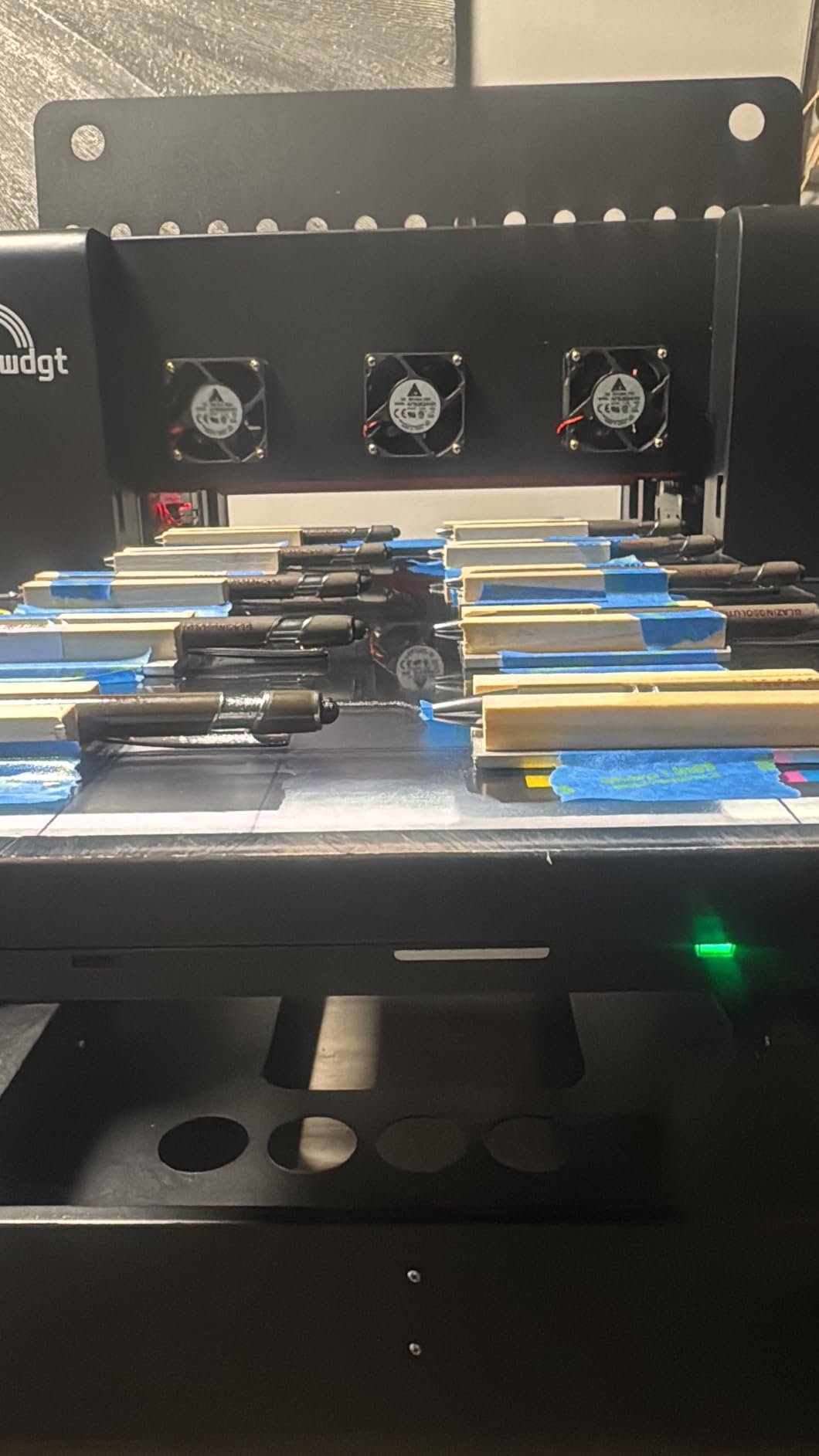
Specs: A3 UV printer, 5760×2880 DPI stated resolution, CMYK plus white plus varnish, USB connectivity, built-in vacuum platform, infrared auto-height adjustment and a self-cleaning printhead. The box includes the printer, a pre-installed laptop, a bottle holder, six 500ml CMYK plus white plus varnish inks, software and a manual. There is 3D embossing and 3D effect printing mode if you want raised texture effects.
Two practical notes. The print bed travels to the rear and then forward, so it needs more clearance behind it than the 32 by 25 by 20 inch footprint suggests. And the ink odour is noticeable while printing, so this belongs in a room you can ventilate rather than a spare bedroom.
The 4.4 average is honest, and the reason is the software story. The bundled laptop arrives with unlicensed Windows software and a RIP installer that antivirus software flags. Reviewers also call the setup non-trivial, dislike the rear-mounted control buttons, and report poor parts availability and thin cable documentation once something goes wrong. All of that is fixable with a clean Windows install and a real RIP, but budget the weekend.
What to check before you buy it
Decide now whether you want the bundled laptop. A fresh Windows machine with your own RIP and profiles will save you days, and several owners have effectively done that already. If you keep the bundled laptop, disable the third-party antivirus before installing anything.
Look at your floor space, not your desk. The bed sweep needs room behind the machine and a dedicated 110V outlet on its own circuit.
Who it does not suit
Not a fit for anyone who needs a laminating workflow built in, since this is direct-to-object only. Nor for shops that need high-volume output; this is a quality machine, not a throughput machine.
3. DXZ A3 UV DTF All-in-One with Laminator – Best UV DTF Starter
DXZ A3 UV DTF Printer All-in-One with Laminator, Dual XP600 Print Heads, White Ink Stirring, for Glass, Metal, Wood, Tumblers, Phone Cases
2-in-1 print and laminate
Dual XP600 heads
12-channel CMYKWV
A3 media
151 pounds
Pros
- Print and laminate in one chassis removes a separate machine from the workflow
- Glossy retail-ready sticker output with a visible finish
- Bundled A and B film inks cleaning solution and accessories
- Printhead underside is visible so manual cleaning is straightforward
- Support resolves setup colour and roller issues quickly
Cons
- Film cannot be rewound so roughly 6 inches are wasted per cut cycle
- No window or gauge to check remaining ink levels
- Suction fan is loud and varnish odour needs a ventilated room
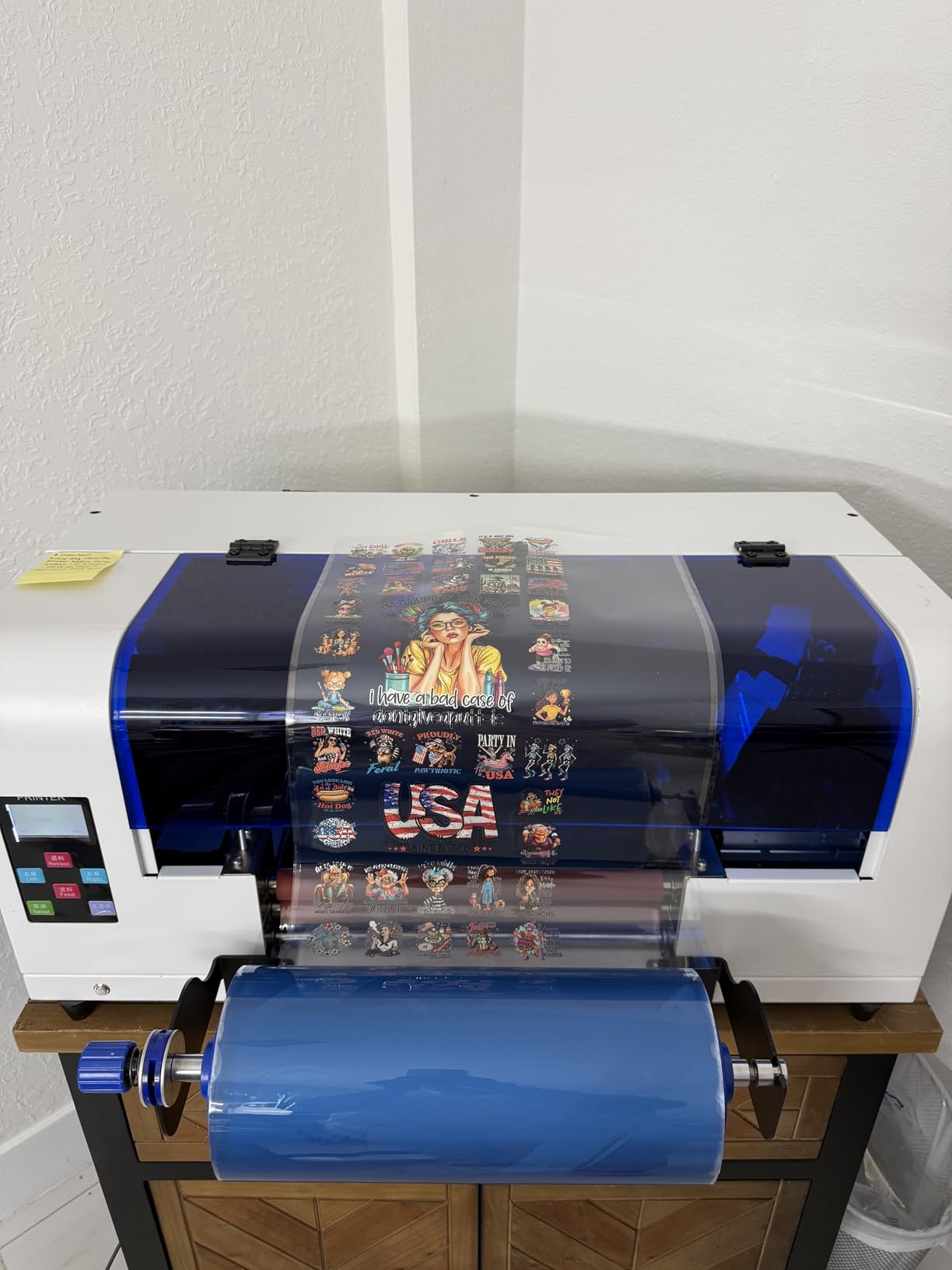
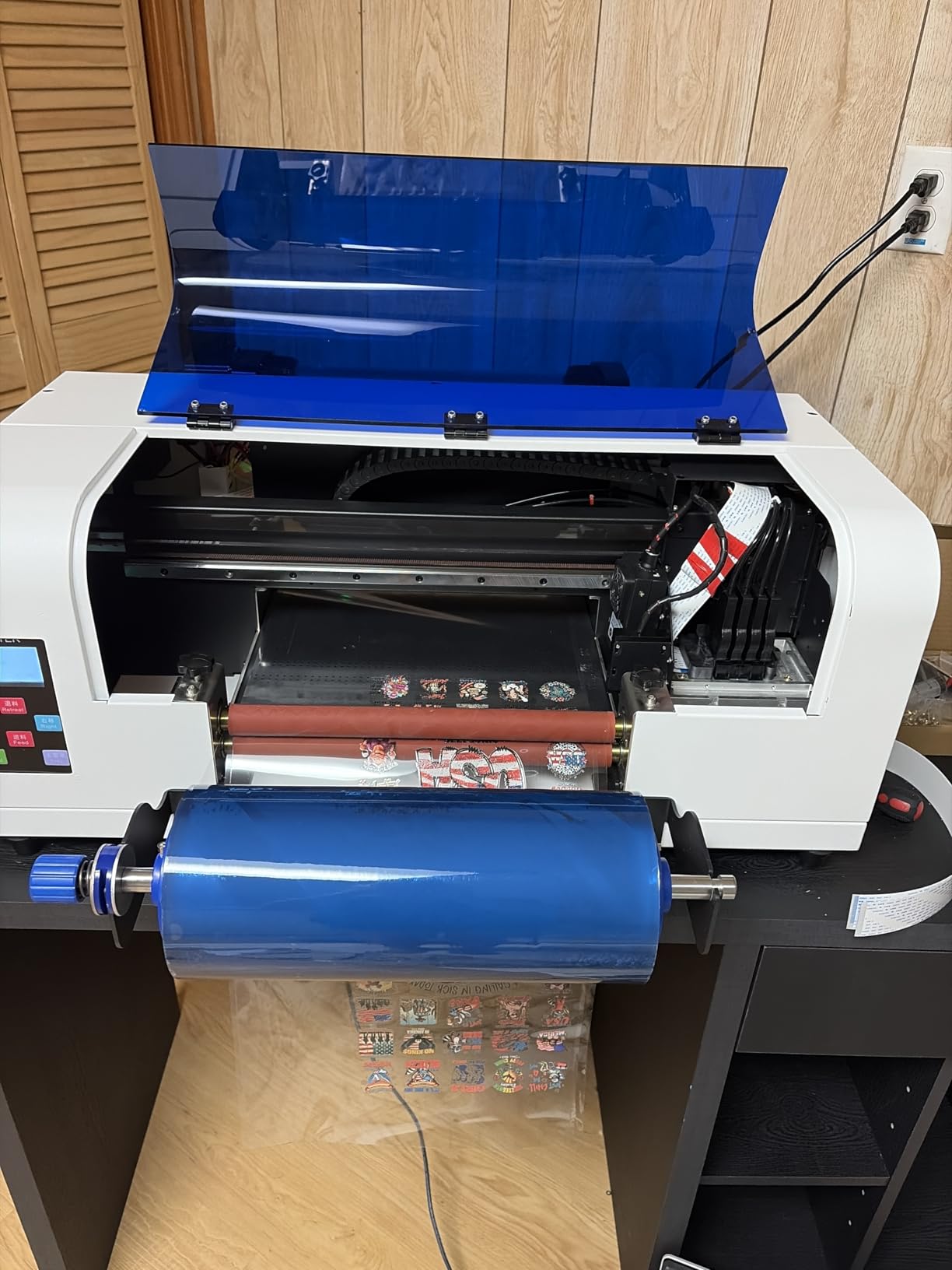
This is the pick for anyone starting a sticker or transfer business who wants to skip the laminator purchase. Printing and laminating happen in one chassis, which means fewer transfer steps, fewer places for a bubble to appear and a smaller overall footprint. The dual XP600 heads give you a 12-channel CMYKWV system, which is a lot of colour flexibility for a machine this size.
All of the reviews on this listing are five-star, and the praise is consistent: vibrant colour, a glossy finish that makes stickers look retail-ready, and patient after-sales troubleshooting. The visible printhead underside gets specific mention because it turns a fifteen-minute cleaning job into a two-minute one.
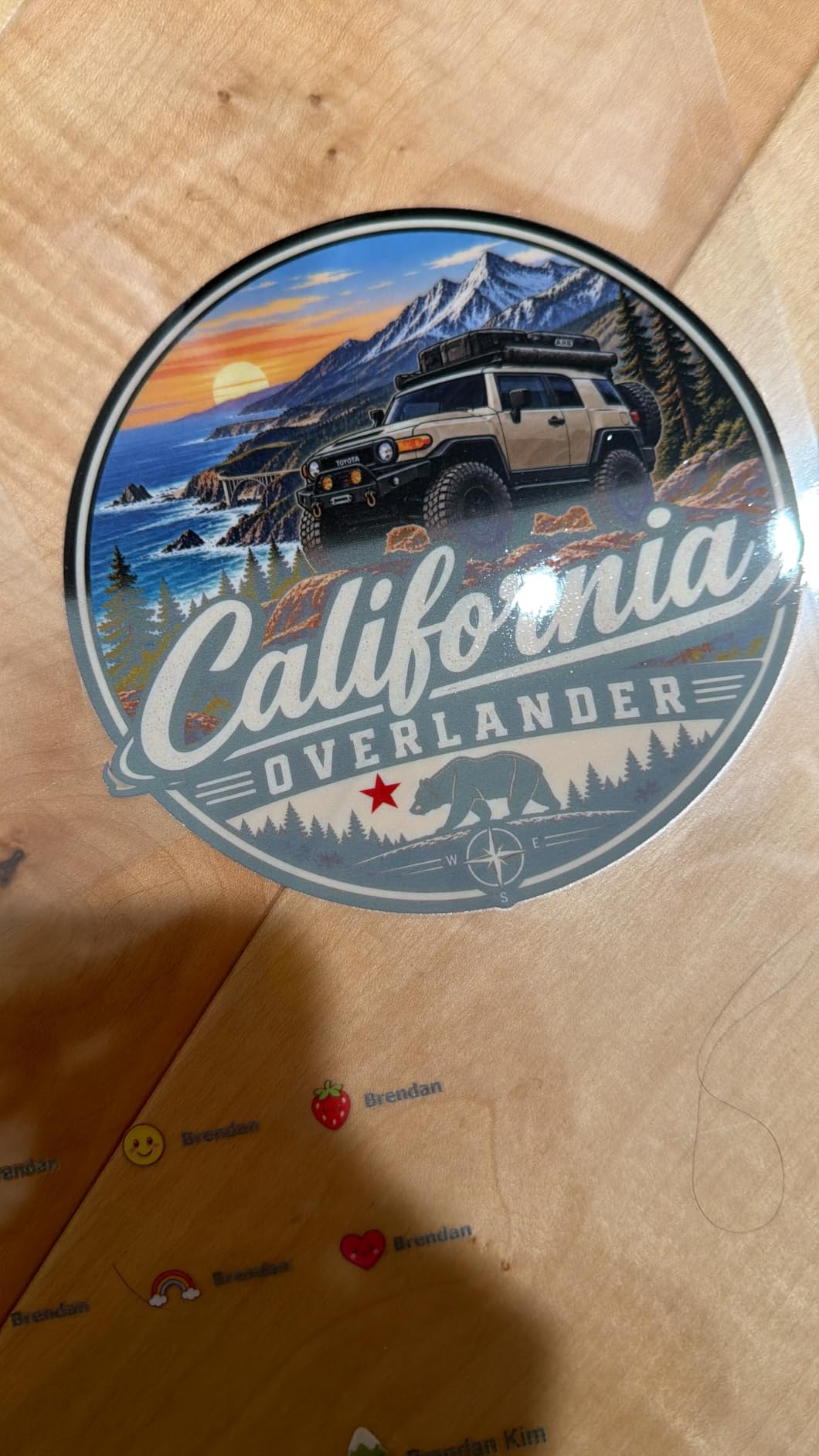
The bundle is genuinely complete: A film, B film, inks, cleaning solution and accessories, so a beginner can print a saleable transfer on day one. Intended substrates are glass, metal, wood, tumblers, phone cases, plastic and leather. The machine weighs 151 pounds and measures roughly 34 by 21 by 25 inches, with a 1 year warranty.
Understand what UV DTF is before you buy. You print onto film, laminate it, then heat-press it onto the object. That extra step is why this workflow crushes curved surfaces, fabric and anything that would be awkward to hold still under a direct-print head. If you only ever print flat rigid panels, you are paying for a step you do not need.
The complaints are practical. The film cannot be rewound, so roughly 6 inches are wasted on every cut cycle, and that adds up fast at volume. There is no ink level window or gauge, which is genuinely stressful when a job is due. The suction fan is loud, the varnish odour demands ventilation, and the dual-head layout prints more slowly than a standard single-head DTF machine.
What to check before you buy it
Calculate film waste against your real order size before committing. Six inches per cycle is nothing on a 12-inch print and a lot on a 3-inch phone case, so plan your cutting layout.
Check the heat press side of the workflow. Many buyers underestimate the press, the operator time and the cure time, and that is where sticker businesses quietly lose money.
Who it does not suit
Skip it if you need speed above all else, since the dual-head layout trades throughput for colour capability. It is also the wrong tool for very large panels; this is an A3 machine and nothing wider.
4. SYLCYS A3+ DX7 UV DTF Sticker Printer – Best Bundled Starter Kit
SYLCYS A3+ DX7 UV DTF Sticker Printer Come with Software A/B Film and Inks
Single DX7 head with 8 colors
1440 x 1440 DPI
13 inch media width
150 watts
110V supply
Pros
- Eight-colour DX7 head produces vivid transfers at up to 1440 dpi
- 110V supply works directly in North America without a converter
- Automatic laminating front and back in one desktop chassis
- Software-driven automatic cleaning cuts hand maintenance
- Starter kit includes A and B film rolls inks RIP software and spares
Cons
- A share of reviews report early-use problems soon after purchase
- Only a three-month printhead warranty against one year on parts
- Stated throughput of 1.5-2 square meters per hour is modest for commercial runs
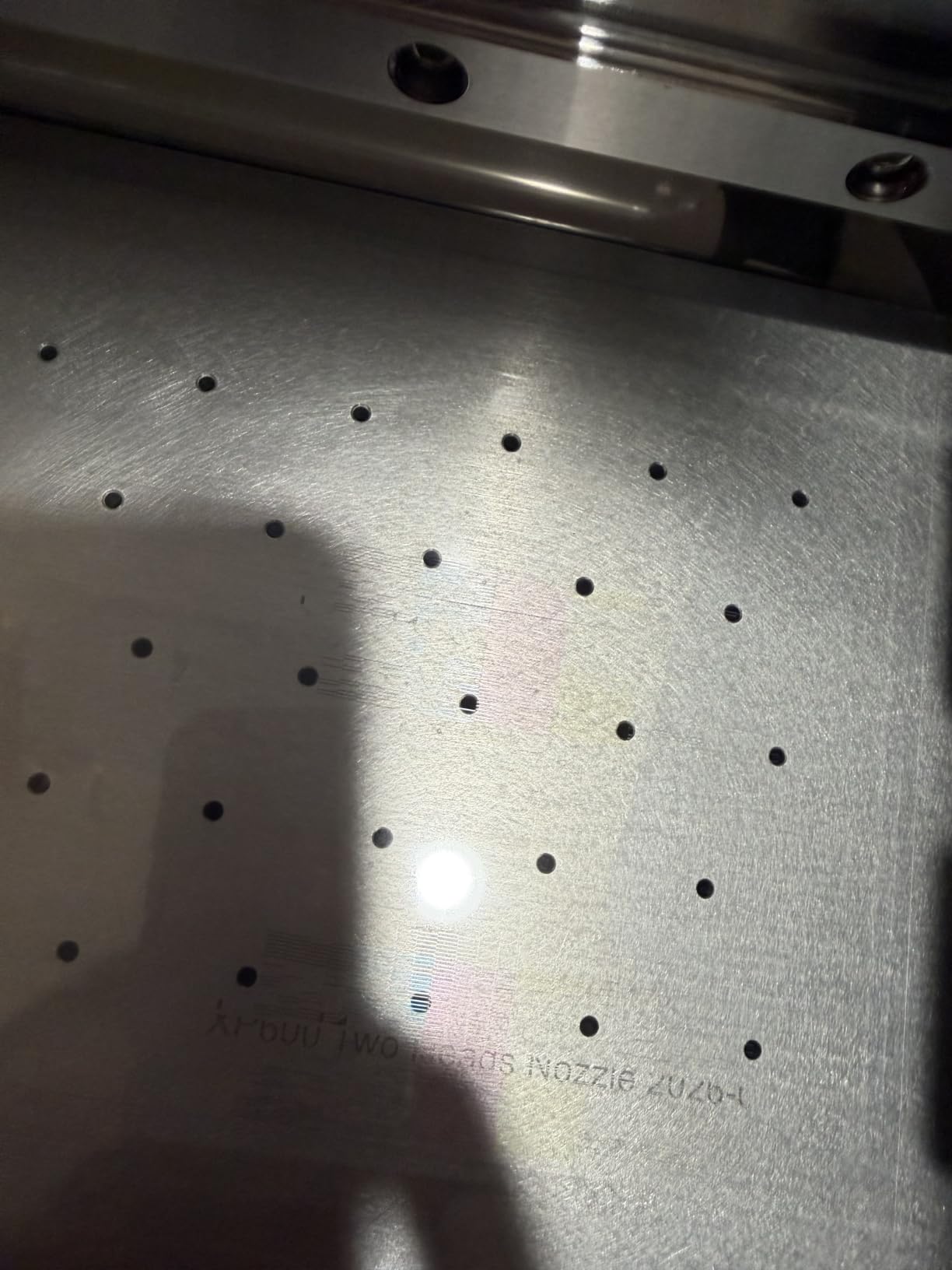
The DX7 head is the interesting part here. A single Epson-based eight-colour head gives you KCMY plus two whites and two violets, and the extra whites matter more than the extra violets: more white opacity means cleaner coverage on dark substrates and better gradients on skin tones. At 13 inch media width it is wider than most A3 units in this roundup.
It is also one of the few machines here that will plug straight into a North American wall without a converter, at 150 watts and a 110V supply. That alone removes the single most common install-day surprise in this category, where 220V machines and shipping transformers are a recurring headache.
The full specification picture: 1440 by 1440 resolution, eight colours, 1.5 to 2 square meters per hour stated throughput, automatic software cleaning, one year parts warranty and a three month printhead warranty. It is packed in a wooden crate, weighs 38 kg, and measures about 35 by 15 by 15 inches with a 13 inch maximum media size. Windows 7, 10 and 11 through RIIN software.
The starter kit is unusually generous: A and B film rolls, six 500ml inks, RIIN software and spare parts. For a first-time buyer, that removes the most confusing first purchase, which is sourcing compatible consumables from a vendor you cannot evaluate.
This machine carries the lowest average in the roundup at 4.1, and the reasons are specific. Several reviews include three-star and two-star ratings tied to problems shortly after purchase rather than long-term wear. The three-month printhead warranty is also the shortest here, and a printhead is the costliest replaceable part in the machine. At 1.5 to 2 square meters per hour, it is not going to serve a high-volume sticker operation.
What to check before you buy it
Ask the seller directly what the early-use failures were, and how they were resolved. A 4.1 with several low ratings reads very differently once you know whether the cause was a fixable firmware or a hardware fault.
Confirm the printhead warranty terms in writing and ask what is covered. A three-month term is a real cost risk on a head that carries the resolution claims.
Who it does not suit
Not for volume production; the throughput figure is honest and it is not fast. Also a poor choice for a shop that only prints flat rigid panels, since UV DTF adds a step you would not need.
5. AchiPrin UV6090 Automatic Flatbed UV Printer – Best for Production Volume
US Stock A1 6090 UV Printer 3pc XP600 12Color Automatic Flatbed + 7 Bottles UV Ink+Varnish + Rotary Printing
60x90 cm auto flatbed
Up to 3 XP600 heads
Up to 16 square meters per hour
Rotary printing
Pros
- Very high throughput for an automatic flatbed at up to 16 square meters per hour
- Three XP600 heads multiply efficiency over single-head units
- Steel screw slide rails are more durable than belt rails and resist slippage
- White ink circulates automatically within about 30 seconds
- Automatic wiping and moisturising protects the heads
Cons
- Printhead and ink-contact parts are explicitly excluded from warranty
- The 60x90 cm automatic flatbed needs significant floor space and a level floor
- Single-review listing gives no long-term reliability history
This is the only automatic flatbed in the group and the only machine here that competes with a production shop. The 60 by 90 cm bed loads and unloads itself, which is the difference between an operator placing every item by hand and an operator loading a batch. Add the rotary attachment and cylinders come into the workflow without a separate machine.
The build choices are aimed at longevity rather than the spec sheet. Steel screw slide rails instead of belt rails is a meaningful upgrade: belts stretch and lose registration, screws do not. White ink circulates automatically in about 30 seconds, and automatic wiping and moisturising routines run on start and shutdown.
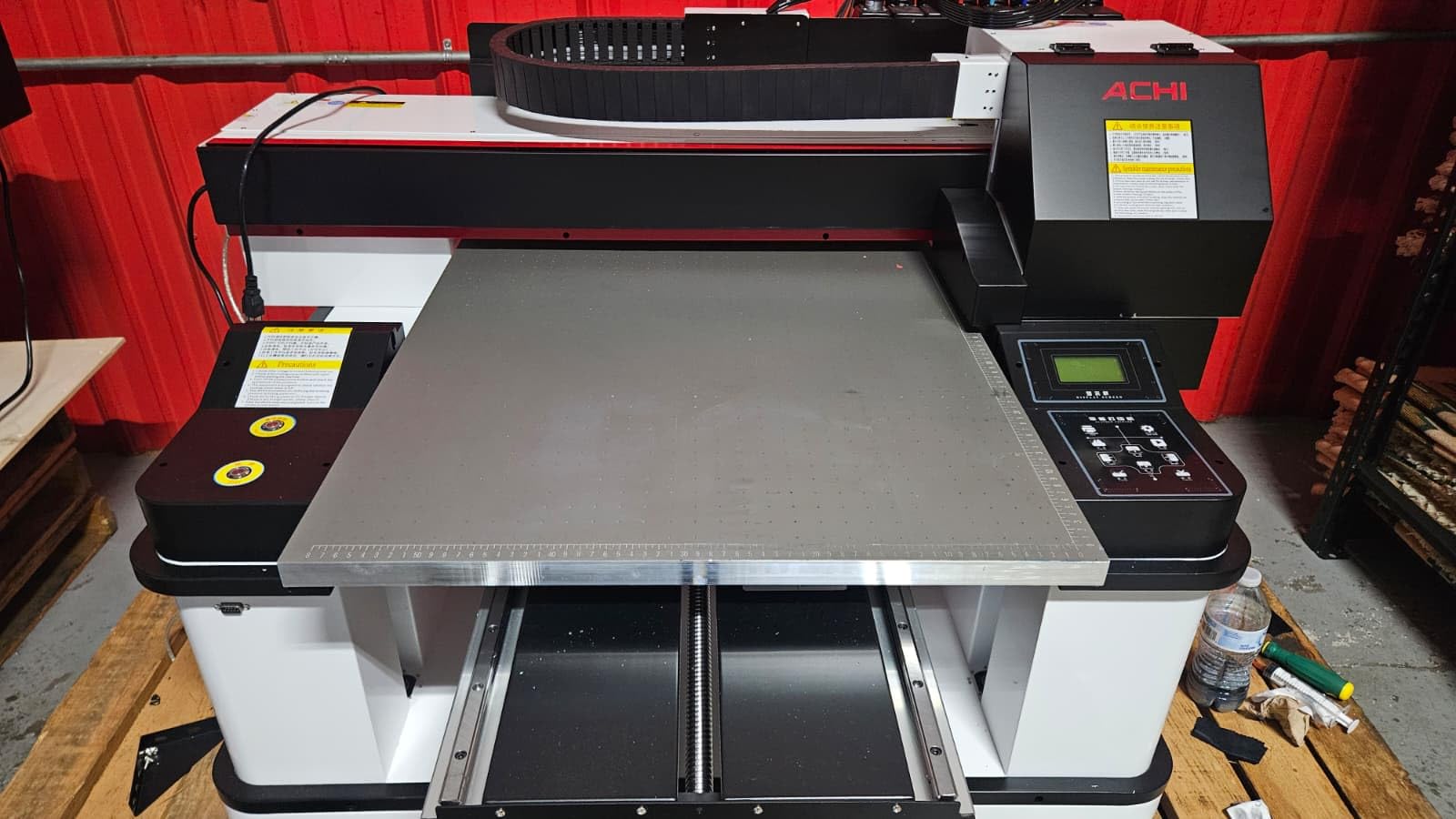
Expandable to three XP600 printheads for a stated six-fold efficiency gain, up to 16 square meters per hour, and seven bottles of UV ink and varnish included. The structure is steel screw slide rails with a negative pressure ink sac designed to reduce ink consumption. Footprint is about 51 by 47 by 31 inches.
Two things give us pause, and neither is hidden. Printheads and other ink-contact parts are explicitly excluded from the warranty, which is a significant exclusion on a machine with three of them. And this listing has a single review, so there is no independent long-term data behind any of these claims.
That said, the lone review is informative: the buyer reports pre-sales question answering, a dedicated support group with remote computer assistance, and build quality better than expected. Remote support on a machine this complex is exactly the kind of thing that separates a viable production asset from an expensive shelf ornament.
What to check before you buy it
Measure the floor. A 60 by 90 cm automatic bed plus clearance needs a dedicated corner, and it must be level or the auto-loading geometry will be off. Also confirm your electrical setup can carry the machine on its own circuit.
Get the warranty exclusions in writing and price a spare printhead before you commit. If the head is not covered, you need to know the replacement cost and lead time on day one, not month six.
Who it does not suit
Not for a home studio, a rented room or anyone without floor space and a level surface. It is also too much machine for low-volume work, where the capital would be better spent on ink and film.
6. PLK A3 UV DTF All-in-One Workstation – Best All-in-One Workstation
PLK A3 UV DTF Printer All-in-One,No Laminator Needed,Dual XP600 Print Heads, Auto Cleaning System&White Ink Stirring,High-Speed UV DTF Printer for Glass,Metal,Wood,Tumblers,Leather,Sticker
Dual XP600 heads
2880x1440 DPI
11.8 inch vacuum area
Powder-free process
151 pounds
Pros
- Integrated print and laminate body removes the separate laminator from the workflow
- Dual XP600 heads deliver 2880x1440 DPI with sharp text and smooth gradients
- Automatic white ink stirring and circulation stabilise ink delivery
- Vacuum platform stops movement on glass metal wood leather and tumblers
- Starter package includes films six ink bottles software and maintenance tools
Cons
- Only four reviews so long-term reliability evidence is limited
- No ink level indication or documented auto-head-parks beyond the vacuum bed
This is a powder-free UV DTF workflow, which is the practical reason to look at it seriously. Traditional DTF uses a powder-and-heat melter; this process cures with UV and skips the powder handling entirely, which removes a dusty, messy step and a whole class of transfer failures.
The vacuum suction platform covers an 11.8 inch, 300mm area and reviewers highlight it for holding glass, metal, wood, leather and tumblers still through a print. The starter package includes films, six ink bottles, software, cables and maintenance tools, so again there is nothing to source before the first job.
Specs: dual XP600 printheads, 2880×1440 DPI, CMYK plus white plus varnish, touch control, USB, an 11.8 inch print area, one year parts warranty and six months on the printhead, plus 24/7 technical support. Dimensions are around 34 by 17 by 19 inches at 151 pounds.
The catch is evidence. Four reviews, all positive, is a thin base, and the two criticisms on file are both about transparency rather than quality: no ink level indication and no documented auto-head-parks beyond the vacuum bed. On a machine you might run unattended overnight while producing stock, both of those matter more than the fifth star would suggest.
What to check before you buy it
Ask what the ink level monitoring story is. If you plan to run batches overnight, you need either a gauge or a reliable usage log, because an empty white tank mid-batch ruins the run.
Check that the touch control workflow suits you. Some operators find a physical button faster than a screen for loading and unloading.
Who it does not suit
Not a fit for anyone who needs to print wider than 300mm, and not for shops that want maximum throughput, since this is a compact A3 all-in-one rather than a production machine.
7. indhnx A3 UV DTF Printer with DX7 Head – Best for Roll-to-Roll Label Work
indhnx A3 UV DTF Printer with DX7 Printhead, Automatic Laminating & Auto Cleaning Crystal Label Printer, Roll-to-Roll Cup Wrap and Sticker Printing Machine for Glass, Metal, Acrylic, Plastic, Leather
Epson F189-DX7 head
1440 nozzles
300mm print width
Automatic roll-to-roll
800 watts
Pros
- Automatic laminating auto cleaning and automatic film suction simplify the workflow
- DX7 head with 1440 nozzles yields vivid colour opaque white and gloss varnish
- Automatic roll-to-roll suits cup wraps and continuous sticker runs
- Buyers report quick installation and good support during software setup
Cons
- Only three reviews so field reliability data is thin
- RIIN software is Chinese and English only and needs Windows 7-11800 watt draw and a 120 inch listed height mean a dedicated outlet and clear footprint
This is the one to look at if your product is a cup wrap, a continuous sticker run or anything that means handling roll media rather than sheets. The automatic roll-to-roll feed takes film in and laminated output out without you babysitting every centimetre, and the Epson F189-DX7 head with 1440 nozzles gives solid colour density.
Both written reviews describe the same thing: fast installation and seller support that stayed on the setup until the user was printing without help. On a machine whose main complexity is software, that support record is worth more than a long spec list.
Specifications: UV DTF direct-to-film, colour with white ink, 1440 by 1440 resolution, 300mm maximum print width, CMYK plus white plus gold ink, automatic laminating, auto cleaning and automatic film suction, 800 watts, USB, one year warranty. It is listed at 83.8 pounds. Materials named include glass, metal, acrylic, plastic, leather, ceramic, wood, bottles and tumblers.
Three things to know. The review base is three, so there is no field reliability picture yet. The RIIN software is Chinese and English only and needs Windows 7 through 11, so plan carefully if your team does not read Chinese. And the listed 800 watt draw plus a 120 inch listed height means you should verify the real installed dimensions and put it on a dedicated outlet.
What to check before you buy it
Confirm the roll-to-roll path handles the film thickness you plan to use, and ask for the maximum supported media width on the feed. A 300mm print width is not the same as a 300mm feed width.
Ask for the physical footprint rather than the listing dimensions, and confirm the power circuit. 800 watts is not trivial for a domestic ring.
Who it does not suit
Not a fit for flat rigid panel work, where a flatbed is faster and simpler. And if nobody on your team can navigate a bilingual RIP, factor in getting that software installed properly before you start.
8. PEIXU A4 XP600 UV Flatbed Printer – Best for a Compact A4 Desk
A4 XP600 UV DTG Printer Machine, 5760 * 1440dpi Precision UV Flatbed Printer with 22x33x15cm Vacuum Platform & Bottle Holder, Perfect for Phone Cases Acrylic Metal Leather Golf Balls Bottles (A4)
5760x1440 DPI
22x33 cm vacuum table
CMYKW plus varnish
Rotary bottle holder
Ink sold separately
Pros
- Compact A4 format suits hobbyists and startup print shops
- Vacuum fixing table holds flat substrates A/B film and bronzing paper
- Rotary bottle holder extends printing to tumblers golf balls pens and bottles
- White ink circulation and auto clean reduce clogging risk
- AcroRIP software pre-installed for Windows 7-11
Cons
- UV ink is not included and must be bought separately
- The 22x33 cm platform limits job size compared with A3 machines
- Only two reviews so reliability history is limited
At 112 pounds and roughly 24 by 18 by 22 inches, this is the smallest machine in the roundup and the one that most easily fits a spare room or a market stall. The 22 by 33 cm vacuum platform is honest about what it is: an A4 workhorse for phone cases, small plaques, tags and jewellery pieces.
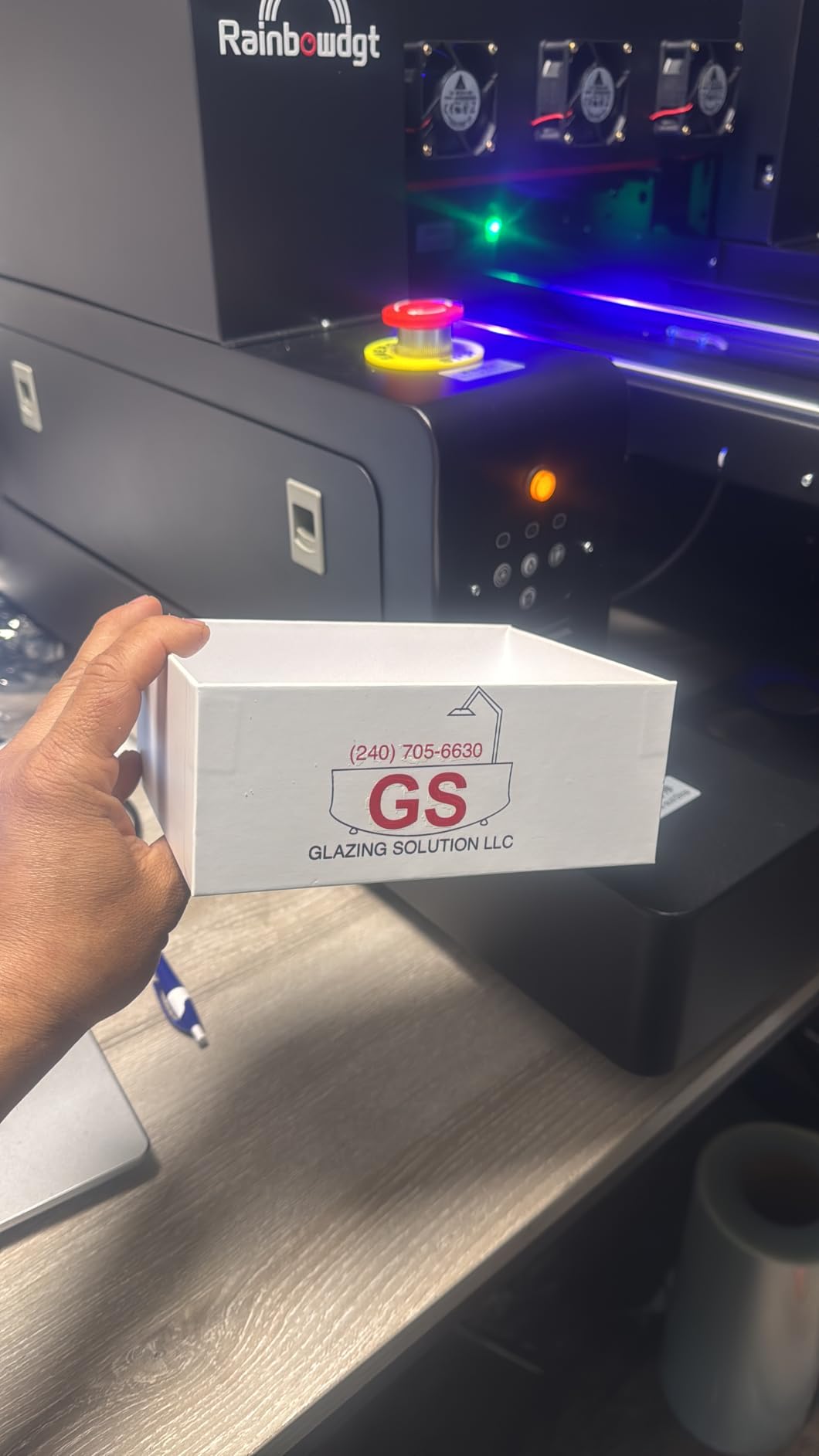
The included rotary bottle holder is the feature that makes a small machine viable, because tumblers, golf balls, pens and bottles are where a lot of the easy money sits. White ink circulation with auto clean is present, which matters even at this size, and the emergency stop button is a sensible inclusion for a machine customers stand next to.
Specs: XP600 printhead at 5760×1440 DPI, six-colour CMYKW plus varnish, 15 cm maximum object height, AcroRIP White v10.3 for Windows 7-11, USB, and an included rotary bottle holder, USB drive, power cord and manual. The vacuum table holds flat substrates, A/B film and bronzing paper.
One purchasing trap: UV ink is not included and has to be bought separately. That is not a dealbreaker, but budget for it in month one, because buying compatible ink from a second vendor is how people end up with curing and adhesion problems they blame on the machine. The two-review base is thin, with no written commentary beyond ratings.
What to check before you buy it
Confirm the 15 cm object height covers your tallest product with clearance, and measure the largest single item you expect to print. If either answer is no, step up to A3 rather than designing your business around the limit.
Price the ink before you buy, including a good third-party option, so your cost per print is real from day one.
Who it does not suit
Not for signage, panels or anything that needs an A3 bed. And not for anyone who cannot commit to a regular cleaning rhythm, because a small six-colour head has less ink buffer to protect it.
9. OMTech Spectra Pro A3+ UV Printer – Best for Ink Flexibility
OMTech Spectra Pro A3+ UV Printer with Dual F1080 Printheads, CMYK + White + Varnish, 2.4 m²/h High Speed, 13.8″x17.7″ Desktop Flatbed, Auto Cleaning, 3D Textures, Open Ink Platform
Dual F1080 heads
2.4 square meters per hour
Open ink platform
13.8 x 17.7 inch area
Pros
- 2.4 square meters per hour with 400 mm/s carriage speed targets real volume
- Open ink platform avoids lock-in to a proprietary consumable system
- CMYK plus white plus varnish with 3D texture capability in one pass
- Auto cleaning and white ink circulation reduce clogging-related downtime
- GREENGUARD Gold certified low-VOC inks support safer indoor shop use
Cons
- Single review so there is no independent long-term owner feedback yet
- The 153 pound unit is a substantial desktop footprint
The open ink platform is the reason this machine is on the list. Almost every competitor here locks you into one vendor’s consumables, and locked-in ink is how per-print costs creep up year after year. An open platform lets you qualify a second ink supplier and negotiate, which is the difference between a machine you own and a machine that owns you.
Performance is the other argument. Dual F1080 heads, 2.4 square meters per hour, 400 mm/s carriage speed and 1770 mm/s squared acceleration put this in a different throughput class from the compact A3 units. The 13.8 by 17.7 inch area with 5.5 inch print height is A3+ with useful clearance.
Software features are unusually consumer-friendly: AI HD image optimization, automatic background removal, and one-click white ink and gloss printing. On a machine handling a mixed product list, one-click varnish is the feature that actually saves operator time.
GREENGUARD Gold certified low-VOC inks matter more than they look. UV ink has an odour, and a certified low-VOC system is the difference between a machine you can run in a shared workspace and one that needs extraction. At 153 pounds and 30.7 by 22 by 24.8 inches, it is a substantial desktop footprint, so plan the floor space and the power circuit.
The honest caveat: this listing has a single review, so everything positive above rests on manufacturer specification rather than independent owner feedback. On a machine whose main selling point is ink flexibility, buy your first ink from a second supplier deliberately and test adhesion before committing to a production schedule.
What to check before you buy it
Ask exactly which ink brands and part numbers are qualified for the open platform, and get it in writing. An open platform with no published compatibility list is not actually open.
Confirm the 5.5 inch print height against your tallest item, and check the 400 mm/s speed figure against a test print at your normal resolution rather than at draft settings.
Who it does not suit
Not for a tiny workspace; 153 pounds and a large bed are a room commitment. It is also overkill for anyone printing a few pieces a week, where the head will idle more than it prints.
10. Procolored VF13 Pro A3+ UV DTF Printer – Best With a Built-In Cutter
Procolored VF13 Pro Panda UV DTF Printer, A3 Sticker Making Machine 13″ A3+ Dual XP600 2-in-1 with Ink and Film
A3 plus 13 inch format
2-in-1 print and laminate
Dual XP600 heads
Built-in cutter
Pro RIP software
Pros
- Print quality described as vibrant with sharp detail and consistent professional stickers
- Integrated cutter trims printed patterns without a separate device
- Openable left and right side doors make maintenance and head checks easy
- Optional base stand with electric rewinder simplifies film collection
Cons
- Automatic cleaning cycle uses roughly 1ml of ink per day whenever the machine is left on
- The stand with electric rewinder is a separate optional purchase
- Only one review on the listing
The built-in cutter is the headline here, and for a sticker business it removes an entire workflow step and a point of human error. Cutter accuracy on a 13 inch A3+ machine also means less waste film per job, which is where a lot of UV DTF margins quietly disappear.
The physical design shows real attention to servicing. Openable side doors make printhead checks and manual cleaning straightforward rather than a strip-down, and the integrated Pro RIP handles resizing, RIP and printing in one application, which removes a step from initial setup and a source of colour mismatch later.
Specs: A3+ 13 inch 2-in-1 UV DTF print and laminate, dual XP600 heads, CMYK ink, back print film and glossy film media, 50 sheet maximum capacity, Pro RIP software, 1 year warranty, dimensions roughly 29.5 by 19 by 14.5 inches. Printhead auto-cleaning runs every 10 hours when the machine is powered.
Two costs to model honestly. The auto-clean cycle consumes roughly 1ml of ink per day whenever the machine stays powered, which is a small daily number that becomes a real annual line item. And the base stand with electric rewinder is an optional extra, so budget for it if you plan high-volume film handling rather than assuming it is part of the package.
What to check before you buy it
Ask what cutter blade life looks like in practice and how often the blade is replaced. A built-in cutter is a benefit only while the blade is sharp.
Factor the daily idle cleaning into your consumable budget before you commit, and decide on the stand in advance rather than after the first long run.
Who it does not suit
Not a fit for large panels; 13 inch is the ceiling. And if your production is intermittent, a machine that consumes ink every day it is powered is a poor match for a few orders a month.
11. EXPLUX A4 UV DTF Printer with Bottle Holder – Best for First-Time A4 Starters
EXPLUX A4 UV DTF Printer,with XP600 Printhead,Multifunction Flatbed Printers,with Bottle Holder for Acrylic,Suitable for Acrylic, Glass, Metal, Plastic, Wood, Stone,Leather (A4 UV Printer)
XP600 six-colour head
2880x1440 DPI
19.7 x 12.6 inch area
Five print modes
Two-year ink supply
Pros
- White ink circulation and mixing plus infrared auto-height simplify daily maintenance
- XP600 six-colour head with adjustable 2880x1440 dpi resolution
- Flat cylindrical gloss sticker and 3D emboss printing modes in one machine
- Vacuum bed holds workpieces steady for repeatable alignment
- Bundle includes bottle holder six 500ml ink bottles and tutorial videos
Cons
- Listed weight of 330 pounds is very heavy for an A4-class unit and makes relocation difficult
- Only one review so there is no independent long-term feedback
- Software and tutorials are Windows-only
This machine covers more print modes than most of its size class, and that matters more than raw resolution. Flat, cylindrical, gloss effect, sticker and 3D embossed texture in one unit means you can serve tumblers, panels and textured gifts without buying a second machine or a rotary jig that only handles one diameter.
The protection features are the ones owners should actually care about: upgraded white ink circulation and mixing, infrared auto-height adjustment, and a self-cleaning printhead. Infrared auto-height in particular saves a lot of crashed-head downtime on a mixed workload where you are reloading different thicknesses all day.
Specs: XP600 six-colour head at up to 2880×1440 DPI, 19.7 by 12.6 inch printing area, built-in vacuum bed, two-year ink supply of five 500ml bottles, and a bundle that includes the printer, bottle holder, software, video tutorials, manual and accessories. The glossy layer is described as water-resistant, fade-resistant and scratch-resistant.
One figure deserves a phone call before you order. The listed weight is 330 pounds for an A4-class machine, which is heavy enough that relocation becomes a two-person job with a dolly. Verify the shipping and installed dimensions, and confirm you have a level floor and a clear route to where it will live.
The review base is a single five-star rating with no written commentary, so treat the feature set as the evidence rather than the review. Windows-only software is also worth flagging if anyone in your workflow uses a Mac.
What to check before you buy it
Confirm the actual weight and floor loading with the seller, and check that the door and stairs at your location can take it. A machine that arrives and cannot be moved is a very expensive mistake.
Test the 3D emboss mode if textured work is part of your plan, since that is the feature that most differentiates it from a plain A4 unit.
Who it does not suit
Not for small spaces or shared rooms that need to be rearranged often. And not for anyone who needs to print wider than 19.7 by 12.6 inches.
12. MZK Self-Service XP600 UV Printing Kiosk – Best for Self-Service Setups
MZK Self-Service XP600 UV Printer DIY Kit, Mini PC WiFi Smart QR Code Scanning for Easy Use, Print Directly on Phone Case, Coin, Golf Ball, Fridge Magnet, for Exhibitions, Tourism Area,School etc
A5 format
Built-in 7 inch touch tablet
QR code self-service
6-colour CMYK+WW
151 pounds
Pros
- Turnkey self-service kiosk where customers scan a QR code and print hands-free
- Built-in 7 inch touch tablet means no separate PC or software for end users
- Infrared crash sensor and dual-ink warning protect unattended operation
- Snap-on fixture for quick product changeover
- Starter blanks include phone cases badges golf balls coins and fridge magnets
Cons
- Auto-cleaning consumes about 1ml of ink per day whenever the machine is powered
- A5 maximum media size limits larger product decoration
- Vendor recommends its own consumables to preserve print quality and equipment life
This is a different product in a different location. It is a self-service kiosk for a tourist attraction, an exhibition floor, a school or a shop where the customer scans a QR code, uploads a design and prints it themselves. The single review reports that clients operate the kiosk without staff, saving hours of hands-on print time and earning revenue while the operator is busy elsewhere.
The built-in 7 inch tablet with WiFi is what makes that possible. There is no separate PC to secure, no software for a customer to install, and no queue of people waiting while an operator loads a file. The snap-on fixture handles product changeover quickly, and the infrared anti-crash sensor plus dual-ink warning protect a machine that customers run unsupervised.
Specs: A5 maximum media size, XP600 head, six-colour CMYK+WW, touch control, USB, built-in 7 inch tablet, 3D relief printing effects, built-in UV curing lamp, printhead auto-cleaning every 10 hours, roughly 151 pounds at about 30 by 13 by 13 inches. The box includes five 250ml inks, a 100m transfer film roll, DTF hot melt powder, software, a video tutorial, accessories and starter blanks including phone cases, badges, golf balls, coins and fridge magnets.
Limitations are structural rather than incidental. A5 caps your product size, so larger souvenirs are out. Auto-cleaning draws about 1ml of ink per day whenever the machine stays powered, and the vendor explicitly recommends its own consumables to protect print quality and equipment life, which narrows your sourcing options compared with the open-platform machine earlier in this list.
What to check before you buy it
Think about throughput and foot traffic, not just print quality. A kiosk with one A5 head becomes a queue at a busy exhibition, so count how many customers per hour you expect to serve.
Confirm the power situation and that the unit can be secured or supervised. It is designed to run unattended, which is an operational risk as well as a benefit in a public space.
Who it does not suit
Not for a home shop, and not for products larger than A5. If you are not running a public-facing retail or exhibition location, this machine solves a problem you do not have.
What to Look for When Buying a UV Printer in 2026
Printhead type decides how long the machine stays unclogged
The printhead is the part that determines both image quality and how much patience you will need. XP600 heads dominate the entry and mid tiers in this roundup, and they are cheap, serviceable and widely supported. DX7 and L805 heads are Epson-derived, quieter, more precise and better suited to gradients and skin tones. Industrial piezo heads, which you will find in machines costing several times more than anything here, handle demanding substrates and long production days with a different level of robustness.
The practical consequence is resolution-versus-speed economics. A quoted 5760×1440 DPI is achievable on an XP600 at settings that slow the print considerably. If you run the same XP600 machine at practical settings you will produce output that is hard to distinguish from a 2880×1440 L805 print on a phone case, and you will finish the day sooner. Decide which trade you want before you choose a head.
White ink circulation is the spec that prevents the most downtime
White ink is where the pain lives, and it is where most of these listings differentiate. The pigment is titanium dioxide, which settles at the bottom of any tank it sits in. A machine without active circulation prints fine for two weeks, then clogs, and the repair or the manual flush eats your weekend.
Look for three things, in order of importance: a circulation system that moves ink continuously, an agitation or stirring function that keeps the pigment suspended, and automatic cleaning routines that run on a schedule rather than on panic. Every machine in this roundup has at least circulation. The ones with stirring as well are the ones where owners stop reporting clogs. The UV printing community consensus, by a wide margin, is to distrust any machine that prints colour directly onto a dark substrate without a properly managed white channel.
Decide between direct-to-object and UV DTF before comparing beds
Direct-to-object cures ink straight onto the item. It is the cleanest workflow, with no transfer step and no press, and it is unbeatable for flat rigid panels, signage, wood and acrylic. Its weak points are curved surfaces, fabric and glossy substrates that need primer.
UV DTF prints onto a transfer film, laminates it, then heat-presses it onto the object. It handles curves, fabric, leather and mixed materials far more easily, and it needs no primer on most surfaces. The costs are film, powder or powder-free handling, a heat press, and more steps per job. Roll-to-roll is a third variant for continuous media, which is where the indhnx machine above earns its place.
Buy the workflow that matches your product, not the machine with the bigger bed. A superb flatbed will not help you print a ceramic mug well, and a superb DTF machine will slow you down on signage panels.
Curing and lamp output shape the finish you can sell
LED UV curing is what makes these machines instant-cure, and the varnish or gloss channel is what turns a printed object into a retail product. Varnish is not decoration: it is the difference between a print that scuffs in a pocket and one that survives handling, and on glossy finishes it is often what sells the job to a customer who can see the difference.
Adhesion is the other half of the finish story, and it is chemistry, not hardware. On glossy and low-surface-energy substrates you need a primer. Several owners in this roundup reported ink bubbling or peeling on uncoated tumblers, and the same owners reported that coated tumblers solved it. Budget for coating media as a cost of doing business, not an accessory.
Resolution and speed trade against each other
Compare throughput in square meters or square feet per hour, not in DPI. A quoted 16 square meters per hour and a quoted 1.5 square meters per hour are not comparable without knowing resolution settings, pass count and substrate type.
Ask for throughput at your delivery resolution, not at draft. If you are printing layered white and varnish passes, the real production rate is a fraction of the headline number. On a shop doing several hundred pieces a week, this single question decides whether you need one machine or two.
Workspace, power and ventilation decide whether the machine fits
Measure the door. This sounds trivial, and it is the most common delivery-day surprise in this category. A machine listed at 35 by 23 by 27 inches often arrives needing clearance for the bed sweep as well, so measure the route, not the footprint.
Check the power. Machines at 110V are rare in this class, and several listings here draw 150 to 800 watts. Industrial-feeling machines frequently need a dedicated circuit. Plan for a level, dust-controlled floor because vibration and dust both show up in print quality over time.
Plan ventilation and be honest about the odour. Varnish and white ink both smell, and some machines here note noticeable ink odour or need a ventilated room. One machine in this roundup uses GREENGUARD Gold certified low-VOC inks, which is the single most shop-friendly feature we found. Nobody in the buying-guide tier should be printing next to a customer without asking about extraction.
Total cost of ownership: ink, film and purge waste
The machine is the small part of the running cost. Ink dominates, film comes next, and cleaning solution follows. Then there are the costs nobody puts on a spec sheet: purge waste from auto-clean cycles, white base layers on dark substrates that multiply ink consumption, and the labour cost of cleaning routines.
Two examples from this roundup make the point. Machines with auto-cleaning every 10 hours consume roughly 1ml of ink per day whenever they stay powered, which is trivial monthly and visible annually across a fleet. And a white base layer on a dark substrate multiplies ink usage well beyond what the colour layers alone would cost, so a job that looks cheap in colour terms can be expensive once the substrate is dark.
Also budget for film waste. One machine here cannot rewind film and loses roughly 6 inches per cut cycle. At 2,000 cut cycles a year, that is a meaningful slice of material, and it is invisible unless you calculate it. Model your consumables per hundred finished items before you commit, and revisit it after 90 days of real orders rather than on day one.
Who should not buy a UV printer yet
If you are printing a few items a month, outsource. Most local print and sign shops will turn a small order around faster than the machine takes to unbox, clean and profile, and you avoid the idle-time clogging risk entirely. For occasional work, outsourced capacity is cheaper and better.
If nobody in your business will own the daily cleaning routine, do not buy. White ink circulation systems reduce manual flushing, but nobody has yet built a machine that runs a purge schedule for a distracted owner. The failure mode is always the same: a clogged head discovered the morning a customer order is due.
If your workspace cannot handle the power, floor space and ventilation, wait. Retrofitting a room is a real cost that belongs in your total, and it is the cost most often discovered after the machine is already on the pallet.
Frequently Asked Questions
What is the best UV printer on the market?
For a small studio or home shop, the best UV printer in this roundup is the DXZ A3 with the L805 six-color head, which handles direct-to-object work on acrylic, wood, leather, glass and tumblers. For production volume, the AchiPrin UV6090 automatic flatbed is the throughput leader. Industrial roll-to-roll signage equipment sits far above this price bracket and a different buying decision entirely.
What is the best UV printer for a small business?
For a small business, the DXZ A3 with the L805 head is the strongest all-rounder because it prints colour and white in one pass on an A3 bed with a vacuum platform. If your products are mostly curved or fabric, choose a UV DTF all-in-one such as the DXZ or PLK models instead, since they laminate and transfer rather than printing directly. Buy for your most common substrate, not for the largest one.
What is the best UV printer for home use?
For home use, look at the A4 class. The PEIXU A4 is the most compact option at 112 pounds with a 22×33 cm vacuum table and an included rotary bottle holder, and the EXPLUX A4 covers five print modes including cylindrical and 3D emboss. Check that your room has a level floor, a clear route to where it will live, and enough ventilation for the ink odour.
What is the best affordable UV DTF printer?
The DXZ A3 UV DTF all-in-one is our pick here because printing and laminating happen in one chassis and the bundle includes A and B film, inks and cleaning solution. The PLK A3 offers a similar powder-free design. The SYLCYS A3+ is also worth a look for its 13 inch width and 110V supply, but it has a shorter printhead warranty and a lower average rating.
What is the least expensive UV printer?
The least expensive machine in this roundup is the PEIXU A4 XP600 flatbed. Budget for UV ink on top, since it is not included, and factor in that a compact multi-colour head needs a more regular cleaning rhythm than a machine with a larger ink system.
What are the downsides of UV printing?
The main downsides are white ink management, ongoing maintenance, workspace requirements and running costs. White ink pigment settles and clogs heads without active circulation. Nozzles still need cleaning when a machine sits idle. UV ink has an odour that needs ventilation, the machines are heavy and need a clear route indoors, and ink and film consumption run well above what buyers expect. None of these are dealbreakers, but all of them are predictable and plannable.
Is a UV printer a good investment?
A UV printer is a good investment if you have repeat orders on a substrate you cannot easily get printed elsewhere, and a poor one if you print a handful of items occasionally. The machine is a small share of the running cost, so the deciding factor is whether your per-print consumable and labour cost lands below what a shop charges you. Model your cost per hundred finished items before buying, and revisit the numbers after 90 days of real orders.
How often do you need to use a UV printer?
Weekly is workable if you follow the machine’s cleaning schedule, and several models in this roundup auto-clean every 10 hours when powered to keep the heads wet. Printing only a few times a month is where problems start, because white ink pigment settles and the first job after a long gap often needs a manual flush. If your order pattern is irregular, a compact machine with an easy-to-service head is a better fit than a production machine.
Are UV prints waterproof and durable outdoors?
UV-cured ink is cured instantly and forms a hard plastic layer, so it is water-resistant and scratch-resistant, and outdoor durability is generally good for signage, coasters and panels. It is not the same as a pigment designed for 10-year exterior exposure, so for long-term outdoor signage check the ink supplier’s warranty and consider a varnish layer. Adhesion is the bigger outdoor risk on glossy substrates, where a primer or coated stock is needed.
Can UV printers produce photorealistic images?
Yes, but expect to tune the profile. A multi-colour head with a white channel, such as the L805 or DX7, holds smooth gradients far better than a single white setup, and gloss varnish adds photographic depth. Most factory profiles deliver a stylized look, so budget time for ICC profile work, ink limit settings and monitor calibration before you judge the machine on its first print.
Is a UV resin 3D printer the same as a UV flatbed printer?
No, they are different categories of machine. A UV resin 3D printer cures liquid photopolymer layer by layer to build a three-dimensional object, while a UV flatbed printer cures ink onto a two-dimensional surface in a single pass to decorate an existing object. They share a curing wavelength family but nothing else, and they are not substitutes for each other.
The Verdict on the Best UV Printers in 2026
The DXZ A3 with the L805 six-color head is the best UV printer in this roundup. It prints colour and white in one pass, holds workpieces on a vacuum platform, handles the widest range of substrates from phone cases to leather to acrylic, and has the deepest owner review base of any machine here. It is the one we would put in a small studio and grow from.
If your products are curved, fabric or mixed media, skip to the UV DTF all-in-ones instead. The DXZ A3 UV DTF and the PLK A3 both print and laminate in one chassis, which is the simplest complete workflow in this category. If your volume justifies production equipment, the AchiPrin UV6090 automatic flatbed is the throughput leader, with three head positions and a rotary attachment. If you need ink sourcing freedom rather than vendor lock-in, the OMTech Spectra Pro’s open platform is the one to look at first.
Whichever you choose, buy for the substrate you print most and the order pattern you actually have, not for the largest bed or the highest resolution number. Check the door, the circuit and the ventilation before the machine arrives, and give white ink circulation a real look, because that single spec will determine how your weekends go.
Use the buttons on each review to check the current configuration, since listings in this category change often. Then measure the route to where it will live, and make sure somebody owns the daily cleaning routine.