
The best universal remote for seniors is the GE Backlit Buttons Universal Remote (model 40081), which runs four devices from one handset and lights every key in blue so the buttons can be found in a dark room. For households that want the smallest possible number of buttons, the EasyMote DT-R08W with six backlit keys and a wrist strap is the second pick. For dementia and memory care, the Flipper Big Button Remote hides its setup keypad behind a slider and offers 25 pre-set favorite channels.
Most people search for one of these because a cable company remote cracked, got lost, or started costing more to replace than the equipment it controls. That single failure tends to undo months of independence for a parent with arthritis, low vision, or early memory loss, and it is why nearly every review on this page describes the same moment: the day someone could not find the INPUT button again.
We compared ten of the most reviewed big button remotes on Amazon, then sorted them by the things that actually matter after the novelty fades. Button size and spacing came first. Setup method came second, because the buyer is usually an adult child doing a one-time job rather than the senior who will use it. Backlighting, tactile feedback, battery type, and whether the remote can survive being dropped in a recliner rounded out the list. Everything here works over infrared, which is the technology that decides whether your parent’s setup is compatible at all.
Two honest warnings before the picks. Almost none of these remotes can open streaming apps, because apps need directional navigation that a four-button remote does not have. And every single one ships without batteries, which is the most common complaint in the reviews and the reason a lot of first impressions are worse than the product deserves.
Table of Contents
Top 3 Universal Remotes for Seniors in 2026

GE Backlit 4-Device Remote
- Controls four devices
- Blue LED backlit keypad
- Preprogrammed for Samsung and Roku


Flipper Big Button Remote
- Four color-coded buttons
- Hidden setup panel
- 25 favorite channels
Quick Overview: All 10 Big Button Remotes Side by Side
The table below covers every remote in this guide, including the devices each one controls, the button count, whether the keypad lights up, how setup works, and the best-fit segment. Use it to narrow the field before reading the full reviews.
| Product | Specs | Action |
|---|---|---|
| GE Backlit Buttons Universal Remote (40081) |
|
Check Latest Price |
| EasyMote Big Button Remote DT-R08W |
|
Check Latest Price |
 GE Big Button Universal Remote (33701) GE Big Button Universal Remote (33701) |
|
Check Latest Price |
 RCA RCR313BE Big Button Remote RCA RCR313BE Big Button Remote |
|
Check Latest Price |
| Flipper Big Button Remote |
|
Check Latest Price |
 UltraPro Backlit OneTouch Remote (80830) UltraPro Backlit OneTouch Remote (80830) |
|
Check Latest Price |
 UltraPro OneTouch Backlit Remote (83758) UltraPro OneTouch Backlit Remote (83758) |
|
Check Latest Price |
 Nettech Big Button TV Remote Nettech Big Button TV Remote |
|
Check Latest Price |
 RCA RCR413BHE 4-Device Big Button Remote RCA RCR413BHE 4-Device Big Button Remote |
|
Check Latest Price |
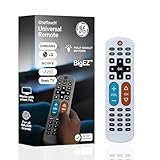 GE BigEZ OneTouch Remote (84666) GE BigEZ OneTouch Remote (84666) |
|
Check Latest Price |
What These Remotes Cannot Control
Every remote on this page sends an infrared signal, which means it needs a clear path to a sensor and it can only speak the language a device was built to understand. That single fact explains most returns in this category, and it is worth reading before you buy anything.
Roku Streaming Sticks and Amazon Fire TV Sticks broadcast over radio frequency or Bluetooth rather than infrared. A big button remote pointed at one of those devices does nothing at all, no matter how many codes you enter. This is not a defect in any of the remotes here; it is a difference in signal type. The same limitation applies to newer Bluetooth television sets, which do not respond to infrared at all.
What works is the older, simpler stack: an infrared television, a cable, satellite, or set-top box that uses infrared, a DVD or Blu-ray player, and most soundbars. Several remotes here ship with a preprogrammed Roku button, and that button is for Roku televisions and Roku boxes that still accept infrared, not for the streaming stick that ships in the box.
Directional navigation is the other ceiling. A four-button remote can turn a television on, change the channel, move the volume, and mute. It cannot open Netflix, scroll a menu, or reach any app, and no amount of programming changes that. If your parent watches streaming services all day, pair one of these remotes with the small original remote that came with the streaming device, stored in the same drawer.
One more practical limit: infrared needs line of sight. When a cable box sits behind the television or inside a cabinet, a ten foot remote will not reach it. An IR extender fixes that, and it is a cheap accessory that saves an entire return.
1. GE Backlit Buttons Universal Remote Control (40081) – Best Overall for a Four-Device Setup
GE Backlit Buttons Universal Remote Control, Samsung TV Remote Control
Infrared, 4 devices, 12 buttons
Blue LED backlit keypad
30 foot range
2 AAA, not included
Pros
- Fully backlit keypad is easy to read in a dark room
- Controls up to four devices at once
- Preprogrammed for Samsung TVs and Roku boxes
- Automatic code search and direct code entry
- Free master volume control
Cons
- No RF control for Roku or Fire TV sticks
- Batteries not included
This is the remote we keep coming back to, and it wins on the least glamorous strength there is: more than ten thousand reviews, most of them from households managing a parent’s equipment. At 4.3 stars it holds the highest combined rating and review volume in the group, which matters because a remote is only as good as its worst failure report.
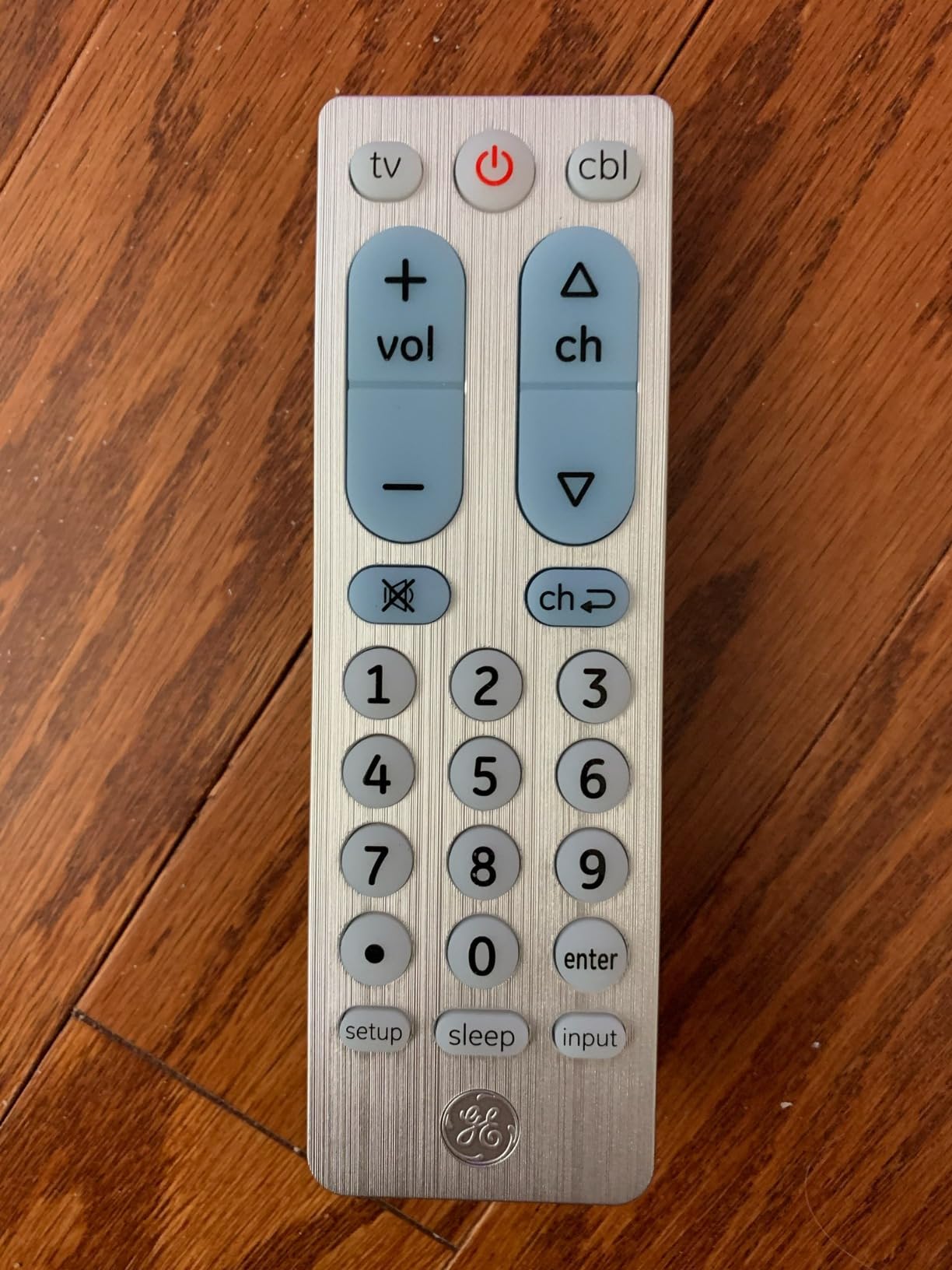
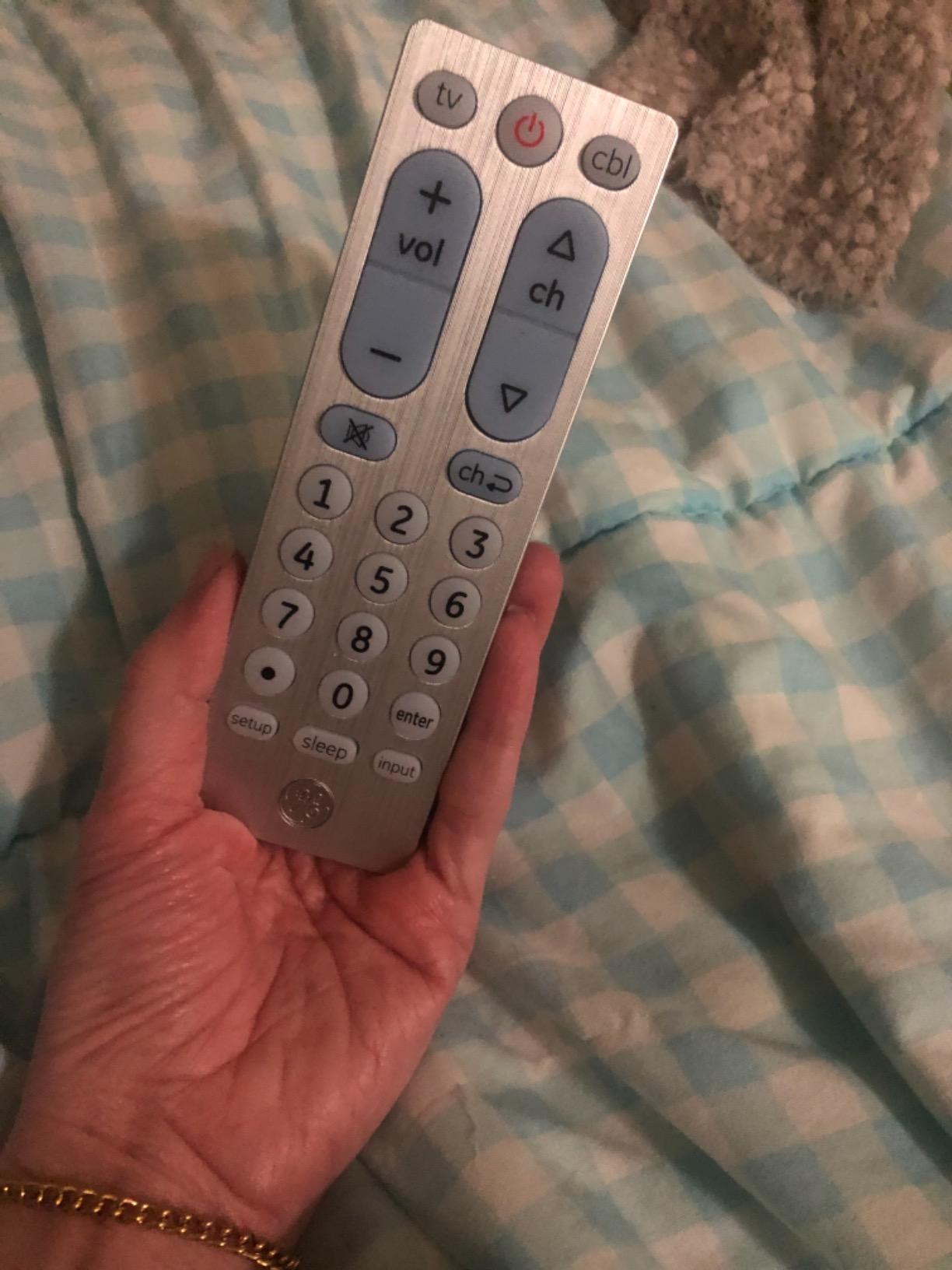
The blue LED backlighting is the feature that comes up first in reviews written by people caring for elderly parents. Press any button and the whole keypad lights, so nobody has to turn on a lamp at two in the morning to find the volume rocker. Owners with tremor and poor eyesight single this out as the reason the remote finally worked.
It handles four components, more than most of the simplified models here. That covers a television, a cable box, a Blu-ray player, and a soundbar, which is a very typical family setup. Master volume control means the volume buttons adjust the soundbar too, so there is no hunting for a second device button first.
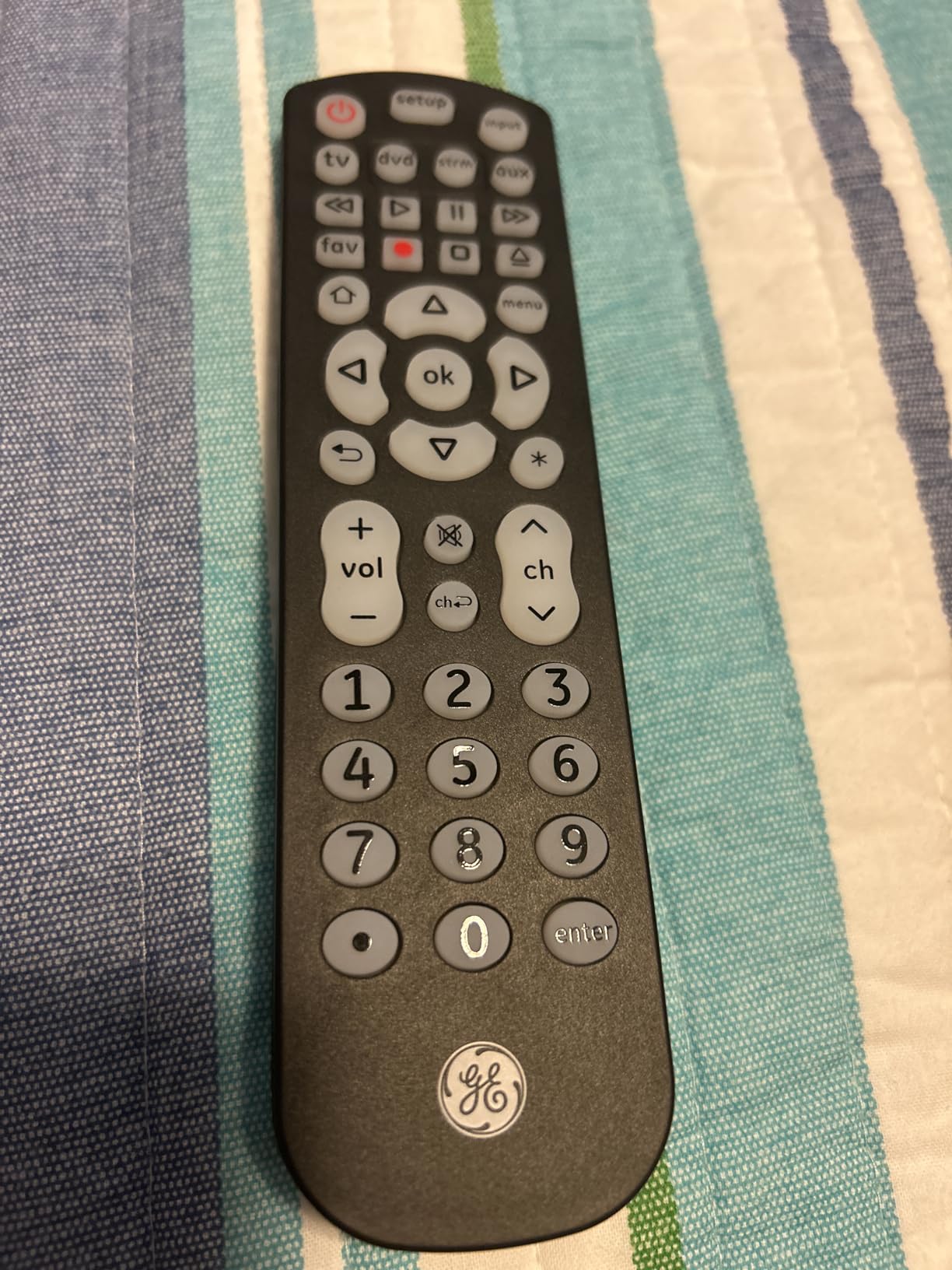
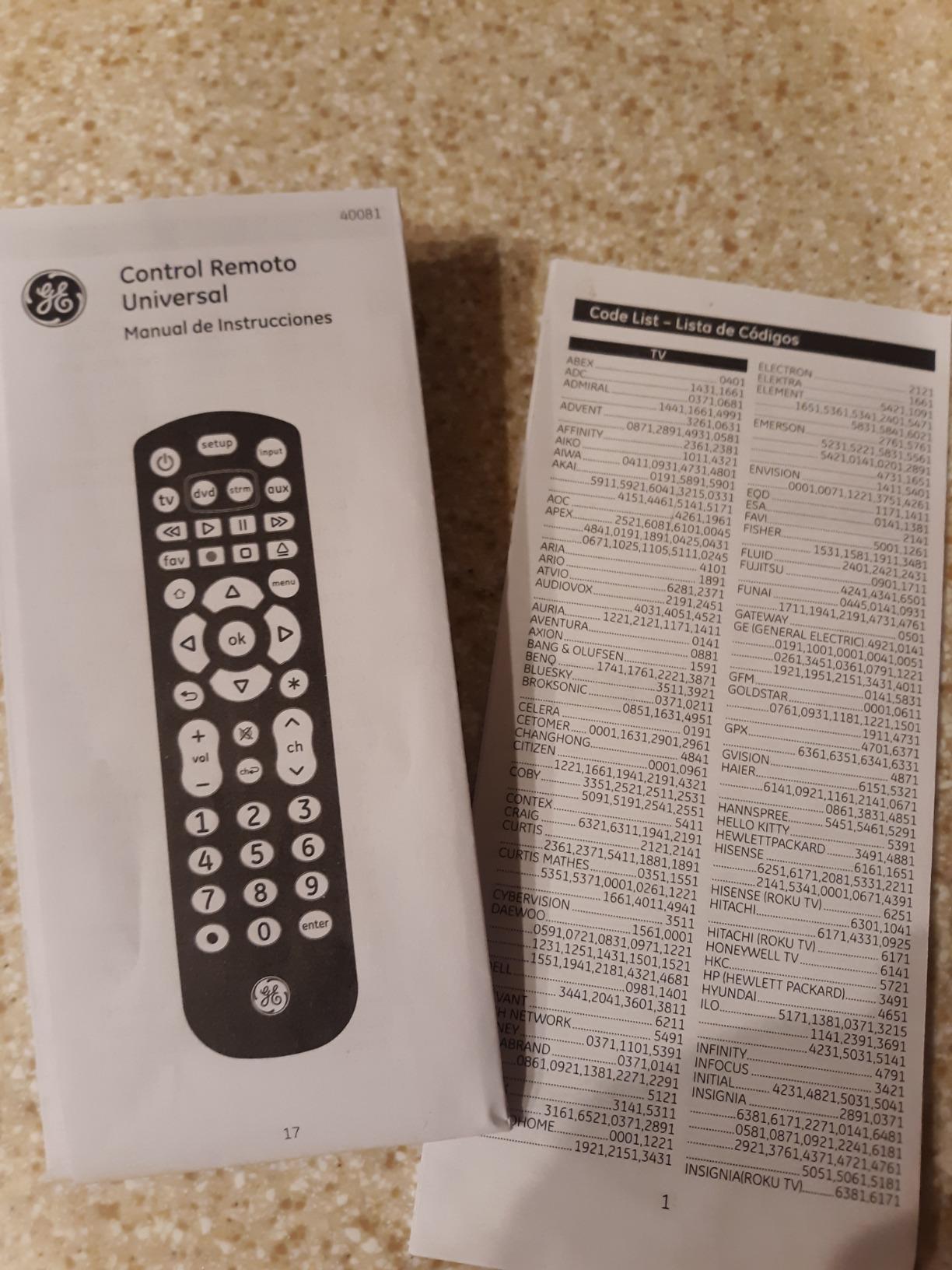
The TV and streaming device buttons are already programmed for Samsung televisions and Roku boxes, so on those two setups setup takes roughly a minute. For everything else there is automatic code search and direct code entry, and both are documented in the listing with free US-based support on weekdays. Range is stated at 30 feet, which comfortably covers a normal living room or a bedroom wall mount.
At 2.88 ounces and 12 buttons, it stays small enough to hold comfortably without reading as a medical device. The honest limit is the same one every infrared remote has: no Fire TV stick, no Fire TV edition television over Bluetooth, and no streaming app menus. It also needs two AAA batteries, and they are not in the box.
Who this remote suits best
It suits the multi-component household where one adult child is trying to reduce a coffee table covered in three or four stock remotes down to a single handset that a parent with low vision can operate at night. Four devices plus full backlighting is a combination nothing else in this list matches.
It also suits caregivers who want their parent to keep using the television independently rather than calling for help each evening. Reviews describe exactly that outcome: channel changing becomes a private act again rather than a phone call.
Where it falls short
It is not the right choice if the goal is a dementia-proof remote with almost nothing to press. Twelve buttons is a real number of targets for someone who cannot remember what they just did, and a four or six button model does a better job there.
Nor will it drive a Roku Streaming Stick or an Amazon Fire TV Stick, and that limitation shows up in reviews as the single recurring complaint. Treat the Roku button as a button for Roku televisions and Roku boxes with an infrared receiver, nothing more.
2. EasyMote Big Button Remote DT-R08W – Best Value for Dementia and Memory Care
Universal Big Button TV Remote – EasyMote | DT-R08W. Backlit, Easy Use, Smart, Learning Television & Cable Box Controller, Perfect for Assisted Living Elderly Care. White TV Remote Control
Infrared, 1 device, 6 buttons
Backlit keys with big text
Learning mode and quick search
10 foot range, wrist strap
Pros
- Six large backlit buttons readable in the dark
- Learning mode teaches custom commands
- Quick Search finds most TV codes fast
- Strong wrist strap reduces loss
- Suited to nursing homes and assisted living
Cons
- No input or menu navigation buttons
- Some button lag and a sticky volume rocker
- Written instructions are confusing
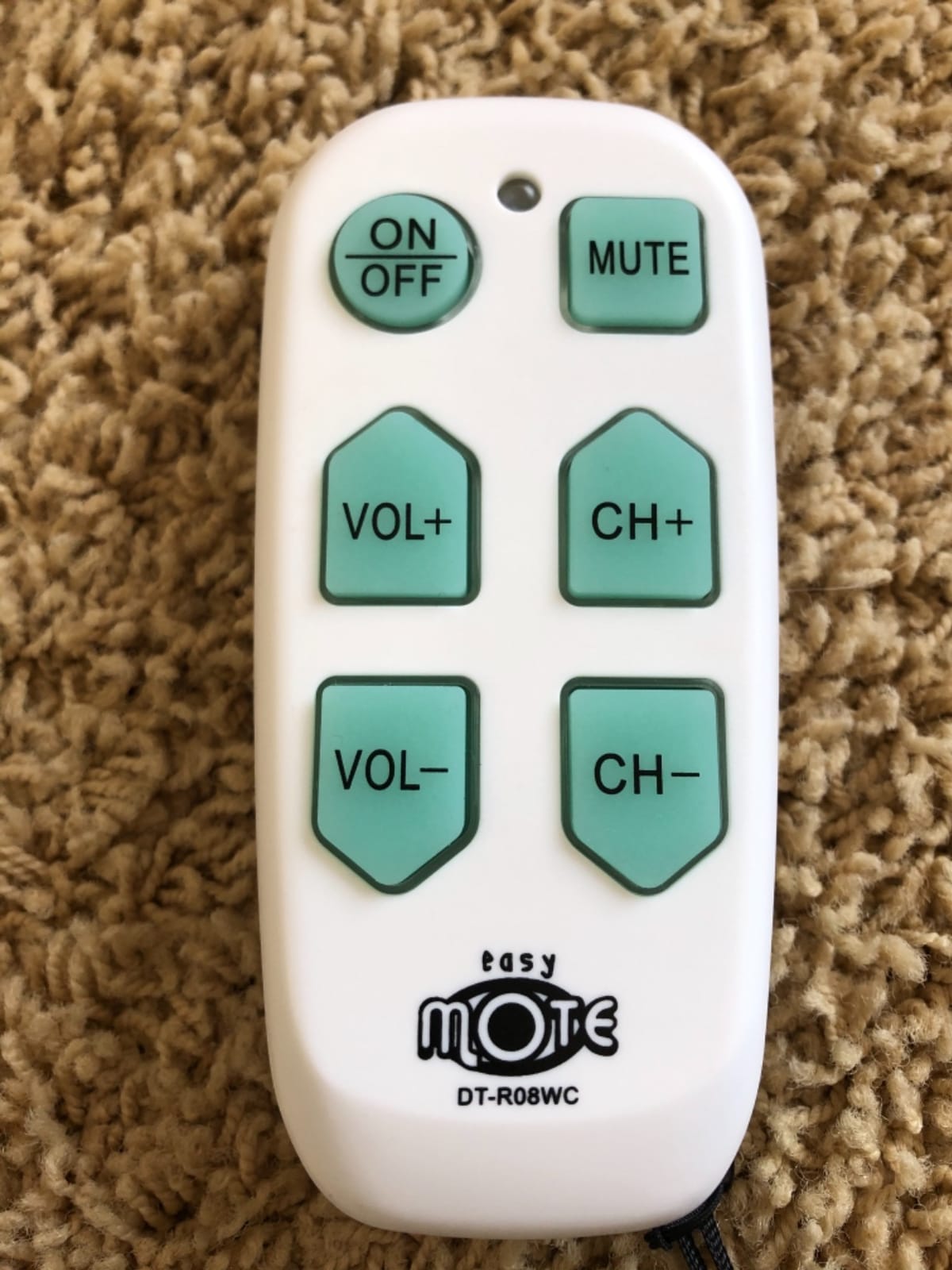
Six buttons is close to the floor for what a television can usefully do, and that restraint is the whole point of this remote. Power, volume up, volume down, channel up, channel down, and mute. There is no INPUT button to press by accident and no MENU button to lose settings behind, which is the failure mode that brings most parents to this search in the first place.
At 4.2 stars across more than six thousand reviews, the EasyMote is one of the two most reviewed simplified remotes in this guide. The review base is unusually concentrated in caregiving accounts involving parents in their eighties and nineties, and the recurring sentence is that six big backlit buttons stopped the mis-pressing that previously left a loved one unable to change the channel at all.
Setup has two paths. Quick Search scans for the television code in seconds and handles most combinations without a code list. Learning mode records the infrared signal from the original remote directly onto each big button, which is the fastest route when the television is old enough that its code is missing from the manual.
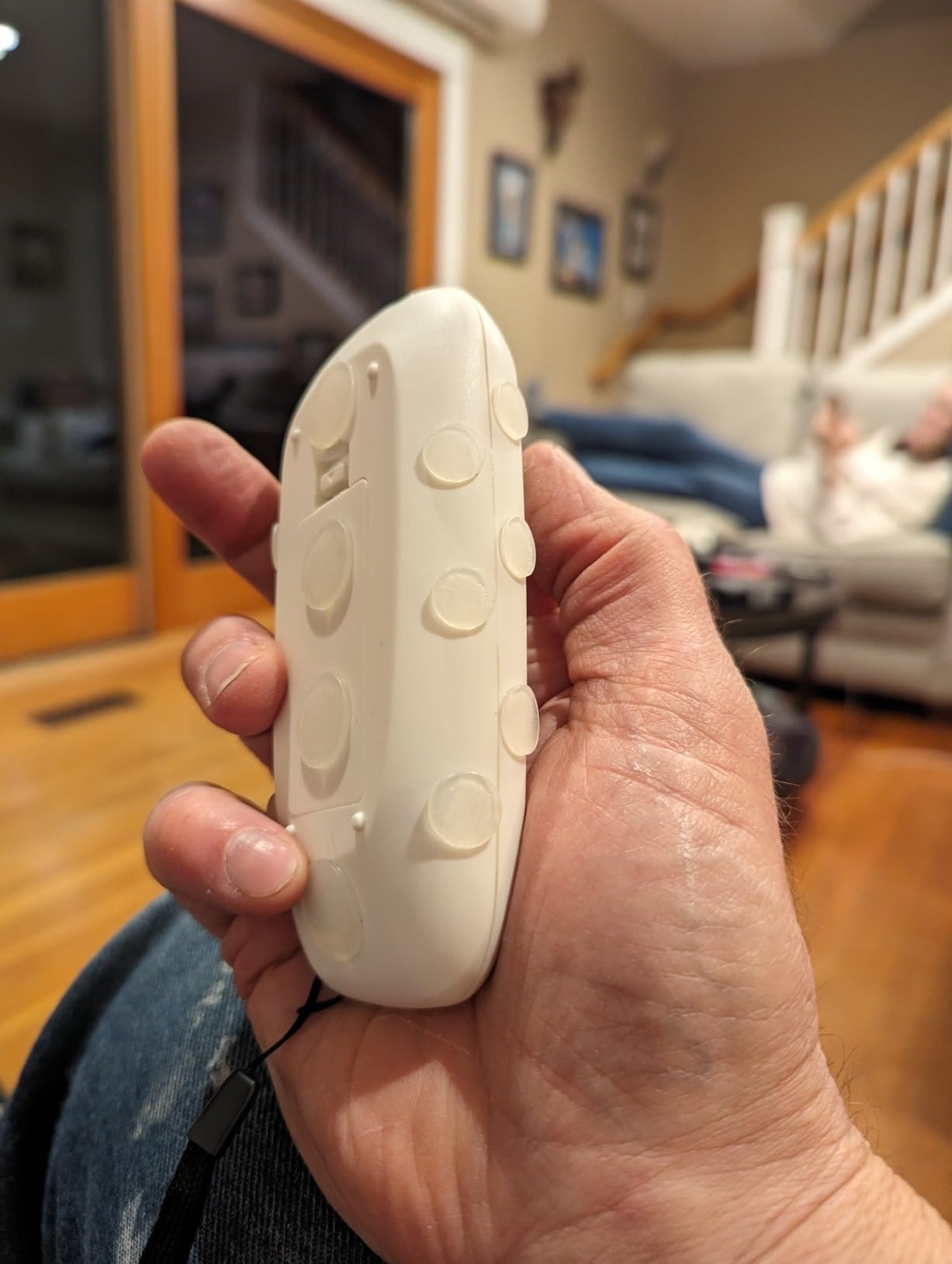
Two details make this a care setting product rather than a consumer one. The buttons are brightly backlit with large printed text that reads in a dim room without a lamp, and it ships with a wrist strap that reviewers repeatedly credit with ending a months-long search for a lost remote. Memory care staff order these for residents after seeing family members use them.
The white body is 5 inches long and weighs 2.24 ounces, light enough for a hand that cannot hold much. It is marketed and used in hospitals, hotel rooms, and nursing homes, and it needs two AA batteries, which are not included. Stated range is 10 feet, so it works in a bedroom or a standard living room but not across a very large room.
The complaints are consistent and specific. Button response has noticeable lag, and the volume rocker can stick down in the depressed position. Six buttons also means no way to reach menus, guides, or inputs, and a minority of owners report that very old televisions respond to neither programming method.
Who this remote suits best
It suits a person with dementia or early Alzheimer’s, or anyone whose hands make small repeated presses unreliable. Six backlit buttons that all do something obvious is about as close as an infrared remote gets to being foolproof.
It equally suits a hospital, assisted living, or memory care setting where staff hand the same remote to multiple residents. The wipeable white body and the wrist strap both hold up to that use in a way a glossy black handset does not.
Where it falls short
It is not a universal remote in the multi-device sense. Despite the name, the listed supported device count is one, so a cable box needs its own remote or a learning command mapped onto one of the six buttons, which eats a button you probably want.
If the parent watches anything beyond basic broadcast channels, six buttons will feel like a straitjacket rather than a kindness. Plan on keeping the original streaming remote nearby.
3. GE Big Button Universal Remote (33701) – Best Budget Pick for a Two-Device Setup
GE Big Button Universal Remote Control for Samsung, Vizio, Lg, Sony, Roku
Infrared, 2 devices
Extra-large buttons
30 foot range
2 AA, not included
Pros
- Oversized uncluttered layout suits impaired vision
- Two-device control for a soundbar or cable box
- Preprogrammed for Samsung televisions
- Free US-based support with setup videos
Cons
- Only two devices supported
- Batteries not included
The cheapest credible way to solve this problem starts with an unusually plain remote. The 33701 has an enlarged, simplified keyboard where the primary controls are physically bigger than a stock remote, and the reviews describe exactly that: an oversized layout that is easy to read and easy to hit.
It handles two devices, which means a television plus one of a soundbar, cable box, or satellite receiver. That is the most common two-part setup in a senior’s home, and buyers say it replaces a pile of stock remotes without asking anyone to memorize anything new. Automatic code search and direct code entry are both available, with Samsung televisions preprogrammed for immediate use.
At 4.2 stars over five thousand reviews, the rating profile is stable and positive. The listing itself is written for assisted living, hotel, and nursing home buyers, and reviewers in that setting report that the layout works for residents with low vision.
Range is stated at 30 feet, the joint longest of the remotes here, and the body measures 5.46 inches by 1.78 inches with a 2.4 ounce weight. That is a slim, light handset, which is a genuine advantage over chunkier models for hands with arthritis.
Two AA batteries are required and not included. The warranty is a 90-day limited warranty, short enough that you may want to test the remote on your parent’s actual equipment before treating it as a settled solution.
The reservation in the reviews is almost always the same: two devices. Anyone with a television, a cable box, and a soundbar ends up holding a second remote again, which is the exact problem the purchase was meant to solve.
Who this remote suits best
It suits a simple household with exactly two components and a parent who needs bigger buttons and clearer labels. If the goal is a low-cost replacement for a lost stock remote that nobody wants to pay more for, this is the most direct answer.
It also suits anyone who found the full-size stock remote too dense. Reviewers mention the stripped-down layout as the reason it works where the original failed.
Where it falls short
Two devices is genuinely limiting in a home with an entertainment center. Soundbar users frequently note that having to switch between device modes for volume is the main annoyance.
It is also not backlit, so this is the wrong pick for late-night viewing in a dark room unless another light source is always on.
4. RCA RCR313BE Big Button Remote – Best for Three-Device Setups
RCA RCR313BE Big Button Three-Device Universal Remote, Black
Infrared, 3 devices, 6 buttons
10 foot range
2 AA, not included
30 day warranty
Pros
- Replaces three separate remotes with one handset
- Large buttons on an uncluttered layout
- Automatic
- brand
- manual and direct code search
- Works with Roku and Apple TV boxes
Cons
- Batteries not included
- Only a 30-day warranty period
The RCR313BE sits between the two-button budget models and the full-size replacements, and it is the version most reviewers describe as the final word on decluttering. Three device buttons cover television, DVD or VCR, and satellite receiver, cable box, or digital converter, which covers the classic three-part stack almost nobody still wants three remotes for.
At 4.2 stars and just over five thousand reviews, this is one of the most reviewed remotes in the guide, and the sentiment is unusually consistent. Owners describe consolidating a cluttered coffee table into one handset with large, easy-to-hit keys, and they report that the mix of automatic and direct code search usually finds a working code on the first or second attempt.
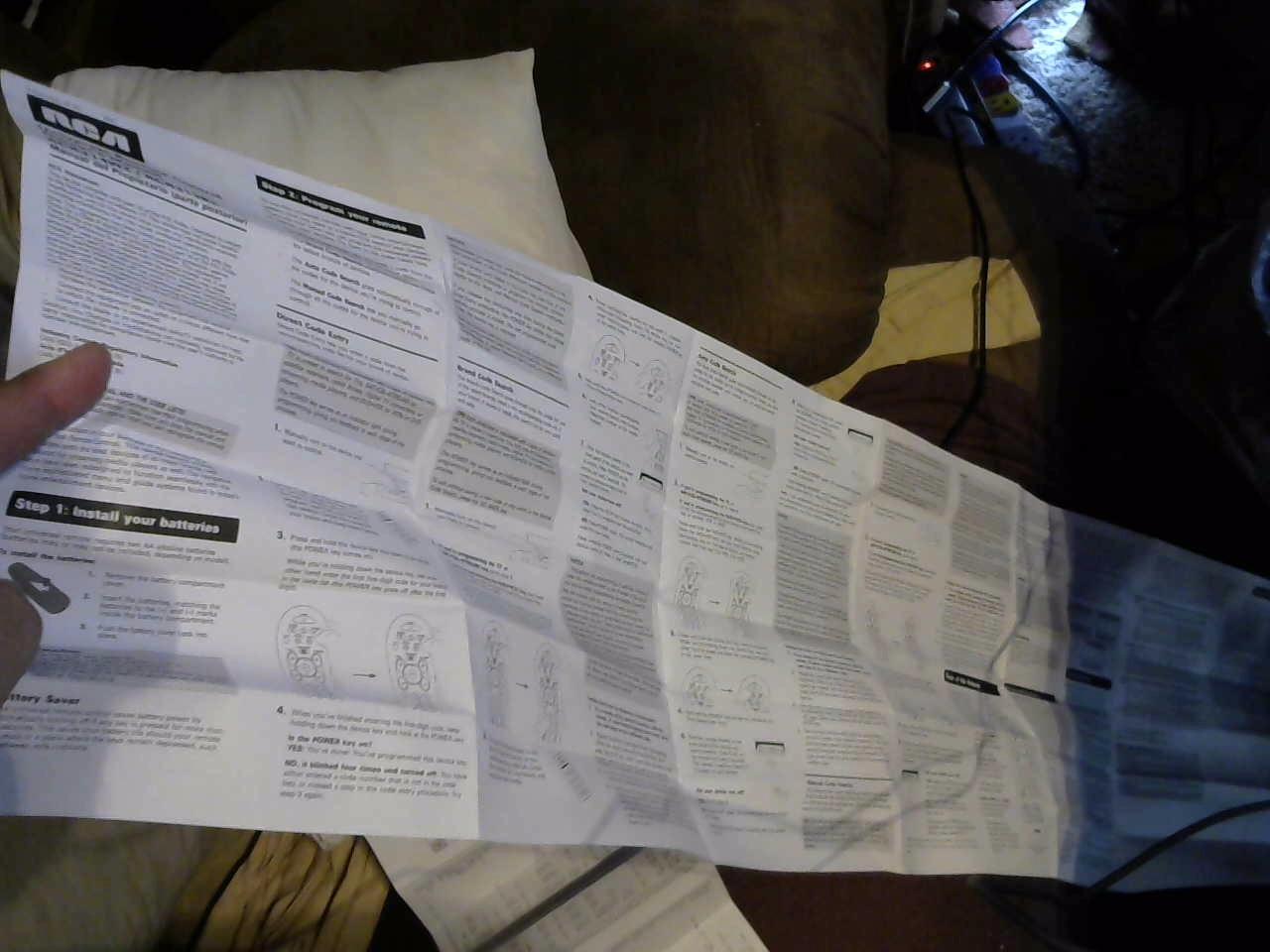
That combination of search methods is what makes setup painless. Automatic search cycles through codes, brand search jumps to a manufacturer block, and direct code entry lets you type a code from the manual when you know the television brand. Having all three means a code list failure is rarely a dead end.
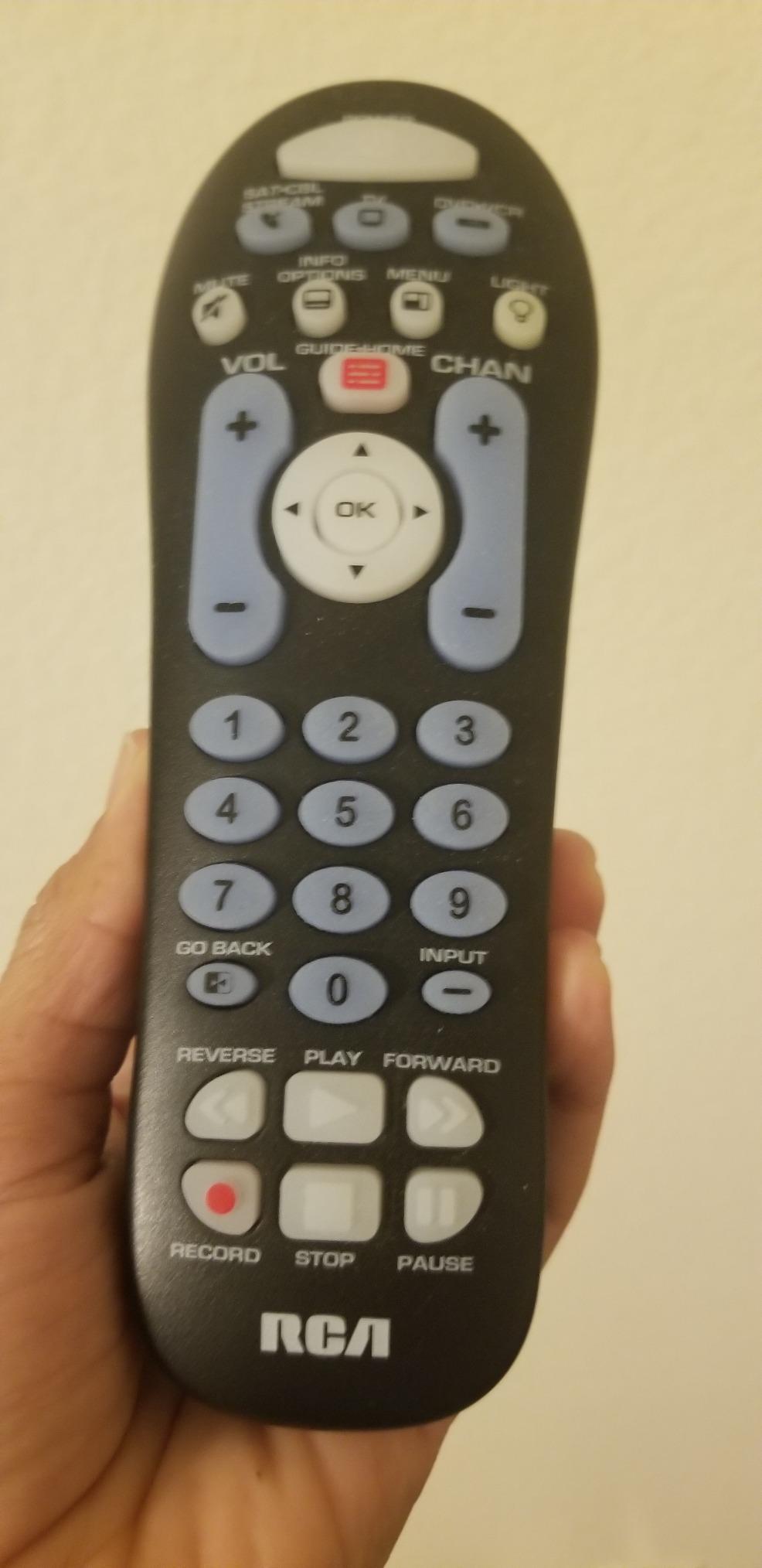
The streaming claim on the listing deserves a careful read. It lists support for Roku and Apple TV boxes, and buyers do report it working with several of them. That applies to devices with an infrared receiver, not to every streaming stick on the market, so check the device before relying on it.
At 4.3 ounces with 6 buttons and a 10 foot range, it is a slightly heavier, slightly larger handset than the EasyMote. The weight is a minus for a hand with reduced grip strength. Two AA batteries are needed and not included, and the warranty is 30 days.
Six buttons and three device modes means no menu access and no app browsing, the same ceiling as every other simplified model here. Volume control also operates on whichever device is selected, so switching audio sources takes an extra press.
Who this remote suits best
It suits the household that currently has three remotes on the table and wants one object instead. Television, set-top box, and a disc player is the classic combination, and this is the least fiddly way to collapse it.
It also suits anyone who prefers several setup routes over a single one. Having automatic, brand, and direct search means you can recover a code even when the printed list is useless.
Where it falls short
It is not backlit. For a parent who watches television in a dark bedroom, that is a real drawback, and it is the main reason to choose the GE 40081 instead.
The 10 foot range is also the shortest of the 30 foot models, so a wall-mounted television in a large room or a box behind the screen can need an IR extender. Treat the 30-day warranty as a genuine test window and try it early.
5. Flipper Big Button Remote – Best for Alzheimer’s and Memory Care
Flipper Big Button TV Remote for Seniors, Dementia – Easy Setup
Infrared, 3 devices, 4 buttons
Color-coded keys, hidden setup panel
30 foot range
2 AA, not included
Pros
- Four color-coded buttons and nothing else
- Hidden slider panel keeps the keypad out of reach
- Up to 25 pre-set favorite channels
- Works with Xfinity
- Spectrum
- DirecTV
- Dish
- AT&T and TiVo
Cons
- No way to browse streaming apps
- Initial code programming can be fiddly
- Battery compartment described as flimsy
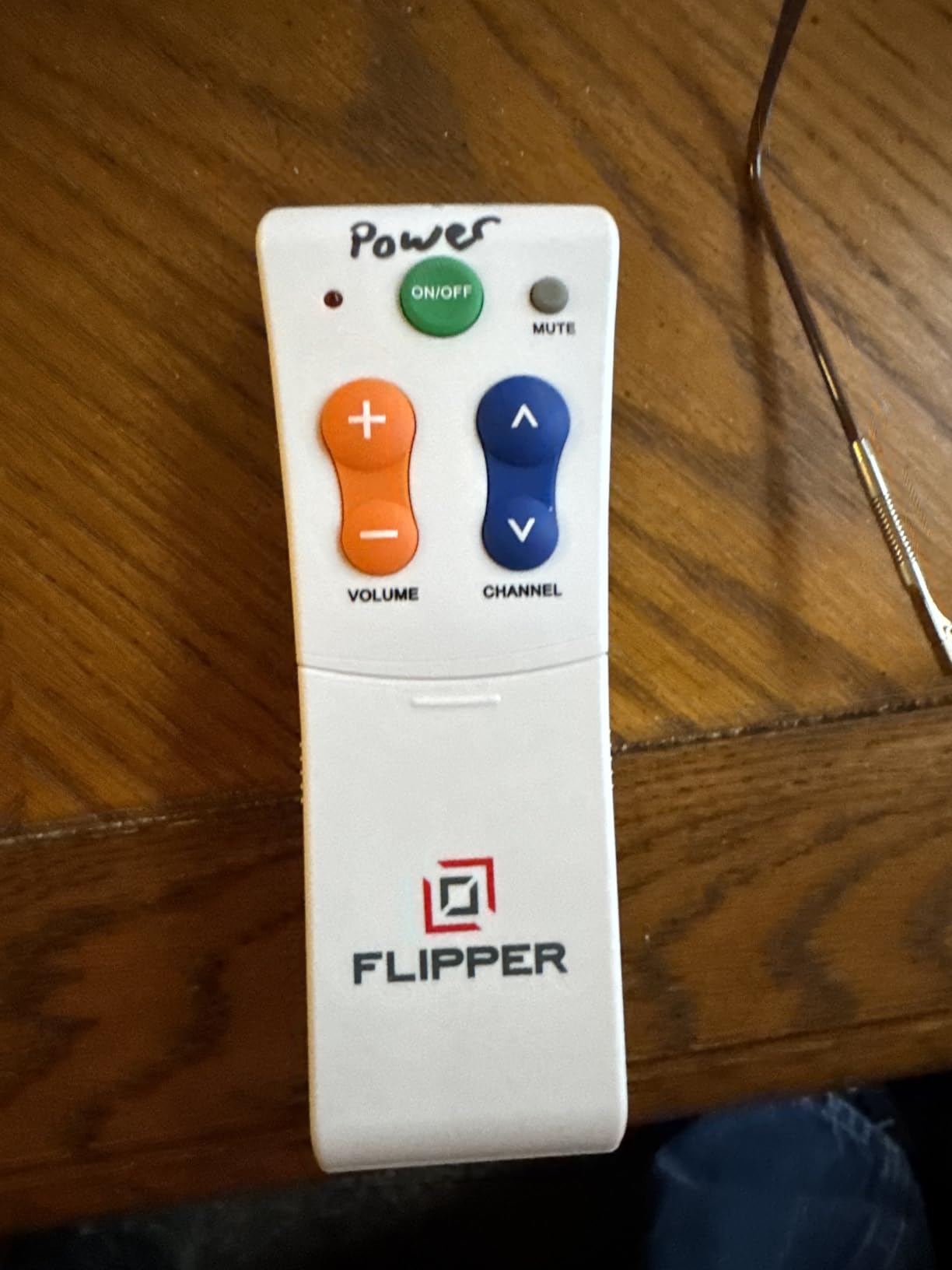
Four buttons is as close to a remote with no failure mode as infrared hardware gets. Green power, orange volume, blue channel, grey mute, each one the size of a thumb. There is nothing else to press, which is the entire design argument, and it is why this remote comes up in almost every dementia-focused recommendation in this category.
The second design decision matters even more. A slider panel conceals the programming keypad, so after an adult child sets the remote up in person, the codes and buttons that could undo that setup are physically out of reach. Older cable provider remotes used a plastic cover that locked the settings, and this hidden panel is the modern equivalent of that idea.
Favorite channels can be pre-programmed, up to 25 of them, so nobody has to remember a two digit number. Caregivers describe this as the feature that removes the most common daily frustration, since channel changing no longer depends on recall.
Compatibility is broader than the four buttons suggest. It works with all major television brands plus Xfinity, Spectrum, DirecTV, Dish, AT&T, and TiVo boxes, and with compatible soundbars. At 4.2 stars across roughly fourteen hundred reviews, with about 70 percent five-star ratings, the sentiment is strongly positive.
The reviews come overwhelmingly from dementia and low vision caregiving accounts, describing a remote that stopped the accidental input switching which previously required family help on nearly every evening. Staff in memory care settings order them for other residents after seeing one in use.
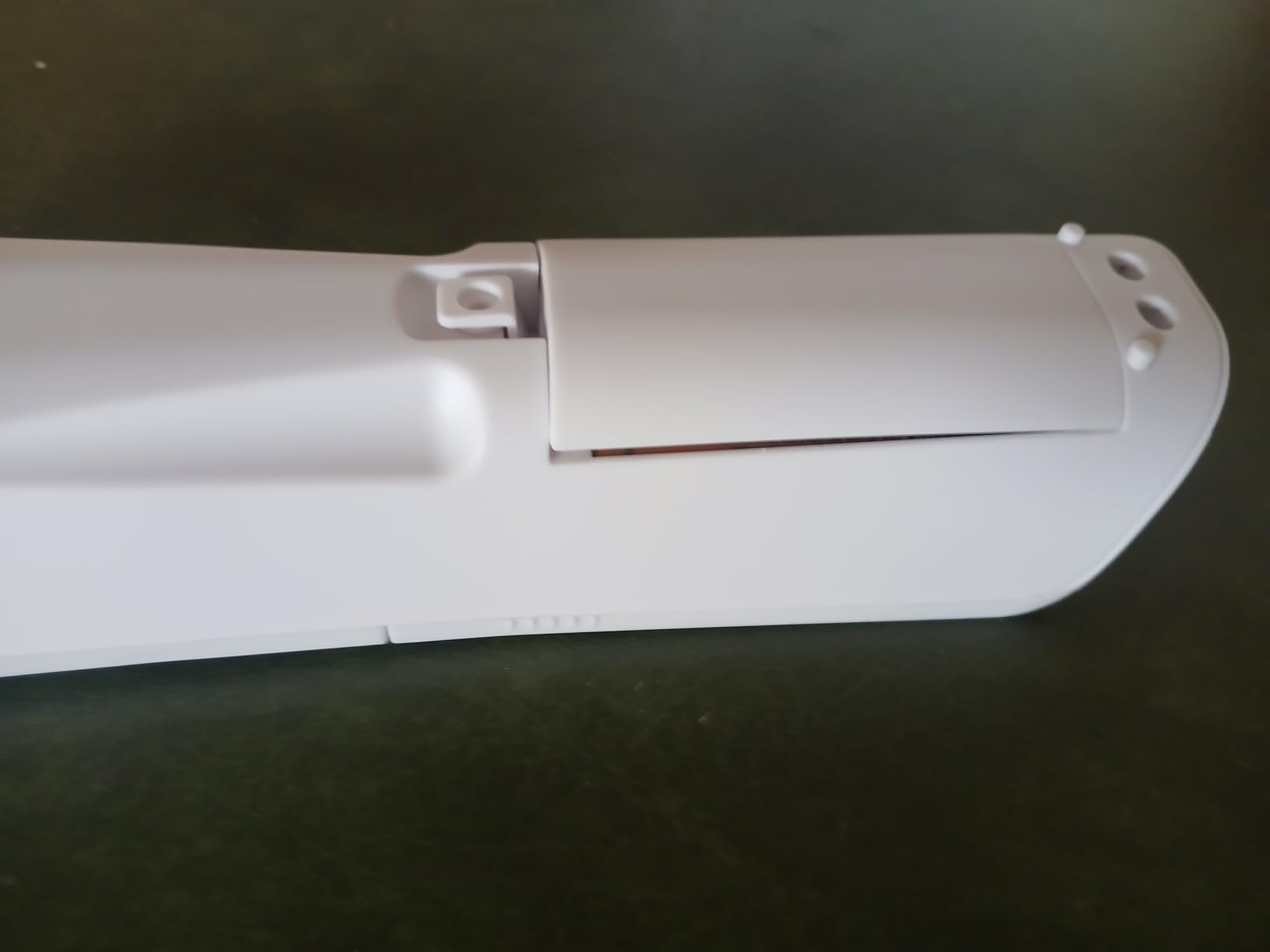
Criticism concentrates in two places. Initial code programming is described as fiddly, and a number of buyers needed customer support to get it working, so budget time for setup. The battery compartment is also described as flimsy and not lining up properly, which is an odd complaint for a part that is only opened twice a year.
Who this remote suits best
It suits a parent with Alzheimer’s or another form of dementia whose biggest daily risk is a lost setting or a wrong input. Four buttons and a hidden keypad removes both failure modes at once, and nothing else in this guide does that.
It also suits any setup that includes a large cable or satellite provider, because the favorite channel function is pre-configurable and the named provider support is broad.
Where it falls short
With four buttons there is no navigation at all. Netflix, YouTube, Prime Video, Hulu, Roku, and Fire TV are entirely out of scope, and reviewers are blunt about that being a dealbreaker for some households.
The 7-inch tall body is also noticeably larger than the six-button models, which can be harder to hold in a very weak hand. And for a relative who is not at all memory impaired, four buttons may feel restrictive rather than liberating.
6. UltraPro Backlit OneTouch Remote (80830) – Best for Streaming Hotkeys
UltraPro Backlit OneTouch Universal Remote Control, Replacement TV Remote
Infrared, 2 devices, 40 buttons
Fully backlit keypad
30 foot range
Limited lifetime warranty
Pros
- Fully backlit keypad in dark rooms
- Netflix
- Disney+
- Prime Video
- Hulu and YouTube hotkeys
- Preprogrammed for five TV brands
- Master volume control
Cons
- Forty buttons is dense for a senior layout
- Batteries not included
This is the remote for a household that will not give up streaming, and the trade-off is stated plainly in the button count.
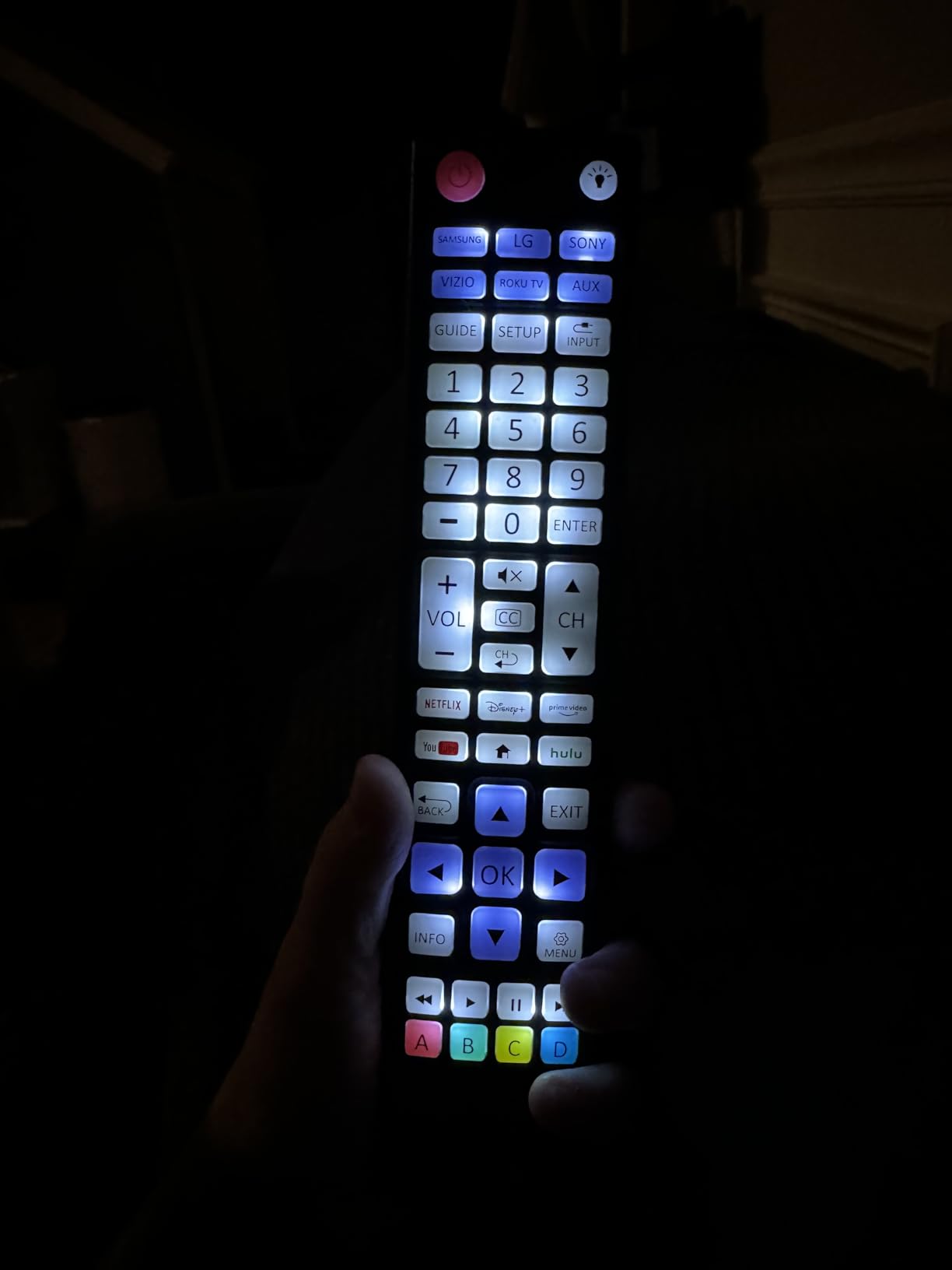
What it does well is reach one device button and go. Television and streaming device buttons are preprogrammed for Samsung, LG, Sony, Vizio, and Roku, and the app shortcuts for Netflix, Disney+, Prime Video, Hulu, and YouTube are labeled directly on the keypad. For a parent whose main complaint about the original remote was that they could not find the Netflix key, this resolves it directly.
At 4.1 stars across 916 reviews, buyers treat it as a cheap backlit replacement for a lost or unusable manufacturer remote. The backlit keypad is the most common point of praise, and the preprogrammed brand buttons mean setup is often a single button press after inserting batteries.
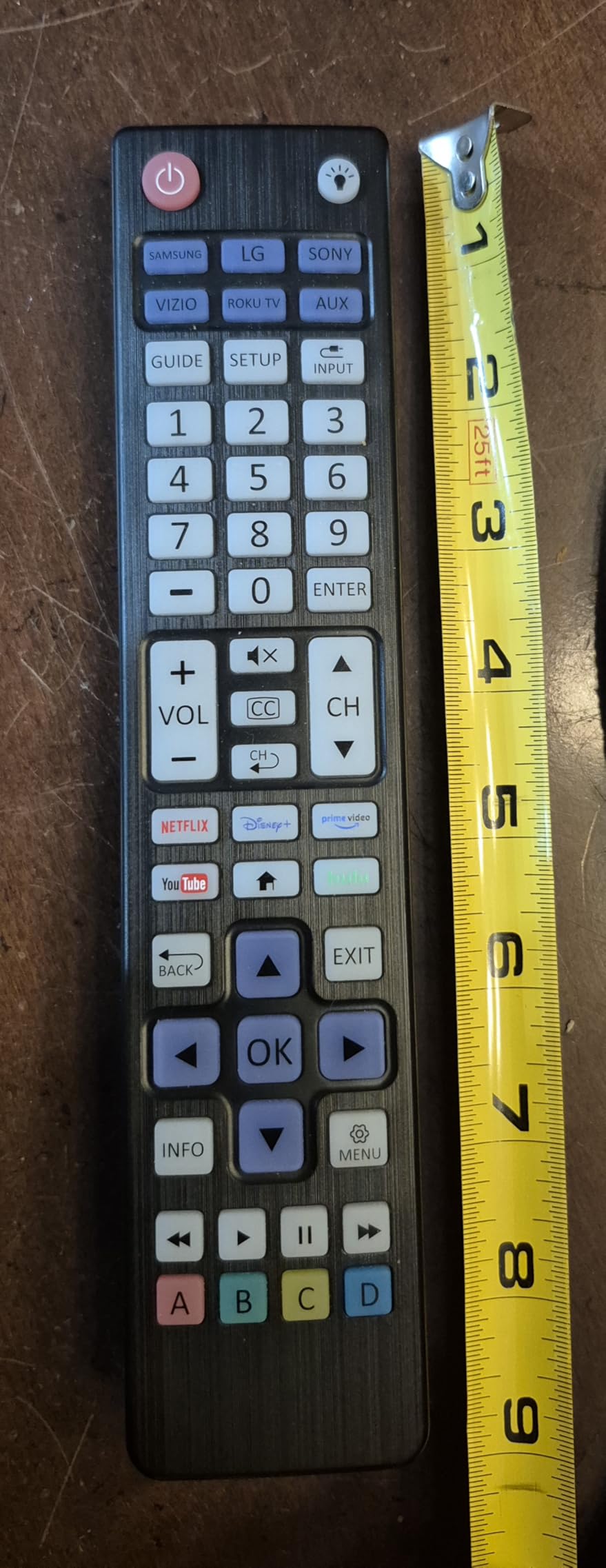
It handles two devices, a television plus one other such as a Blu-ray player, cable box, or soundbar, with master volume control across both. There is an AUX preset for Roku boxes, and the whole thing can be reprogrammed with auto code search or direct code entry if a brand is missing.
At 1.76 ounces it is the lightest remote here, which helps with grip strength. Range is 30 feet, support is US-based with online programming videos, and the warranty is a limited lifetime one, the strongest warranty in this guide.
The 4.1 average exists for one reason: forty buttons. Buyers who bought it for a parent say plainly that it is more keys than a senior friendly remote should carry, and that the density can be as confusing as the remote it replaced.
Who this remote suits best
It suits a parent with low vision who lives alone, watches a lot of streaming, and has good enough hand control to cope with a conventional layout. The backlight plus labeled app keys is a real accessibility gain for a person who cannot read a stock remote in a dim room.
It also suits anyone who wants the strongest warranty in the category, since a limited lifetime warranty on an electronic remote is uncommon.
Where it falls short
It fails the main test for this topic. If the goal is to reduce the number of things a confused user can press, forty buttons works against that goal no matter how good the lighting is.
It also will not drive a Fire TV Stick, and the streaming hotkeys are shortcuts into an application, not full app control. Two AA batteries are not included.
7. UltraPro OneTouch Backlit Remote (83758) – Best for Compact Backlit Control
UltraPro OneTouch Backlit Remote Control for Smart TV
Infrared, 1 device, 20 buttons
Backlit keypad
30 foot range
2 AAA, not included
Pros
- Backlit keypad without the bulk of larger models
- No programming for six TV brands
- Setup is one brand-button press
- Streaming hotkeys for four apps
Cons
- YouTube shortcut frequently unresponsive
- Infrared needs a clear line of sight
- One device only
- batteries not included
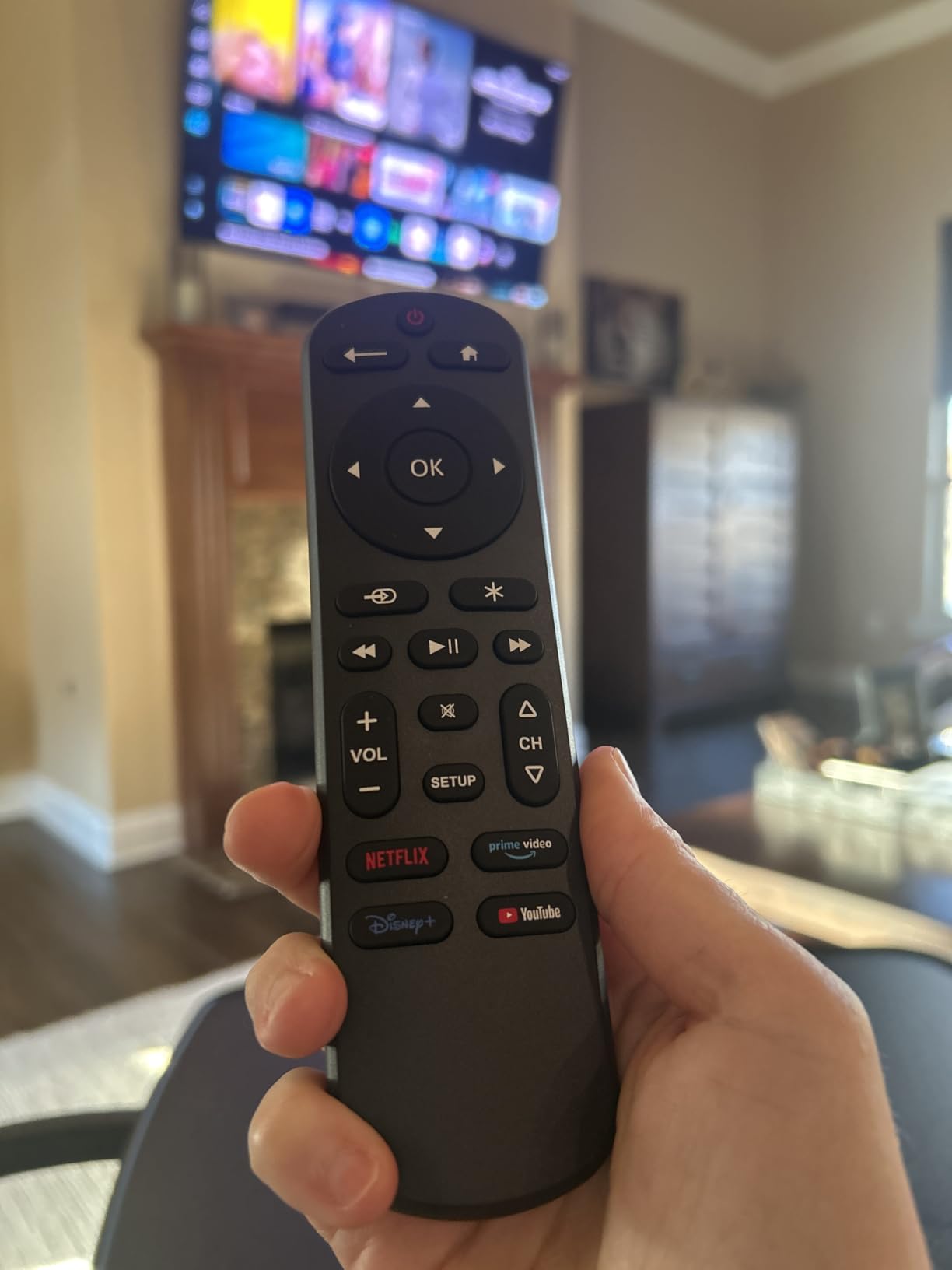
Where the previous remote offers light plus forty keys, this one keeps the light and cuts the size. Twenty buttons at 3.2 ounces and a 30 foot range makes it the most compact backlit option here, and buyers who swapped it in to escape an unusable stock remote describe it as the smaller of the two good backlit choices.
No programming is needed for six television brands: Samsung, LG, Sony, Vizio, Fire TV, and Roku. Setup is one brand button press followed by power, which is about as short a setup process as exists in this category. App hotkeys for Netflix, Prime Video, Disney+, and YouTube are included on the keypad.
At 4.1 stars across 555 reviews, the review profile is positive, with 63 percent five-star ratings. The most common reason buyers recommend it is that the backlit keys make a dark room usable without carrying the bulk of a larger backlit remote.
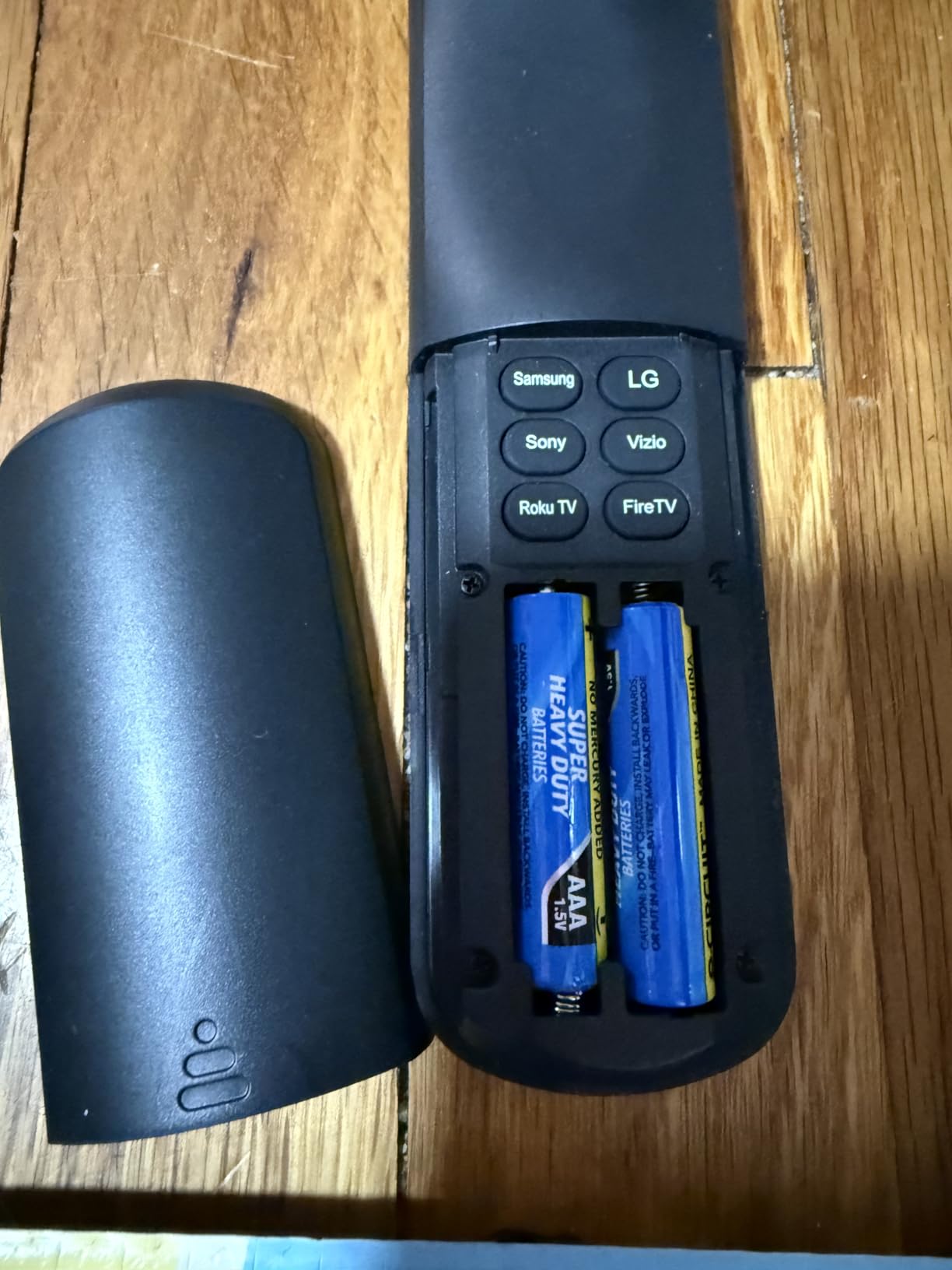
Note what a single device means here. A cable box still requires its own remote, so this only simplifies a household that already has a television with built-in streaming rather than a separate box.
Some Sharp and Insignia Roku televisions may still need direct code entry, which is the one setup wrinkle worth knowing. The warranty is a limited lifetime one. The backlight activates on a button press and stays on briefly, with no shake-to-wake function, so reaching the remote in the dark is still the first hurdle.
The single most common complaint, repeated by buyers who had already read other reviews, is that the YouTube shortcut button frequently does not work depending on the television model. Everything else about it is reported as reliable.
Who this remote suits best
It suits a household with a single smart television and no separate cable box, where the goal is one smaller backlit remote instead of a bulky stock one. It also suits anyone whose parent found the original remote too heavy to hold comfortably.
The no-programming setup makes it a good choice for a relative living alone far from family, since there is nothing to call for help with. The limited lifetime warranty adds reassurance at a distance.
Where it falls short
One device is the binding constraint. Anyone with a cable or satellite box still ends up holding two remotes, which is where the RCA RCR313BE or GE 40081 are stronger choices.
Twenty buttons is still a stock-style layout, and the infrared-only design means a Bluetooth television will not respond at all. The backlight also needs a button press to wake.
8. Nettech Big Button TV Remote – Best for Cable and Satellite Setups
Big Button TV Remote for Seniors, Dementia – Easy Setup | Large Color-Coded Buttons, Works with Traditional TV & Cable Box
Infrared, 2 devices
Color-coded tactile buttons
40 foot range
2-year warranty
Pros
- Color-coded tactile buttons you can feel without looking
- Largest stated range at 40 feet
- Two-year warranty with free replacement
- Support replies within 12 hours
Cons
- Infrared needs a clear path to the box
- Cannot browse streaming apps
- Batteries not included
This is the highest rated remote we analyzed, at 4.5 stars with roughly three quarters of all ratings at five stars, and about 3 percent one-star, the lowest critical share in the guide. The sentiment centers on one design idea: buttons that are distinguishable by sight and by touch.
Color-coded tactile buttons mean a parent can find volume by feel in a dark room, not by sight. For hands with tremor or reduced dexterity, that combination of colour and shape is more useful than backlighting alone, because it removes the need to aim at all.
Range is stated at 40 feet, the longest figure in this group, which matters in a living room where the equipment sits on a long console or the television is wall-mounted at the far end.
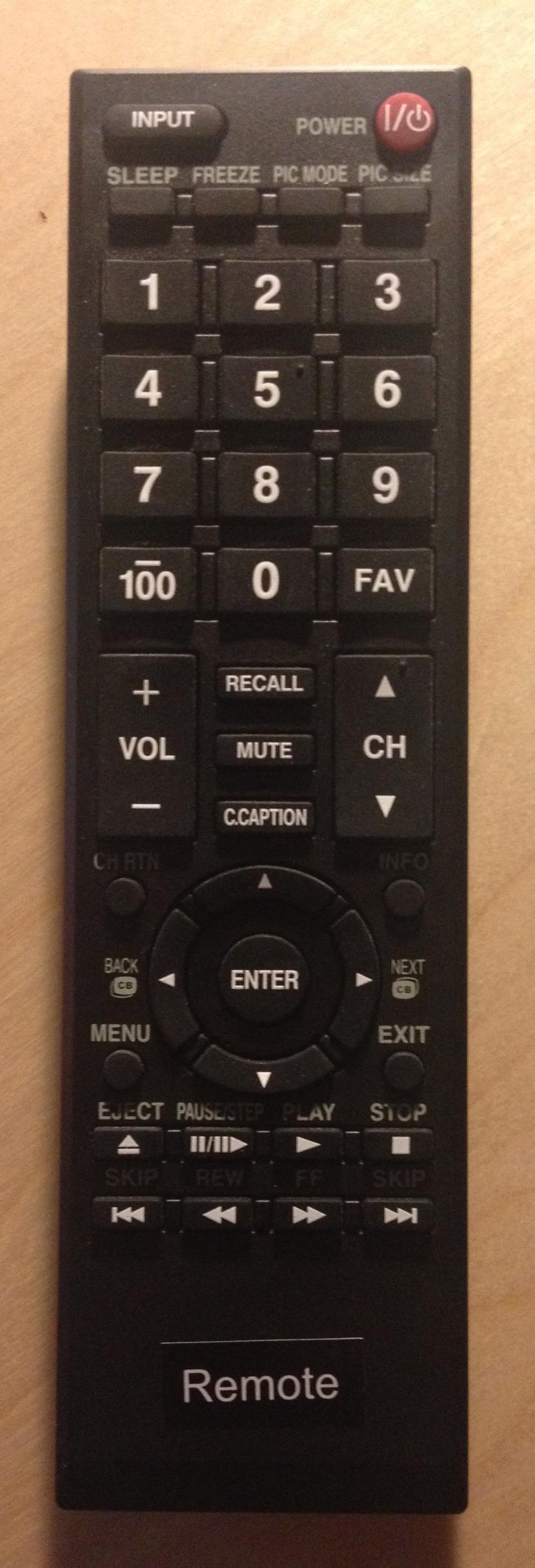
Compatibility is broad for a simplified remote: all televisions and cable or satellite boxes, plus Xfinity, Spectrum, DirecTV, Dish, AT&T, TiVo, Apple, and Roku, along with compatible soundbars. It controls a television plus a cable or satellite box.
Support is unusually good for this category. A two-year warranty includes free replacement, and customer support is stated to reply within twelve hours. That is worth more than a longer specification list when the buyer is an adult child living in another state.
The practical caveat is the infrared line-of-sight requirement, especially with Xfinity boxes positioned behind the television, where an IR extender may be needed. Streaming apps are out of scope for the same reason as the other simplified remotes here. Two AAA batteries are required and not included.
Who this remote suits best
It suits a household with a cable or satellite box, particularly an Xfinity or Spectrum customer replacing a provider remote that broke or became expensive. The 40 foot range and the two-year replacement warranty both suit a long-term setup rather than a gift.
It also suits a parent who finds backlit buttons hard to aim at. Tactile colour coding is a different accessibility route, and it works in daylight where a backlight would be invisible.
Where it falls short
The review base is around six hundred, smaller than the GE and RCA models here, so long-term durability feedback is thinner. Expect less evidence on how this behaves after two years.
It also cannot browse streaming apps, and the line-of-sight issue with a box behind the television is the single most common practical complaint in the reviews. Plan for a small IR extender if your setup is hidden.
9. RCA RCR413BHE Four-Device Big Button Remote – Best for Four-Device Control
RCA Universal 4-Device Big Button Universal Remote with Streaming (RCR413BHE)
Infrared, 4 devices, 4 buttons
Large visible number keys
10 meter range
2 AA required
Pros
- Highest device count among the big button models
- Large clearly visible numbers on the keypad
- Works with Roku and Apple streaming boxes
- Automatic
- brand manual and direct code search
Cons
- Build quality described as cheap
- Volume needs a device-button press each time
- Batteries not included
The 413 series extends the RCA big button idea to four devices with a small numeric keypad in the middle. That combination is unusual in this category: oversized function keys for the common actions, and readable numbers for anyone who still wants to punch in a channel directly.
Four devices is the highest device count among the simplified big button models in this guide, which makes it the pick for a full entertainment setup: television, cable box, disc player, and soundbar from one handset. Setup offers automatic, brand manual, and direct code search, so a missing code list is not a dead end.
At 4.1 stars, this is the lowest review count in the guide at just over two hundred, so treat it as a thinner-evidence choice than the GE or RCA options above it. Feedback is dominated by simple positive reports that it works as advertised with large visible numbers and easy setup.
Who this remote suits best
It suits a household with four infrared components and a parent who still enters channel numbers by habit. The keypad is there when it is needed and out of the way when it is not, which suits a senior who has watched the same routine for forty years.
It also suits buyers who want maximum device coverage from a simplified handset without paying for a learning remote.
Where it falls short
Build quality is described as cheap in several critical reviews, and the volume controls operate on whichever device is currently selected, so switching audio sources requires an extra press every time. That is a real daily friction point.
One reviewer also reported it did not work on a new Toshiba Fire TV, which is a reminder that a listing’s Roku compatibility covers infrared Roku televisions rather than every Fire TV configuration. Batteries are not included.
10. GE BigEZ OneTouch Remote (84666) – Best for Tremors and Arthritis
GE BigEZ OneTouch Big Button Universal TV Remote for Seniors, Easy to Use
Infrared, 2 devices
Extra-large white body
Backlit keys with blue and orange accents
30 foot range
Pros
- Extra-large white body is easy to spot and hard to lose
- Blue volume and orange channel keys
- No streaming app keys to press by mistake
- Directional pad for basic movement
Cons
- A few units reported failing within weeks
- Fast battery drain reported by one reviewer
- Batteries not included
The BigEZ solves a problem the other remotes on this list do not: not being lost. An extra-large white body in a room full of black plastic remotes is genuinely easy to find, and for a parent with memory loss that turns a lost remote from a phone call into a glance at the sofa.
The vision features follow the same logic. Fully backlit buttons sit on a white body with a blue volume button and an orange channel button, so the two most-used controls are identifiable by colour as well as by label. That colour coding is also more accessible than red and green for colour-blind users.
Setup is as short as it gets: insert two AA batteries, press the television brand button, press power. Samsung, LG, Vizio, Sony, and Roku televisions have preset device buttons, and there is an AUX preset for Roku boxes that can be reprogrammed if needed. A directional pad is included for basic movement.
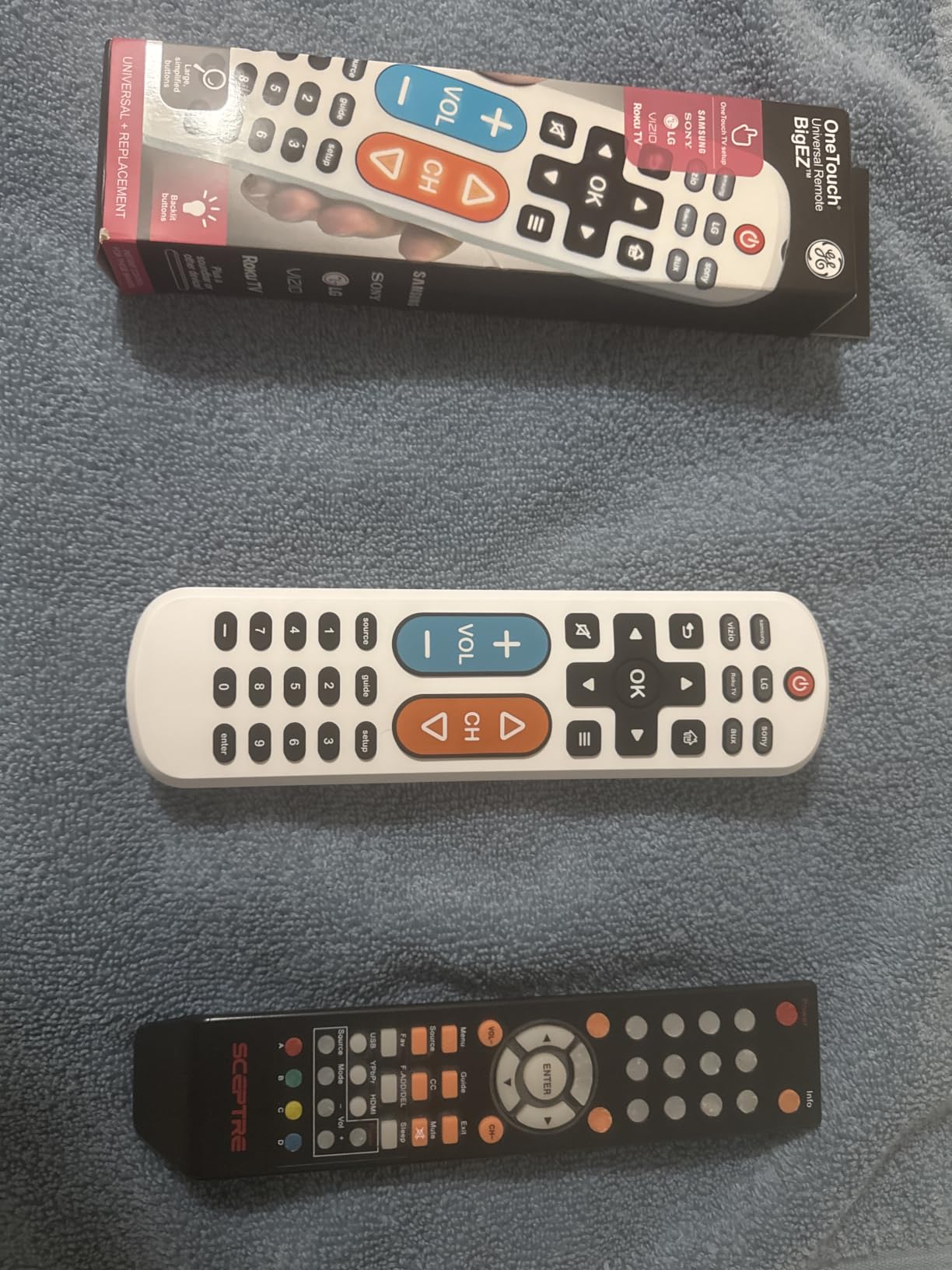
At 4.2 stars with roughly 72 percent five-star ratings, the review base is small, only about seventy reviews, so long-term durability feedback is thin. Buyers single out the colour-coded volume and channel buttons, and the absence of streaming app shortcuts, as the reasons they recommend it for a parent who was hitting the wrong keys.
Who this remote suits best
It suits a parent with tremor, arthritis, or reduced hand strength who needs large targets and cannot aim precisely. The blue and orange keys are large, colour-coded, and backlit, which is a rare three-way combination.
It also suits a family that has lost remotes repeatedly. A white body that is visible from across a room is a practical loss-prevention measure, comparable to the wrist strap on the EasyMote.
Where it falls short
Reliability reports are thin and mixed at this volume. One reviewer reported a unit that stopped responding after two weeks, with the replacement failing within days, and another reported fast battery drain limiting effective range to two or three feet. Neither is common, but with so few reviews there is little evidence either way.
Two devices is the limit, so a three-part setup still needs a second remote. Batteries are not included, so have a pack of AA ready before it arrives.
How to Program a Big Button Remote Without the Code List
Most parents never need this. The buyer is usually an adult child, and caregivers consistently say the real work is a one-time setup session rather than anything the senior does later. Set aside fifteen minutes before the remote is handed over.
First, install the batteries. None of these remotes include them, and a dead remote on the day it arrives is the most common and most avoidable disappointment in the category. The GE 40081 and UltraPro 83758 take AAA cells, the rest take AA.
Second, point the remote at the device from about a foot away and start a programming mode. On most models this is holding SET, or SET plus a device button, until a small light blinks. The GE BigEZ and the UltraPro OneTouch models skip this entirely for their preprogrammed brands: press the brand button, then power, and you are done.
Third, choose your search method. Direct code entry uses the number printed in the manual, which is fastest when you know the television brand. Brand search jumps to a block of codes for a manufacturer and cycles through them. Automatic search sweeps the whole range and is slower but needs nothing at all.
Fourth, if there is no code list at all, use learning mode. Put the original remote and the new remote nose to nose, press the desired button on the new remote, then press the same button on the original so the infrared code is captured. The EasyMote DT-R08W is the model in this guide built around this method, and it is the fastest route for an old television whose code is missing from any manual.
Fifth, test the essentials before you stop: power, volume, channel, and mute on each device. Test the television with the doors to the room closed, because infrared sometimes behaves differently at longer range.
Sixth, set the favorites if the remote supports them, then close or slide away the setup panel. On the Flipper that panel hides the keypad entirely. On other models, put the remote itself somewhere your parent will not reach a setup button, which prevents the most common complaint: a remote that has silently lost its programming.
Which Remote Fits Which Health Condition
Dementia and Alzheimer’s. The Flipper Big Button Remote is the answer here, with four color-coded buttons and a hidden setup panel that stops the codes being erased. The EasyMote DT-R08W is the runner-up choice when six buttons are still more than the user can manage, and its six-button layout removes the INPUT button that causes most of the calls for help.
Low vision and macular degeneration. Backlighting is the deciding feature, which points to the GE 40081 for its full blue keypad across four devices. The Nettech is the alternative pick for someone who cannot aim at a lit button, because its tactile colour-coded keys can be identified by feel. Avoid the GE 33701 and the RCA RCR313BE in a dark bedroom, since neither is backlit.
Arthritis and reduced hand strength. Large, distinct, well-separated targets matter more than light. The GE BigEZ OneTouch with its extra-large white body and blue and orange keys is built for this, and the EasyMote’s six widely spaced buttons are the other safe choice. The UltraPro 80830, with forty keys, is the one to avoid, because fine motor control is exactly what it demands.
Parkinson’s and tremor. The same logic applies with an added emphasis on tactile feedback and wrist straps. The Nettech’s tactile colour-coded buttons can be found by touch without aiming. The EasyMote DT-R08W ships with a strong wrist strap, which also addresses the second problem in tremor cases, that the remote ends up on the floor.
Mild memory loss without full dementia. Here the trade-off reverses, because too few buttons becomes frustrating. The GE 40081 gives power, volume, channel, and a device switch for four components while still keeping labels large and the keypad lit. The RCA RCR313BE is similar with three devices.
Hearing and vision together. If the issue is hearing rather than vision, a caregiver-facing system that streams television audio to a receiver may help more than any remote. Our guide to hearing amplifiers for seniors covers that side of the problem, and comfort is a separate concern that changes how a parent wants to sit and watch.
Buying Guide: 7 Criteria That Matter More Than Spec Sheets
Button size and spacing. Measure against the original remote rather than a number on a listing. Keys should be large enough to hit without aiming, with visible gaps between them, because a crowded layout defeats the purpose even when every individual key is technically large.
Number of buttons, which is the criterion most people get wrong. Caregiver forum experience is consistent on this: seniors overwhelmingly use power, volume, and channel and nothing else. If that describes your parent, four or six buttons is the correct answer. Buying a forty-button remote to get backlighting defeats the goal.
Setup method. Auto-search, brand search, direct code entry, and learning mode all exist, and the models here offer different combinations. Learning mode is the fastest route on an old television with no code list. Preprogrammed brand buttons are the fastest route on a current television. Which one you need depends entirely on what is already in the living room.
Backlighting versus glow in the dark versus tactile colour. These solve different problems. Backlighting helps in a dark room with sight. Tactile colour coding helps a person who cannot aim, especially in daylight. Check which of the three the specific condition calls for rather than assuming more light is always better.
Programming lock or hidden panel. Caregiver threads on cable provider remotes consistently treat the settings lock as a valued feature, and it is the safety feature dementia-focused designs build around. If memory loss is part of the picture, treat this as a requirement rather than a bonus.
Loss prevention. Remotes get lost constantly, and a lost big button remote is an emergency for the household. A wrist strap, as on the EasyMote, or a body colour that stands out from black plastic, as on the GE BigEZ, both solve it cheaply.
Power and batteries. Every product here runs on AA or AAA cells and none include them. Buy a pack before the remote arrives. Battery type is worth noting for a relative living alone, since a set of AA cells is easier to buy in a pharmacy than AAA.
Range and sight lines. Range figures range from 10 feet to 40 feet across this guide. Check where the cable box actually sits. If it is behind the television or inside a cabinet, add a small IR extender to the shopping list regardless of which remote you choose.
Support and warranty. The warranty terms here run from 30 days on the RCA RCR313BE to a two-year replacement warranty on the Nettech and a limited lifetime warranty on both UltraPro models. For a remote bought for a relative who lives alone, support hours and a replacement promise matter more than they would for a gadget you will personally troubleshoot.
How We Picked These Remotes
We reviewed ten remotes with substantial public review histories and compared them on published specifications and reported user experience. No competitor in this category discloses its method, so we state ours plainly.
Weighting was roughly: button size and layout, then setup method, then backlighting and tactile feedback, then loss prevention, then range, then warranty and support. Rating and review count were used as a quality filter rather than a ranking criterion, which is why the highest-rated product here is not the first recommendation and why the first recommendation is not the cheapest.
Every remote listed works over infrared. Nothing here can control a Roku Streaming Stick, an Amazon Fire TV Stick, or a Bluetooth television, and every remote requires batteries that are not included. Those two facts shape most of the advice on this page.
Troubleshooting: Why a Senior Remote Stops Working
These are the three problems that come up most often in caregiver discussions: a remote that has lost its programming, a code that cannot be found, and a streaming device that will not respond at all. The three most-cited problems in caregiver forums are the same three, along with cable provider replacement fees as the trigger for the whole search.
The remote stopped working entirely. Replace the batteries first, because none of these remotes ship with cells and alkaline cells drain faster in a warm living room. Then check that the remote has a clear path to the device sensor. If the television is off, infrared receivers are usually still powered, but a receiver behind a cabinet needs an IR extender.
The programming has been lost. This is almost always an accidental press of a setup or input button rather than a fault. On the Flipper the hidden slider panel prevents it by design. On other models, programming the remote before handing it over and keeping it out of reach afterwards is the only reliable fix.
The code cannot be found. Try brand search before direct code entry, since the code printed in a manual is frequently outdated for the television year. If the television is old enough that no code exists, use learning mode with the original remote, which is exactly the situation the EasyMote DT-R08W was built for.
The cable box will not respond. Confirm it is an infrared box. Several providers now ship boxes with a small RF receiver and a pairing button, and no infrared remote will work with those. A visible blinking light on the box when the original remote is pressed is a quick way to tell the two apart.
A streaming stick will not respond. This one has no fix, because it is not a fault. Roku Streaming Sticks and Amazon Fire TV Sticks use radio frequency or Bluetooth. Keep the small original remote in a labelled drawer, which is a far better outcome than returning a remote that works perfectly well for everything it was designed to do.
Our guides to easy-focus microscopes with large eyepieces and lightweight metal detectors cover the same accessibility-first approach for different hobbies, and both come down to the same rule as here: the equipment should fit the person, not the other way around.
Frequently Asked Questions
What is a good universal remote control for elderly people?
The GE Backlit Buttons Universal Remote (model 40081) is the strongest all-round choice, controlling up to four devices with a fully backlit keypad. For fewer buttons, the EasyMote DT-R08W offers six large backlit keys with a wrist strap, and for memory loss the Flipper Big Button Remote reduces the handset to four color-coded buttons and hides its setup keypad.
What is the best big button universal remote for seniors?
It depends on how many devices are in the room and how much vision or memory support is needed. Pick a four-device backlit model for a full entertainment setup, a three-device model for television, set-top box and disc player, and a four or six button simplified model when the priority is preventing accidental menu changes rather than controlling more equipment.
How to program a Jumbo universal remote without a code?
Start automatic code search with the remote held about a foot from the device, and let it cycle until the television responds, then lock in that code. If no code exists for an older set, use learning mode instead: press the target button on the new remote, then press the same button on the original remote so the infrared signal is captured directly.
Do big button remotes work with streaming sticks and smart TVs?
Not the RF or Bluetooth models. Roku Streaming Sticks, Amazon Fire TV Sticks, and newer Bluetooth televisions do not respond to infrared at all, so no code will make a big button remote work with them. These remotes control infrared televisions, cable and satellite boxes, disc players, soundbars, and Roku televisions with an infrared receiver. No streaming app menus are reachable, because a four or six button remote has no directional pad.
Which universal remote is the easiest to program?
The preprogrammed models are easiest. The GE BigEZ OneTouch and both UltraPro OneTouch remotes need only a brand button press followed by power, with no code entry. Among the code-based models, models offering automatic, brand, and direct search together, such as the RCA RCR313BE, are the most forgiving, and learning mode is fastest when the original remote is still available.
How can I control my parents’ TV remotely?
An infrared remote cannot be controlled from a phone, because there is no radio link to it. Remote family support instead means setting up a caregiver system that streams the television feed and volume to the person watching from a distance. For ordinary watching, the practical version is keeping the small original streaming remote in the same drawer as the new big button remote, so help is one ask rather than a phone call.
Conclusion: The Best Universal Remotes for Seniors in 2026
The best universal remotes for seniors in 2026 come down to one question: how many buttons can your parent press without a mistake. If the answer is almost none, buy the Flipper and let a caregiver set up the favorites. If the room has four infrared components, buy the GE 40081 and let the backlight do the work at night. If streaming is non-negotiable and the hands are steady, the UltraPro models keep app keys one press away.
Program it yourself, buy batteries before it arrives, and keep the original streaming remote in the same drawer. Those three steps remove almost every complaint we read about these remotes in 2026.