
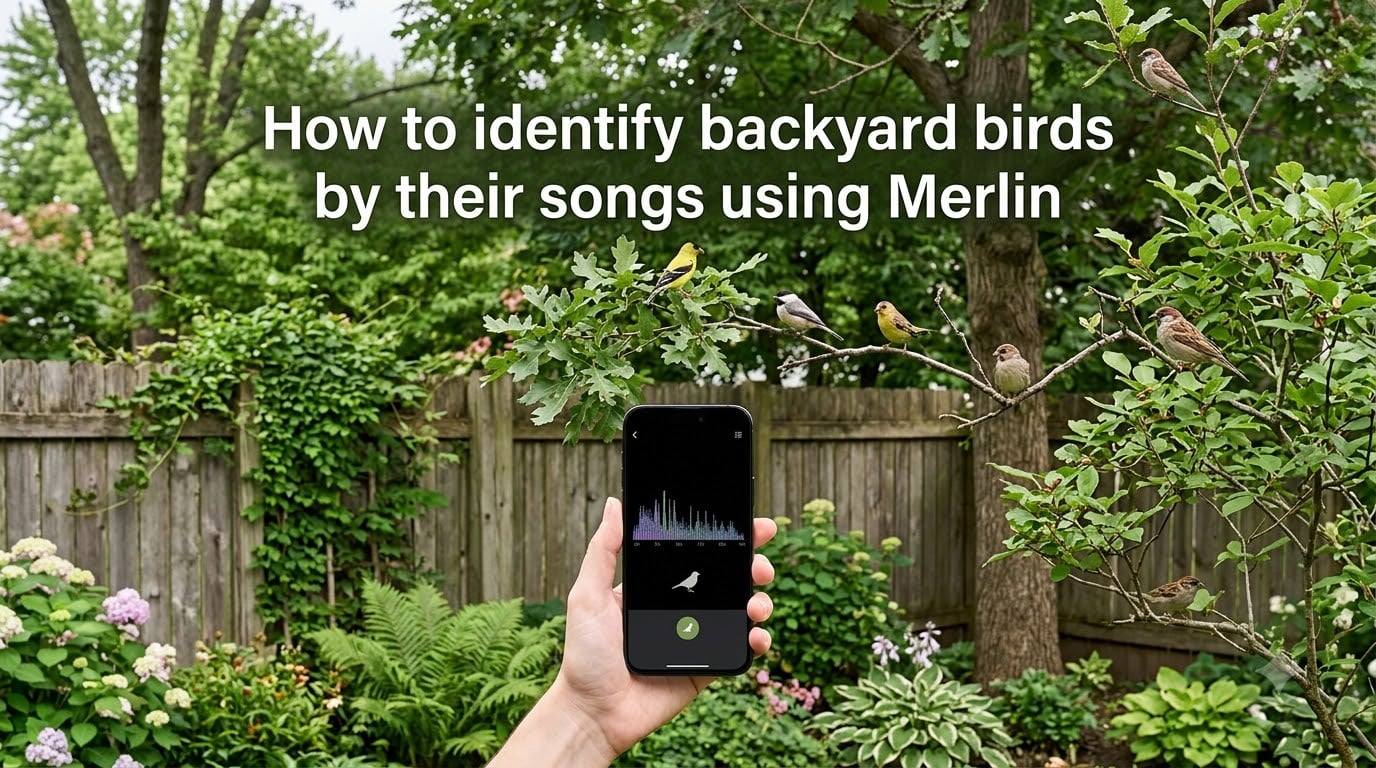
You step outside with your morning coffee and hear a chorus of bird songs coming from the trees. Some are familiar, but others leave you wondering what species is singing just out of sight. If you have ever wanted to put a name to those sounds, learning how to identify backyard birds by their songs using Merlin changes everything.
Merlin Bird ID is a free app from the Cornell Lab of Ornithology that listens to bird sounds through your phone’s microphone and suggests matches in real time. In this guide, I will walk you through downloading the app, using Sound ID step by step, troubleshooting common problems, and getting the most accurate identifications possible.
Whether you are a complete beginner or an intermediate birder looking to sharpen your ear, this tutorial covers everything you need to start recognizing the birds in your yard today.
Table of Contents
What Is Merlin Bird ID and Sound ID?
Merlin Bird ID is a free mobile app created by the Cornell Lab of Ornithology that helps you identify birds using four different methods: Sound ID, Photo ID, the Bird ID Wizard, and regional bird exploration. The app is available for both iOS and Android devices and works entirely offline once you download the relevant bird packs.
Sound ID is the feature that makes Merlin stand out from every other birding app on the market. When you activate it, the app uses your phone’s microphone to listen to the birds singing around you. It then matches what it hears against a massive database of bird vocalizations and displays real-time suggestions on screen, showing you the species name and a confidence indicator for each match.
Yes, you absolutely can identify birds by their songs. The technology behind Sound ID uses audio recognition models trained on thousands of recordings submitted through eBird, the citizen science platform run by the Cornell Lab. This means every identification draws on real-world data from birders worldwide, making the suggestions surprisingly accurate even for similar-sounding species.
How to Download and Set Up Merlin
Getting started with Merlin takes about five minutes. The app is free with no hidden fees, no premium tiers, and no advertisements interrupting your birding session.
Step 1: Download the App
Search for “Merlin Bird ID by Cornell Lab” in the Apple App Store or Google Play Store. The app is published by Cornell Lab of Ornithology and has been downloaded millions of times across both platforms. Make sure you select the official app, since several similarly named apps exist.
Step 2: Choose Your Bird Packs
After installing, Merlin asks you to select a bird pack for your region. Bird packs are downloadable databases that contain the species, photos, sounds, and identification data for a specific geographic area. The app will suggest a pack based on your location, such as “US: Continental” or “Canada.”
You can download additional bird packs if you plan to travel. Each pack varies in size, typically between 30 MB and 800 MB depending on how many species it covers. I recommend starting with your local pack and adding others as needed.
Step 3: Enable Offline Mode
Once your bird pack is downloaded, Merlin works completely offline. This is a major advantage for birding in remote areas, state parks, or anywhere with poor cell service. You do not need to configure anything extra. The app simply uses the downloaded pack data instead of pulling from the internet.
Step 4: Allow Microphone Access
When you first open Sound ID, your phone will request microphone permission. Tap “Allow” or “OK” to grant access. Without this permission, the feature cannot listen to or identify bird sounds. You can always adjust this later in your phone’s settings if you accidentally decline.
How to Identify Backyard Birds by Their Songs Using Merlin
This is where the fun begins. Once Merlin is set up, you are ready to start identifying backyard birds by their songs using Merlin in just a few taps.
Step 1: Open the Sound ID Feature
Launch the Merlin app and tap the “Sound ID” button on the home screen. This opens the audio identification interface, which displays a waveform visualization at the top of the screen and a list of potential matches below it.
Step 2: Start Listening
Tap the large microphone button to begin recording. Merlin immediately starts listening to the sounds around you. You will see the waveform move as the app picks up audio, which confirms the microphone is working properly.
Step 3: Watch for Real-Time Suggestions
Within a few seconds, Merlin begins displaying species names at the bottom of the screen. Each suggestion includes a confidence indicator showing how certain the app is about the match. Higher confidence means the audio pattern strongly matches that species in the database.
The suggestions update live as long as you keep recording. New species may appear as different birds start singing, and you can watch the list shift in real time as the soundscape changes around you.
Step 4: Verify the Suggestion
When Merlin suggests a species, tap on its name to see photos, hear a reference recording, and read a description. Compare the reference recording to what you are hearing outside. This step is important because Sound ID occasionally suggests similar-sounding species, and confirming manually builds your identification skills.
Step 5: Save to Your Life List
If you are confident in the identification, tap “This is my bird” to save it to your Life List. The Life List is Merlin’s built-in record of every species you have identified over time. It functions as a personal birding journal that grows with each session, and many birders find it motivating to watch their list expand.
Step 6: Stop Recording
Tap the microphone button again to stop recording when you are done. Merlin saves the session, and you can review your identifications anytime from the Life List section of the app.
Tips for Getting Accurate Identifications
Based on my testing and reports from thousands of birders on Reddit’s r/birding community, a few techniques can dramatically improve your accuracy with Merlin Sound ID.
Hold Your Phone Still and Point It Toward the Sound
Your phone’s microphone is surprisingly directional when held in your hand. Point the bottom edge of the phone (where the microphone is typically located on most devices) toward the singing bird. Keep your hand steady, since movement creates audio artifacts that can confuse the recognition engine.
Get as Close as Reasonably Possible
Sound ID works best when the bird song is louder than the background noise. Moving even 10 or 15 feet closer to the source can make the difference between a confident match and no suggestion at all. Stay respectful of wildlife and keep a reasonable distance, but do not expect great results from inside a closed house.
Minimize Background Noise
Traffic, wind, air conditioning units, and barking dogs all interfere with audio recognition. If possible, move to a quieter part of your yard or wait for a lull in the noise. Some birders have success cupping their hand behind the phone to create a makeshift directional pickup that blocks some ambient sound.
Try Early Morning for Best Results
The dawn chorus, typically between 5 AM and 8 AM depending on your location and season, is when birds are most active and vocal. This is the ideal time to use Sound ID because multiple species are singing clearly and consistently. I have had my best identification sessions during this window.
Be Patient with Brief Songs
Some birds sing long, repetitive phrases that Merlin recognizes almost instantly. Others produce short, infrequent calls that take longer for the app to match. If you know a bird is nearby but Merlin has not suggested it, keep recording for another 30 to 60 seconds.
Use Multiple Identification Methods
If Sound ID suggests several possibilities, switch to Photo ID and snap a picture if the bird is visible. You can also use the Bird ID Wizard to answer questions about size, color, and behavior, which can help narrow down ambiguous results.
Troubleshooting Common Sound ID Problems
One of the most common questions in birding forums is why Merlin sometimes fails to pick up bird sounds. Based on user reports and pain points identified across Reddit communities, here are the most frequent issues and how to fix them.
Merlin Is Not Detecting Any Sounds
First, check that you have granted microphone permission in your phone’s settings. On iOS, go to Settings, scroll to Merlin, and ensure the microphone toggle is on. On Android, go to Settings, Apps, Merlin, Permissions, and verify microphone access.
If permissions are correct and the waveform still is not moving, try closing and reopening the app. Occasionally, the audio engine stalls, particularly if you switch between other apps that also use the microphone, such as voice recorders or video cameras.
Background Noise Is Interfering
If you are near a busy road, construction site, or running machinery, the background noise can overwhelm the bird songs and prevent accurate matching. Move to a quieter location if possible. Even walking around to the opposite side of your house can make a significant difference.
Wind is another common culprit. Strong gusts create low-frequency rumbling that masks bird vocalizations. Try standing behind a wall, fence, or dense shrub to block the wind from hitting your phone’s microphone.
Merlin Suggests the Wrong Species
Some birds have remarkably similar songs, and Merlin may struggle to distinguish between closely related species. For example, several sparrow species produce buzzy, insect-like trills that are difficult to tell apart even for experienced birders.
When this happens, tap each suggestion and listen to the reference recordings. Pay attention to the pitch, rhythm, and duration of the song rather than trying to judge overall similarity. You can also note the habitat, since many similar-sounding species prefer different environments.
The App Crashes or Freezes During Recording
Sound ID is resource-intensive, and older phones may struggle to keep up. Close other apps running in the background to free up memory. If crashes persist, check for updates in your app store, since Cornell Lab regularly releases bug fixes and performance improvements.
Offline Mode Shows No Results
If you are using Merlin offline and getting no suggestions, confirm that you have downloaded the correct bird pack for your region before heading out. Go to the bird pack section of the app and verify that the pack for your area shows as fully downloaded. If it was interrupted, delete and re-download it over a stable Wi-Fi connection.
Common Backyard Birds You Can Identify by Song
Once you start using Sound ID regularly, you will begin recognizing certain songs without even checking the app. Here are a few common backyard birds across North America that are particularly easy to identify by ear.
The Northern Cardinal sings a clear, whistling “cheer, cheer, cheer” or “birdie, birdie, birdie” that is loud and repetitive. Once you learn this song, you will hear cardinals everywhere.
The American Robin produces a cheerful, caroling series of phrases often described as “cheerily, cheer-up, cheerio.” It is one of the first songs many beginners learn to recognize.
The Black-capped Chickadee (and its western cousin the Mountain Chickadee) sings its own name: a clear two-note “fee-bee” whistle in addition to the familiar “chick-a-dee-dee-dee” call.
The Carolina Wren delivers a loud, repeated “teakettle, teakettle, teakettle” that sounds much bigger than the bird producing it. These wrens sing year-round, making them reliable practice subjects.
The Song Sparrow starts with three short notes followed by a trill and a buzzy finish. Once you recognize that opening triplet, you will identify Song Sparrows across nearly the entire continent.
Your local species will vary by region, which is exactly why Merlin’s regional bird packs are so useful. The app adapts its suggestions to match the species actually present in your area.
Why Merlin Is Free and Who Is Behind It?
Many people are surprised to learn that Merlin Bird ID is completely free with no premium version, no in-app purchases, and no advertisements. The app is developed and maintained by the Cornell Lab of Ornithology, a research unit at Cornell University dedicated to bird science and conservation.
The app is powered by the eBird database, which is one of the largest citizen science projects in the world. Millions of birders contribute sightings, photos, and audio recordings to eBird, and that data feeds directly into Merlin’s identification models. In a real sense, the birding community built the tool that helps new birders get started.
Funding for Merlin comes from grants, donations, and institutional support rather than user fees. The Cornell Lab made a deliberate choice to keep the app free so that cost would never be a barrier to anyone who wants to learn about birds.
Frequently Asked Questions
Can you identify birds by their songs?
Yes, you can identify birds by their songs. Merlin Bird ID’s Sound ID feature listens to bird vocalizations through your phone microphone and matches the audio against a database of recordings to suggest species in real time. This technology makes it possible for anyone to recognize backyard birds by sound without prior training.
Does the Merlin app identify birds?
Yes, the Merlin app identifies birds using four methods. Sound ID listens to bird songs and calls, Photo ID analyzes pictures you upload, the Bird ID Wizard asks questions about what you saw, and the Explore Birds feature lets you browse species by region. All four identification tools are included in the free app.
Is Merlin Bird ID really free?
Yes, Merlin Bird ID is completely free. There are no premium tiers, no in-app purchases, and no advertisements. The app is funded by the Cornell Lab of Ornithology through grants and donations, and it is powered by the eBird citizen science database. You can download it for iOS and Android at no cost.
How accurate is Merlin Bird ID with song identification?
Merlin Bird ID is generally very accurate with common backyard bird songs, especially when the recording is clear and background noise is low. In testing and across thousands of user reports, Sound ID correctly identifies common species the majority of the time. Accuracy drops in noisy environments, with rare species, or when multiple similar-sounding birds are present.
Why won’t Merlin pick up bird sounds?
The most common reasons Merlin will not pick up bird sounds are denied microphone permissions, excessive background noise, the bird being too far away, or the wrong bird pack being downloaded for your region. Check your phone settings to confirm microphone access, move closer to the bird, reduce background noise, and verify your regional bird pack is fully downloaded.
Conclusion
Learning how to identify backyard birds by their songs using Merlin opens up a whole new way to experience your surroundings. With the free app installed, your regional bird pack downloaded, and a basic understanding of how Sound ID works, you have everything you need to start naming the birds singing in your yard.
The key steps are simple: download Merlin, enable microphone access, open Sound ID, point your phone toward the singing bird, and watch the real-time suggestions appear. From there, it is just practice and patience. The more you use the app, the better your own ear will become.
Grab your phone, step outside tomorrow morning during the dawn chorus, and see how many species you can identify. Your Life List is waiting.