
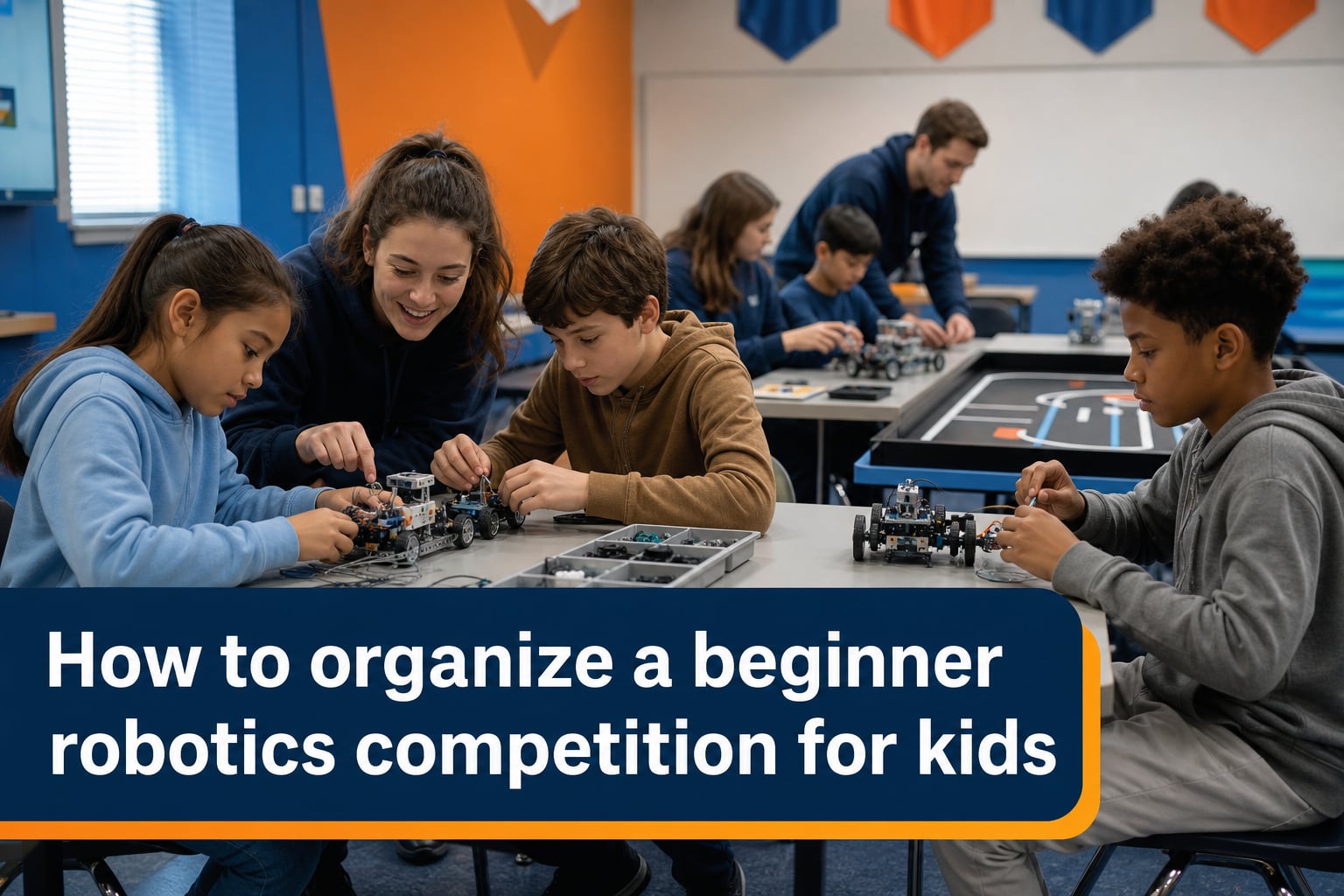
I’ve helped organize three small robotics events in our community over the past four years, and every single one taught me something I couldn’t have planned for. If you’re wondering how to organize a beginner robotics competition for kids, the good news is that you don’t need a robotics degree or a massive budget to pull off an event kids will talk about for months.
This guide walks through the whole process in plain language. We’ll cover what age groups fit which platforms, the major competition programs you can plug into, a realistic 12-week planning timeline, how to design rules that are fair, how to judge fairly, and the real costs involved. By the end, you’ll have a working blueprint plus answers to the questions parents and teachers ask us most.
Table of Contents
Why Robotics Competitions Matter for Kids?
Kids who compete in robotics build a specific kind of confidence that classroom work alone rarely produces. They face a mechanical problem, iterate, fail in public, and try again. Watching a 9-year-old debug a sensor issue with a teammate is one of those moments that sticks with you as a parent or educator.
The benefits line up across studies of STEM education, robotics competition for beginners programs, and parent surveys. Children who participate in beginner robotics competition events show measurable gains in:
Problem-solving under pressure
Communication and teamwork
Basic coding and engineering logic
Public speaking (especially through presentations)
Grit and resilience after failed runs
A parent in our last event told me her son had stopped raising his hand in class. After one season on an FLL team, he was leading the build sessions. That shift isn’t unusual, and it’s the biggest reason I keep volunteering.
Choosing the Right Age-Appropriate Robotics Platform
Picking the wrong platform is the fastest way to lose kids. A 7-year-old handed an Arduino will tune out in minutes, and a 15-year-old working with pre-built block kits will disengage just as fast. Match the platform to the age and experience of your participants.
Here’s the breakdown I use when talking with educators and parents organizing a kids robotics event:
Ages 5 to 8 (Kindergarten through 2nd Grade)
At this age, the focus should be on screen-free or low-screen kits. LEGO Education WeDo 2.0 and Dash & Dot work well. Kids snap pieces together, press buttons to trigger actions, and learn cause-and-effect without wrestling with code. A typical challenge might be navigating a robot through a maze using only distance sensors.
Ages 9 to 11 (3rd through 5th Grade)
This is the sweet spot for LEGO SPIKE Prime and LEGO Mindstorms EV3. Both use block-based programming with optional Python exposure. SPIKE Prime is the newer standard. Mission-style challenges on a tabletop mat are ideal. Teams of 4 to 6 kids can finish a build and program cycle in about 6 weeks.
Ages 12 to 14 (Middle School)
Move up to VEX IQ or LEGO SPIKE Prime with more advanced programming. Kids this age can handle text-based coding environments and benefit from a more open-ended engineering challenge. Robots are still self-contained, so transportation is easy.
Ages 15 to 18 (High School)
High schoolers thrive with VEX V5, FIRST Tech Challenge (FTC), or Arduino/Raspberry Pi-based custom builds. These platforms support heavier mechanical work, real sensor integration, and Java or C++ programming. Team dynamics shift toward project management.
Major Beginner Robotics Competition Programs to Know
Most organizers piggyback on an existing program rather than inventing rules from scratch. Established programs give you a kit list, manual, scoring software, and a network of volunteers. Below are the four programs I recommend most often when people ask me about beginner robotics competition formats.
FIRST LEGO League (FLL)
FLL is the gold standard for ages 9 to 14. Each season centers around a real-world theme (energy, health, transportation, etc.). Teams use LEGO SPIKE Prime or EV3 to complete missions on a themed mat, and they also research a problem and present their solution to judges. Registration runs about $250 per team for the season plus a kit.
FIRST Tech Challenge (FTC)
FTC targets grades 7 to 12. Robots are larger, built from a reusable kit with structural metal pieces, and programmed in Java or block-based environments. Seasons are more involved, but the engineering depth is significant. Registration is higher (around $300 per team plus materials costing $500 or more).
VEX IQ and VEX V5 Robotics
REC Foundation runs VEX IQ for elementary and middle school, and VEX V5 for high school. The plastic snap-together kit on the IQ side is forgiving for younger builders, while V5 supports heavier competition. Both have well-developed online scoring and remote-judging options.
RoboCupJunior
RoboCupJunior focuses on three tracks: Soccer, Rescue, and OnStage (performance). It’s popular with kids who like a creative element alongside technical work, and it has strong international reach. Entry fees are usually lower than FIRST programs.
If budget is a concern, look for FIRST’s equity grants, VEX’s REC Foundation stipends, and local library partnerships. Many communities run all four programs at no cost to families who qualify.
Step-by-Step Guide to Organizing Your Robotics Competition
This is the core of how to organize a beginner robotics competition for kids: a 12-week planning timeline that you can shrink or expand based on scale. I’ve used this framework for everything from a single-classroom event to a regional tournament serving 60 teams.
Week 1 to 2: Define Your Event
Decide three things upfront: scale (single classroom, school-wide, or regional), age range, and format (tabletop mat missions, free-form build challenges, or full FIRST-style season). Each choice flows downstream into budget, volunteer needs, and venue requirements.
Week 3 to 4: Form Your Organizing Committee
Recruit 4 to 6 core volunteers. You’ll want at least one technical lead (engineer or experienced coach), one logistics lead, one judge coordinator, and one sponsorship/fundraising lead. Assign roles with clear deliverables. I’ve found that events with a written charter survive turnover far better than those running on personal enthusiasm alone.
Week 5 to 6: Lock Down Venue and Date
Schools, libraries, and community centers usually work well. Confirm the date avoids major holidays and competing STEM events. Walk the venue in person. Check power outlet count, table space, Wi-Fi, and ADA accessibility. Most amateur organizers underestimate table count by about 30%.
Week 7: Set Rules and Scoring
Adopt rules from an existing program when possible. If you’re designing custom rules, keep scoring simple. One score per mission or per criteria. Limit bonus points to fewer than three categories, otherwise teams game the system rather than build well.
Week 8: Open Registration
Build a simple registration form with team name, age range, kit used, and contact info. Set a hard cap on teams (around 8 to 12 keeps the first event manageable). Charge a small fee, even $20 per team, to confirm commitment.
Week 9 to 10: Recruit Judges and Referees
You’ll need at least 3 judges plus 1 to 2 referees. Recruit engineers, science teachers, college robotics club members, or professionals from local tech companies. Brief them on the rubric two weeks before the event. Provide a printed scoring sheet and walk through it in a 30-minute prep call.
Week 11: Run-Through and Communication
Send final logistics to teams: schedule, parking, lunch options, what to bring, where to plug in for charging. Do a full walk-through of the venue with your committee. Mock-set the competition tables and practice the timing of rotation.
Week 12: Event Day
Arrive 90 minutes early. Set up registration desk, pit areas, judging rooms, and the competition floor. Run opening announcements 30 minutes before the first round. Keep the master schedule on a printed sheet and a shared digital doc. Have a backup technical lead available because something always breaks.
Setting Competition Format and Rules
The format is where most beginner events succeed or fail. Too complex and the day drags; too simple and the kids lose interest. Here are the format choices I recommend for a first-time robotics competition for beginners.
Match Structure
Run 3 to 5 timed rounds per team, between 90 seconds and 3 minutes each. Take the highest score. Reset the field between rounds so every team gets a clean run. This format mirrors FIRST LEGO League and VEX IQ, which most coaches and students already understand.
Autonomous vs. Driver-Controlled
For beginner events, I recommend a 100% autonomous format for grades K-5. Older kids should get a mix, usually 30 seconds autonomous plus 90 seconds driver-controlled. Autonomous-only removes the need for two drivers and simplifies scoring.
Scoring System
Use a transparent point table. Each mission is worth a fixed number of points visible to teams at the start of the day. Avoid hidden criteria. Parents will ask about scoring, and you want to be able to point to a printed page and explain.
Pit Time and Practice
Provide at least 60 minutes of pit time before the first round for teams to test on the actual competition field. Without this, the first run becomes the practice run, which hurts younger kids who need adjustment time.
How to Judge a Robotics Competition?
Judging is the part every parent and educator asks about most. A robotics competition judging rubric should reward process, not just final performance. A team that struggled but explained their iterative problem-solving always scores higher in my system than a team whose parent built everything at midnight.
Here’s the rubric I use, broken into four scored categories.
Robot Design and Engineering (30 points)
Did students explain design decisions and tradeoffs?
Did the robot show evidence of iteration?
Is the mechanical build appropriate for the challenge?
Programming and Code Quality (25 points)
Did the team use sensors effectively?
Did students explain their code logic?
Did they handle failure cases (line lost, obstacle stuck)?
Innovation and Problem Solving (20 points)
Did the team identify a real problem worth solving?
Was the solution creative and feasible?
Did they consult outside sources or experts?
Teamwork and Presentation (25 points)
Did every team member contribute verbally?
Did the team demonstrate collaboration under stress?
Did they handle Q&A from judges professionally?
Score each team on a 1 to 5 scale per category and let the totals fall where they may. Avoid ranking by round performance alone. A team whose robot broke on every run may still top the category scores if their design thinking was strong.
Building Your Team and Recruiting Mentors
Teams of 4 to 6 kids tend to perform best in beginner robotics competition programs. Smaller teams struggle with skill coverage, larger teams get passive members. If you have more kids than slots, run a quick workshop to form teams based on interest rather than friendship, which builds better collaboration.
The mentor question is where most first-time organizers hit their wall. A STEM competition for kids needs at least one adult per two teams. Recruit mentors through:
Local engineering firms (often provide paid volunteer hours)
University engineering and computer science departments
Retired engineers and teachers (highly effective, often underused)
Parents with technical backgrounds willing to coach
High school robotics alumni (some of the best mentors I’ve worked with)
Train mentors once before the season starts. Cover safety, team management basics (especially how to guide without taking over), and the competition rules. A 2-hour mentor orientation prevents 90% of season-long issues.
Budget and Cost Considerations for Beginners
Budget is one of the top concerns in every forum thread I’ve read about organizing robotics competitions. Here’s a realistic breakdown by scale.
Single Classroom Event (Under 20 Students)
Total budget: $200 to $500. Most costs go to consumables (tape, printed mats, batteries). Reuse kits from school inventory. Skip medals or certificates, or print them at home.
School-Wide Event (4 to 8 Teams)
Total budget: $800 to $2,500. Add team registration fees, printed programs, simple trophies, refreshments, and judge thank-you gifts. Consider applying for a PTA grant to cover half.
Regional Tournament (10+ Teams)
Total budget: $3,000 to $10,000+. Venue rental, official field kits, awards, software licenses, insurance, and volunteer T-shirts add up. Sponsor banners around the venue help offset costs, and many local tech companies sponsor STEM events as part of community outreach.
For low cost robotics competition for kids options, partner with a public library, use donated laptops, and run a virtual-presentation judging session on Zoom to cut venue costs.
Common Challenges and How to Overcome Them
Every first-time organizer hits the same hurdles. Here’s how I handle the most common ones based on what other parents and educators have shared in our community.
“We Can’t Find a Qualified Mentor.”
Don’t require robotics experience. A patient teacher with curiosity beats an expert with no time. Provide a 1-page mentor playbook covering the season timeline, rules, and how to ask good questions without giving answers.
“Robotics Is Too Expensive.”
Run a virtual robotics coding competition instead of physical robots. Platforms like CoderZ, VEXcode VR, and Open Roberta Lab simulate robots in a browser. No kits, no transport, no broken parts. This is the lowest cost robotics competition for kids option I know of.
“My Kids Are Too Young.”
Start with a non-competitive showcase instead. Kids design and demo robots for parents and peers. No ranking, no judging panel, just feedback. This makes robotics events more kid-friendly and removes the pressure that discourages younger beginners.
“Teams Don’t Have Enough Practice Time.”
Schedule a weekend workshop one month before the event. Bring the kit, the mat, and laptops. Teams rotate between build, program, and test stations. One focused weekend of practice often beats a month of weekly sessions.
Frequently Asked Questions
What age is appropriate for a beginner robotics competition?
Most beginner robotics competition programs welcome kids ages 6 to 18, with specific platforms matched to age groups. Ages 5 to 8 do best with screen-free kits like LEGO WeDo, while ages 9 to 14 are the sweet spot for FIRST LEGO League. Middle and high schoolers move up to VEX V5, FTC, or Arduino-based platforms.
How much does it cost to host a beginner robotics competition?
A classroom-scale robotics competition can cost as little as $200 with reused kits, while a school-wide event typically runs $800 to $2,500. Regional tournaments with 10 or more teams usually require $3,000 to $10,000 or more. Virtual coding competitions offer the lowest-cost path, often under $100 using free browser platforms.
What robots should beginners use in a robotics competition?
The best beginner robotics kits depend on age. LEGO SPIKE Prime and LEGO Mindstorms EV3 are the most common picks for elementary and middle school. VEX IQ works well for elementary through middle schoolers. Older beginners often start with Arduino or Raspberry Pi kits paired with sensors and JavaScript or Python programming.
How do you judge a beginner robotics competition?
Judging should score four categories: robot design and engineering, programming code quality, innovation and problem solving, and teamwork and presentation. Each category uses a 1 to 5 scale, with the final score combining all four. Awarding process-based points prevents teams from relying on a single high-scoring run.
How many kids should be on a beginner robotics team?
Four to six kids per team is the ideal range for beginner robotics competition programs. Smaller teams struggle to cover all the skills needed for design, programming, and presentation. Larger teams tend to leave members disengaged. If you have more kids than spots, run a short tryout session to form balanced teams.
Wrapping Up Your Robotics Competition Plan
Pulling off a beginner robotics competition for kids comes down to three commitments: pick the right platform for your age group, build a ruleset simple enough that everyone understands the score at the end, and treat the season as much about team skills as robot performance. If you follow the 12-week timeline above, you’ll be in good shape.
Start small. Run one classroom event before attempting a regional. Build a volunteer list now, even if your event is six months away. Talk to coaches at nearby schools who already run programs, and trade notes. The community around kids robotics events is generous and willing to help newcomers.
If you remember nothing else, remember this: the day is for the kids, and the kids will surprise you. Plan well, stay flexible on the floor, and you’ll walk away from your first event wondering why you waited so long to start.