
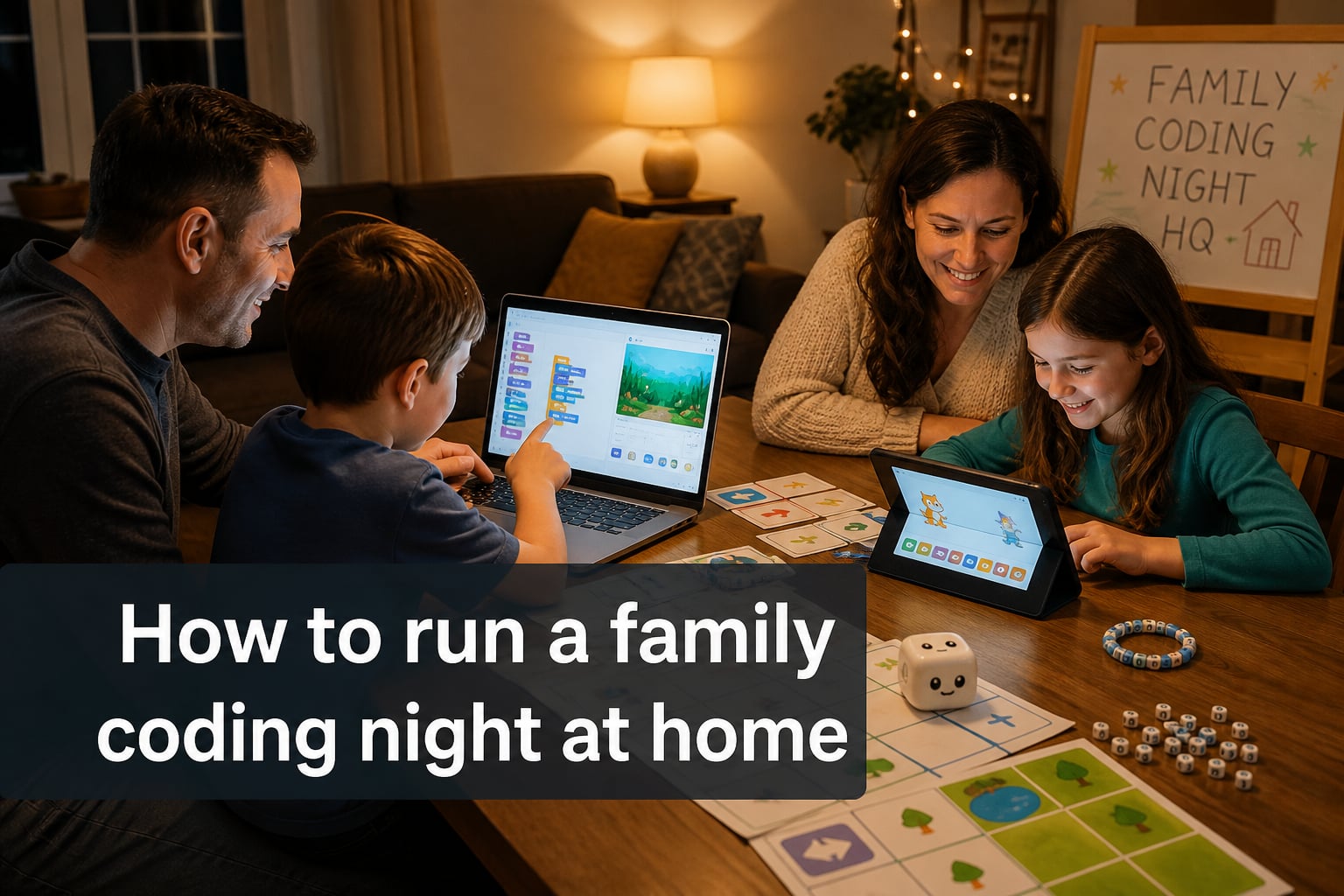
A family coding night at home is one of the easiest ways to turn an ordinary evening into a hands-on STEM adventure that everyone remembers. In this guide, I’ll show you exactly how to plan, run, and enjoy a home coding night from start to finish, even if no one in the family has written a line of code before.
I’ll cover the seven steps I use with my own family, the best free platforms by age group, screen-free activities for households without devices, and how to keep kindergarteners, teens, and grandparents all engaged at the same time. By the end, you’ll have a plug-and-play plan you can run this weekend.
Table of Contents
What Is a Family Coding Night at Home?
A family coding night at home is a one to two-hour event where parents and children explore basic programming concepts together using free online tools or screen-free activities. Unlike school-based Family Code Night events, a home version runs on your schedule, in your living room, at a pace that fits your family.
The concept originated from the Family Code Night program promoted by NAESP and MV GATE, which has helped thousands of elementary schools host coding evenings. Bringing it home simply means adapting the same self-paced puzzles and pair-programming model to your own kitchen table.
At a typical home coding night, parent-child pairs work through short puzzles that teach sequencing, loops, and conditional logic. Most activities use block-based programming, where kids drag and drop colorful command blocks instead of typing syntax. No experience is required, and the goal is shared discovery, not perfection.
Why a Home Coding Night Beats a School Event?
Hosting a family coding night at home gives you three advantages a school event simply can’t match. You control the pace, you tailor activities to your own kids’ ages, and you avoid the noise and overwhelm of a packed multipurpose room.
School events are wonderful, but they often run on a strict 75-minute script with dozens of families competing for attention. At home, if your eight-year-old wants to retry a puzzle ten times, she can. If your toddler loses interest, you can pivot to a screen-free activity without disrupting anyone else.
Home coding nights also remove the biggest barrier non-technical parents report in forums: embarrassment. Many parents tell me they avoid school coding nights because they don’t want to look clueless in front of other families. At home, asking “what does this block do?” becomes a normal, even welcome, part of the fun.
How to Plan a Family Coding Night in 7 Steps
Plan your family coding night at home by following these seven steps in order, starting about a week before your chosen date. The whole process takes roughly two hours of prep, and the payoff is an evening your kids will talk about for months.
Step 1: Pick a date and time. Saturday morning or a weeknight after dinner both work well. Block out 90 minutes so you aren’t rushing. Tell the family in advance so it feels like an event, not a surprise.
Step 2: Decide on screen or screen-free. If everyone has a laptop or tablet, plan to use Code.org or Scratch. If devices are limited, choose two or three unplugged activities from the list below. Mixing both formats works great for mixed-age families.
Step 3: Choose one anchor platform. Don’t try to introduce every tool. Pick one (Code.org for beginners, Scratch for tweens) and stick with it for the whole night. Familiarity beats variety here.
Step 4: Set up the space. Clear the dining table, charge devices, and test your Wi-Fi. Set out snacks and water. A small sign that says “Family Coding Night HQ” makes it feel official, especially for younger kids.
Step 5: Assign roles. Give one adult the role of facilitator (reading instructions, keeping time), another the role of cheerleader (taking photos, hyping up small wins). Older kids can be “code coaches” for younger siblings.
Step 6: Run a quick warm-up. Spend ten minutes on a tiny puzzle or an unplugged activity so everyone gets a small win before the main event. Confidence builds momentum.
Step 7: Wrap with a show-and-tell. End with five minutes where each pair shares what they built. Screenshots, a quick demo, or a printed certificate make the closing feel celebratory.
Best Free Platforms for Your Family Coding Night
Code.org, Scratch, and ScratchJr are the three best free platforms for a family coding night at home, each suited to a different age range. Here is how to choose the right one for your crew.
Code.org (ages 5 to 12). Code.org hosts the famous Hour of Code tutorials, including kid favorites like Minecraft, Frozen, and Star Wars puzzles. The drag-and-drop interface is forgiving, and tutorials are fully self-paced with voiceovers. This is the safest starting point if you’ve never run a coding night before.
Scratch (ages 8 to 16). Built by MIT, Scratch lets kids build full games, animations, and stories using block-based programming. It’s more open-ended than Code.org, which means more creativity but also more potential for getting stuck. Pair teens with younger siblings for the best results.
ScratchJr (ages 5 to 7). ScratchJr is the tablet-only little sibling of Scratch. It’s designed for kindergarten through second grade, with simplified blocks and a friendly character-driven interface. Perfect for the youngest coders in your family.
Quick recommendation. If you have mixed ages, put kindergarteners on ScratchJr, elementary kids on Code.org, and tweens on Scratch. Each child works at their own level, and you can all share screens at the end.
Screen-Free Coding Activities for the Whole Family
Screen-free coding activities like binary bracelets, robot dice, and CS Unplugged card games teach programming concepts without any device. These unplugged coding activities are perfect for families who want to limit screen time or who simply don’t have enough laptops to go around.
Activity 1: Human Robot. One person is the “robot,” the rest are “programmers.” The robot can only follow written instructions on index cards. The programmers write commands like “step forward,” “turn left,” and “pick up the spoon.” The robot executes the cards in order. This teaches sequencing and debugging when the robot crashes into a chair.
Activity 2: Binary Bracelets. Each family member makes a bracelet spelling their first initial in binary using two colors of beads. It takes about ten minutes, and kids love wearing their bracelets for the rest of the night. It’s a tactile way to introduce how computers represent information.
Activity 3: If-Then Dance Party. Pick a “DJ” who calls out conditions: “If you are wearing shoes, clap twice. If you have brown hair, spin around.” Everyone follows the rules. It teaches conditional logic and gets the energy out, especially helpful if younger kids are getting wiggly.
Activity 4: CS Unplugged Card Sorting. The CS Unplugged website (csunplugged.org) offers free printable activities for sorting, searching, and networks. Print a few pages beforehand and have them on the table as backup options.
How to Include All Ages (Kindergarten Through Adults)
Pair older kids with younger siblings, give teens mentor roles, and assign adults to be coaches rather than experts. Multi-age participation is the single biggest predictor of a fun family coding night, according to parents in online forums.
For kindergarteners and first graders, keep sessions short. Fifteen minutes of focus is a win. Have crayons, paper, and the ScratchJr app ready, but don’t force screen time if they prefer the human robot game.
For tweens and teens, let them choose the project. A Minecraft mod, a Scratch animation of the family pet, or a Code.org dance party tutorial all work. Give them five minutes of autonomy at the start to pick what excites them, then check in.
For adults, set the tone early that this is a no-judgment zone. Grandparents who have never touched a computer can sit with a five-year-old and do the binary bracelet activity together. That’s a coding night win, even without a single screen.
Tips for Parents With Zero Coding Experience
Parents with no coding experience should treat the night as shared discovery, not teaching, and lean on the platform tutorials. The single most common regret I hear from parents is pretending they know more than they do, which makes kids shut down.
Here is what actually works. Sit next to your child, not across from them. Read the on-screen instructions out loud together. When you hit a block you don’t understand, say “I don’t know, let’s figure it out” and click the hint button together. Modeling curiosity is more valuable than modeling competence.
You can also prepare in 15 minutes the day of the event by skimming the first level of your chosen tutorial. That’s enough to anticipate the rough patches and cheer your kids through them.
Frequently Asked Questions
What is a family coding night at home?
A family coding night at home is a one to two-hour event where parents and children explore basic programming concepts together using free online tools like Code.org and Scratch, or screen-free activities. No prior coding experience is required, and the goal is shared fun and learning.
What age is appropriate for a family coding night?
Family coding nights work well for children ages 5 through 12, with adaptations for teens and adults. ScratchJr suits ages 5 to 7, Code.org fits ages 5 to 12, and Scratch engages ages 8 to 16. Adults of any experience level can join as coaches or co-learners.
Can you do a coding night without computers?
Yes, unplugged coding activities like human robot, binary bracelets, if-then dance parties, and CS Unplugged printables teach sequencing, loops, and conditional logic without any device. Mixing screen-free and screen-based activities works especially well for mixed-age families.
How long should a family coding night last?
A family coding night at home should run about 60 to 90 minutes total, with shorter focused blocks of 15 to 20 minutes for younger children. Build in a warm-up, a main activity, and a five-minute show-and-tell closing to keep energy high and end on a win.
Start Your Family Coding Night This Weekend
Running a family coding night at home is simpler than it sounds. Pick a Saturday, choose one platform from Code.org, Scratch, or ScratchJr, set up the dining table, and follow the seven planning steps above. Add one unplugged activity as backup, and you’ve got a complete event.
The biggest lesson I’ve learned running these with my own family is that the goal isn’t a perfect app at the end of the night. It’s the inside jokes, the “aha” moments, and the memory of figuring something out together. Start small, keep it playful, and let your kids lead the next round once they’ve caught the bug.
For more ideas on bringing STEM into everyday family life, browse the rest of our guides and resources.