
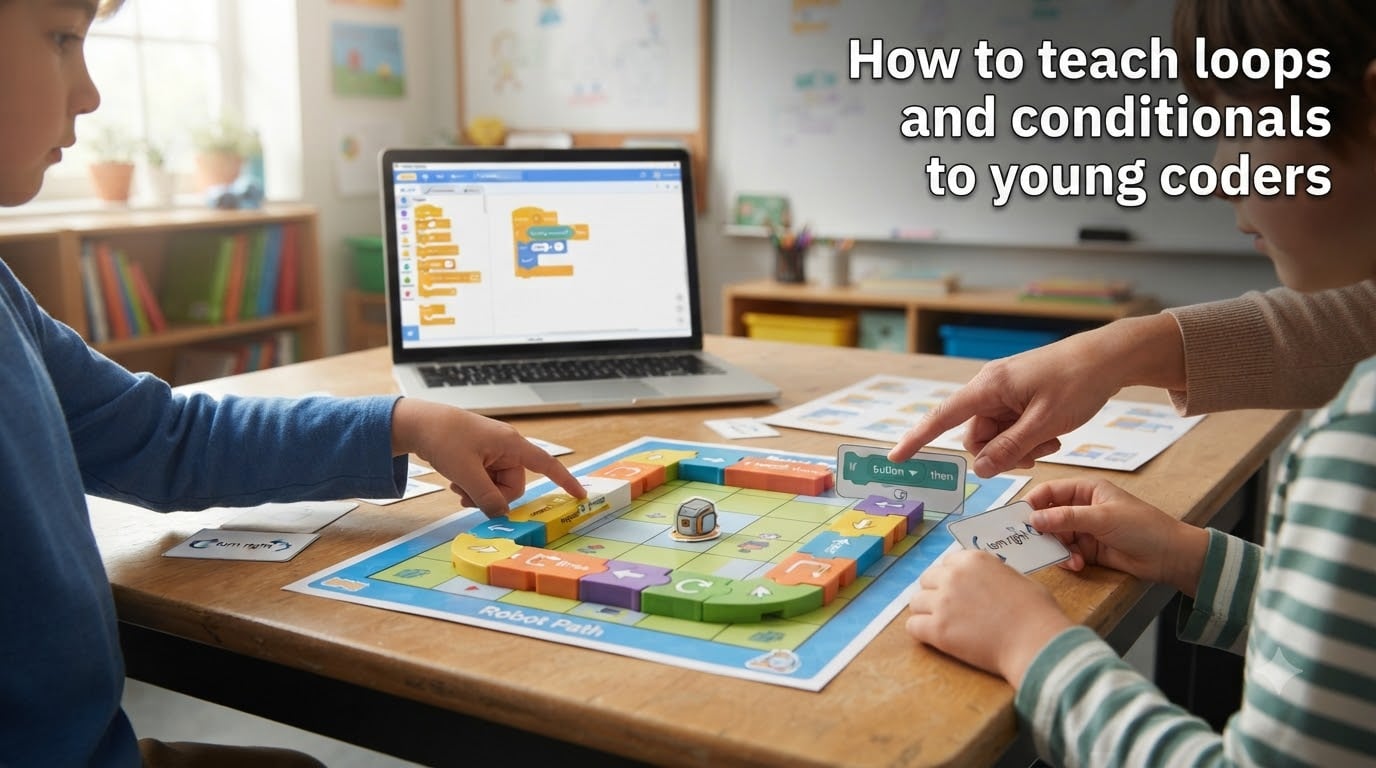
Teaching kids to code is one thing. Teaching them the two ideas that make every program work, loops and conditionals, is where most educators hit a wall. I have spent years working with students, teachers, and parents who all struggle with the same problem: how do you explain abstract programming concepts to an 8-year-old without losing their attention in thirty seconds?
The good news is that you do not need a computer science degree or expensive software to make this work. You just need the right analogies, hands-on activities, and a progression that matches how young brains actually learn.
In this guide on how to teach loops and conditionals to young coders, I will walk you through everything from simple unplugged games you can play today to block-based coding activities that build real programming skills. Whether you are a classroom teacher, a parent, or a coding club volunteer, you will find practical steps you can use immediately.
We will cover what loops and conditionals actually are, why they matter so much, fun activities for each concept, a step-by-step progression by age group, common mistakes to avoid, and the best free tools to get started.
Table of Contents
What Are Loops in Programming (And Why Kids Need Them)
A loop is a programming structure that repeats a set of instructions multiple times. Instead of writing the same line of code over and over, a loop lets you write it once and tell the computer how many times to run it.
Think of a loop like climbing a staircase. You do not need separate instructions for every single step. You just say, “lift foot and step up, repeat until you reach the top.” That single repeated instruction is exactly how a loop works in code.
Types of Loops Kids Will Encounter
Young coders typically meet three types of loops as they progress:
Counting loops (for loops): These repeat a set number of times. “Spin around five times” is a counting loop. In Scratch, kids use the “repeat 10” block for this.
Conditional loops (while loops): These keep going until something changes. “Keep walking until you reach the door” is a while loop. The loop checks a condition each time before running again.
Infinite loops: These run forever (or until someone stops the program). Kids love these because they make characters spin endlessly, but they are also a great way to teach what happens when you forget to add a stop condition.
Why Loops Matter for Young Coders
Loops teach kids two things at once: efficiency and pattern recognition. When a child realizes they can replace ten identical lines of code with a single repeat block, something clicks. They start seeing repetition everywhere, not just in code but in daily routines, songs, and games.
This shift in thinking is the foundation of computational thinking. A child who can identify a pattern and turn it into a loop is already thinking like a programmer.
Loops also make code shorter and easier to read. For young coders who are just starting, shorter code means fewer chances to make mistakes and more confidence when they hit “run.”
What Are Conditionals in Programming (And Why Kids Need Them)
A conditional is a programming structure that makes decisions. It checks whether something is true or false, then runs different code depending on the answer.
The simplest way I explain it to kids: “If it is raining, take an umbrella. Otherwise, leave it at home.” That sentence is a complete conditional statement. The condition is the weather. The action changes based on what is true.
If-Then-Else Explained Simply
Conditionals have three main parts that kids can understand quickly:
IF: This is the check. “If I finish my homework” is the condition being tested.
THEN: This is what happens when the condition is true. “Then I can play video games.”
ELSE: This is what happens when the condition is false. “Otherwise, I keep studying.”
In Scratch, kids drag colorful blocks together to build these statements visually. They can make a character change costume if it touches a certain color, or play a sound if a key is pressed. The cause-and-effect relationship is immediate and satisfying.
Why Conditionals Matter for Young Coders
Without conditionals, every program would do exactly the same thing every time. Conditionals are what make games respond to player input, apps adapt to user choices, and robots navigate around obstacles.
Conditionals also teach logical thinking. Kids learn to break down decisions into clear, testable questions. “Is the score greater than 10?” becomes a real question with a yes-or-no answer, not a vague feeling.
This kind of binary thinking, true or false, yes or no, is the backbone of all programming. Once kids grasp it, they can start building projects that feel genuinely interactive.
Fun Activities to Teach Loops to Young Coders
Teaching loops works best when kids can feel the repetition in their bodies before they see it on a screen. Here are activities that move from physical to digital, building understanding step by step.
Unplugged Loop Activities (No Computer Needed)
The Dance Loop: Have kids create a dance move, then repeat it a set number of times. “Clap, spin, jump, repeat four times.” They are writing a loop with their bodies. This works for ages 5 and up and requires zero setup.
The Robot Walk: One child plays the robot. Another writes “code” on paper using arrows and numbers: forward 3, turn right, forward 2, repeat. The robot follows the instructions exactly. Kids learn that loops are just instructions the computer follows without thinking.
Pattern Bracelets: String beads in a repeating pattern like red-blue-red-blue. Ask kids to describe the pattern using “repeat” language. “Two beads, repeat five times” is a loop in bead form.
Block-Based Coding Activities for Loops
Once kids understand the physical idea of repetition, move them to a visual programming platform like Scratch. Here are specific projects that work well:
Spinning Cat: Start with the Scratch cat sprite. Use a “repeat 10” block inside a “turn 15 degrees” block. The cat spins in a full circle. Change the repeat number and watch what happens. This takes two minutes to build and immediately shows how loops control behavior.
Drawing Squares: Use the pen extension in Scratch. Combine “move 100 steps,” “turn 90 degrees,” and “repeat 4.” Kids see a square appear on screen. Change the repeat count to 3 or 6 and they get triangles and hexagons. This is a powerful moment because kids discover geometry through code.
Music Maker: Use the music extension to play notes in a loop. Kids can create simple melodies by changing the note inside a repeat block. This connects loops to something kids already love: music.
Real-World Analogy Games
Kids remember analogies better than definitions. Here are ones I have seen work repeatedly:
The Stair Climber: Ask a child to explain how they climb stairs without listing every step. They will naturally say something like “step up until I reach the top.” That is a while loop, and now they have invented the concept themselves.
The Song Refrain: Most kids’ songs have a chorus that repeats. Point out that the songwriter did not write the chorus ten times. They wrote it once and told the singer to repeat it. That is exactly what a loop does in code.
The Lunch Line: A cafeteria server repeats the same action for every student: scoop food, place on tray, next person. Ask kids how they would describe this using “repeat” language.
Fun Activities to Teach Conditionals to Young Coders
Conditionals are everywhere in daily life, which makes them easy to teach through games and everyday situations. The key is helping kids notice that they already make conditional decisions all day long.
The Clothing Conditional Game
This is one of the most effective activities I have seen, and it comes straight from real classrooms. Here is how it works:
Have all students stand in a line. Give conditional instructions based on what they are wearing. “If you are wearing sneakers, take one step forward. If you are wearing sandals, take one step back.” Every student evaluates the condition and acts based on the result.
Variations include using shirt color, hair accessories, or whether they brought a water bottle. Kids immediately grasp that the same instruction produces different actions depending on the condition.
After a few rounds, have kids write their own conditional statements for classmates to follow. This moves them from playing the game to creating the logic.
Simon Says with Conditions
Modify the classic Simon Says game to include conditional rules. “Simon says, if you are sitting on the left side of the room, stand up.” Or, “If your name starts with A through M, clap three times. Otherwise, stomp three times.”
This game teaches the if-else structure naturally. Kids experience the branching logic in their bodies before they ever see it in code.
Block-Based Conditionals in Scratch
Move to Scratch with projects that require decisions:
Color Collision: Make a character that changes its costume when it touches a specific color. Use the “if touching color” block. Kids see the conditional fire in real time as they move the character around the screen.
Score Keeper: Create a simple game where clicking a button adds points. Add a conditional: “If score equals 10, say You Win.” Kids learn that conditionals can trigger celebrations and endings, not just visual changes.
Weather Character: Build a character that changes its mood based on a variable. “If weather equals sunny, switch to happy costume. Else, switch to rainy costume.” Let kids set the weather variable themselves and watch the character react.
The Traffic Light Analogy
Traffic lights are conditionals kids already understand. Green means go. Red means stop. Yellow means slow down. Have kids write these as if-then statements on paper, then translate them into Scratch blocks.
You can extend this by adding a pedestrian button. “If button is pressed AND light is red, walk. Otherwise, wait.” This introduces combining conditions, a natural next step for kids who have mastered basic if-then logic.
Step-by-Step Guide to Teaching Loops and Conditionals
The biggest mistake educators make is rushing to a screen before kids understand the concepts physically and verbally. Here is a progression I recommend based on age and developmental readiness.
Ages 6 to 8: Start Unplugged
At this age, focus entirely on physical and verbal activities. Kids are developing their sense of sequence and cause-and-effect. They do not need a computer to learn what repetition and decision-making mean.
Spend several sessions on dance loops, pattern activities, and conditional games like the clothing game. Let kids invent their own rules and explain them to each other. The goal is comfort with the ideas, not technical skill.
Board games like Robot Turtles are excellent here. They teach programming logic, including loops and conditionals, through gameplay that feels like fun rather than a lesson.
Ages 8 to 10: Move to Block-Based Coding
Once kids can articulate loop and conditional concepts verbally, introduce Scratch or a similar block-based platform. Start with the projects described above: spinning characters, drawing shapes, color collisions.
Keep sessions short, 20 to 30 minutes max. Kids this age lose focus quickly, especially when debugging. Frame mistakes as puzzles to solve, not failures.
Encourage kids to remix existing Scratch projects. Looking at someone else’s code and changing one block teaches more than starting from scratch (no pun intended). Self-paced exploration matters, but pure self-teaching without guidance usually leads to frustration.
Ages 10 to 12: Bridge to Text-Based Programming
Some kids this age are ready for their first text-based language, often Python or JavaScript. The transition should be gradual. Show them how a Scratch “repeat 5” block becomes a for loop in Python.
Use the same projects they already know. If they drew a square in Scratch, have them draw it in Python using turtle graphics. The concept is identical, only the syntax changes.
Introduce more complex conditionals at this stage: else-if chains, nested conditions, and combining conditions with “and” or “or.” Kids who have built a strong foundation in block-based coding handle this transition smoothly.
Common Mistakes When Teaching Loops and Conditionals
Even experienced educators fall into these traps. Knowing them ahead of time saves a lot of frustration for both you and your students.
Starting on a computer too early. Kids need to feel loops and conditionals in their bodies and hear them in language before seeing them on screen. Jumping straight to Scratch skips the understanding phase and leads to kids copying code without grasping why it works.
Using adult terminology. “Iteration,” “boolean,” and “control flow” mean nothing to an 8-year-old. Use “repeat,” “true or false,” and “making decisions” instead. Introduce technical terms gradually once the concept is solid.
Ignoring infinite loops. When a kid creates an infinite loop and their character spins forever, do not rush to fix it. Use it as a teaching moment. Ask, “Why won’t it stop?” Let them discover the missing stop condition themselves.
Not differentiating by age. A 6-year-old and a 12-year-old need completely different approaches. Giving a first grader a Python tutorial or a middle schooler only unplugged games will lose them both. Match the activity to the developmental stage.
Rushing past the fundamentals. If a child cannot explain what a loop does in plain language, they are not ready for nested loops. Build one concept fully before stacking the next. Patience here pays off enormously later.
Best Tools to Teach Loops and Conditionals
You do not need to spend money to teach these concepts well. Here are the tools I recommend, organized by type.
Scratch (Free): The gold standard for block-based coding. Created by MIT, Scratch is designed specifically for kids ages 8 to 16. Its colorful blocks make loops and conditionals visual and intuitive. The community includes millions of remixable projects.
ScratchJr (Free): A simplified version of Scratch for ages 5 to 7. It runs on tablets and uses even simpler blocks. Perfect for the youngest coders who are not yet reading fluently.
Code.org (Free): Offers structured courses that progress from unplugged activities to block-based coding. The courses include specific lessons on loops and conditionals with built-in assessments. Great for classroom use.
Robot Turtles (Board Game): A physical board game that teaches programming concepts including loops and conditionals. Ideal for ages 4 to 8 and perfect for families who want screen-free learning.
Botley the Coding Robot: A screen-free robot toy that kids program using a remote. It supports loops and conditional logic through physical play. Great for ages 5 to 10.
Tynker (Freemium): A block-based platform similar to Scratch but with more structured courses and gamified progression. Useful for kids who respond to badges and levels.
Frequently Asked Questions
How to teach loops in programming to kids?
Start with physical activities like dance loops or robot walks where kids repeat movements a set number of times. Then move to block-based platforms like Scratch, where kids use repeat blocks to spin characters or draw shapes. Always teach the concept unplugged first, then translate it to code.
How to teach conditionals in a fun way?
Use the clothing conditional game where students perform actions based on what they are wearing. Try modified Simon Says with conditional rules. Then move to Scratch projects where characters react to color collisions or score changes. Kids grasp conditionals fastest through games they can play with their whole body.
What age can kids learn loops and conditionals?
Kids as young as 5 can learn loop and conditional concepts through unplugged activities like dance patterns and conditional games. Ages 6 to 8 should focus on physical and verbal activities. Ages 8 to 10 are ready for block-based coding in Scratch. Ages 10 to 12 can begin bridging to text-based languages like Python.
What is the best way to teach coding to young students?
The best approach is to start unplugged, use physical activities and games, then move to visual block-based coding before any text-based programming. Keep sessions short, frame mistakes as puzzles, match activities to the child’s age, and let kids explore at their own pace with guidance rather than pure self-teaching.
Conclusion
Learning how to teach loops and conditionals to young coders comes down to one principle: make the abstract physical before making it digital. When kids dance in loops, make decisions in conditional games, and build their first Scratch projects on that foundation, the concepts stick.
Start unplugged, move to block-based coding, and bridge to text-based programming only when the foundation is solid. Use the activities and tools in this guide, avoid the common mistakes, and remember that every child progresses at their own pace. The goal is not to produce a software engineer by age 10. It is to help kids discover that they can think logically, solve problems, and create things with code.
Your next step is simple. Pick one unplugged activity from this guide and try it tomorrow. The results will surprise you.